




For those that have installed the latest version of iOS, which is iOS 9.3, you’ll notice a couple of changes to Apple Wallet.
1. Share Icon
In previous versions of Apple Wallet, there was a share icon on the bottom left of the front of the pass, allowing users to share their pass via Message or Mail. In iOS 9.3, the share icon has been removed and now appears as a link on the back of the pass (right underneath Automatic Updates).
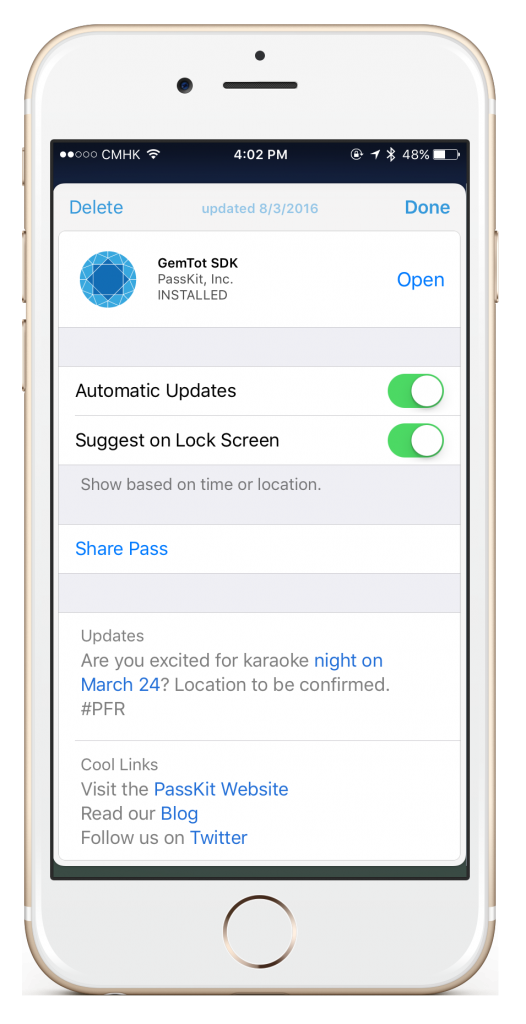
2. App Icon
Apple Wallet has been a fantastic way for brands to promote their app the back of their passes. In iOS 9.3, if you’ve integrated an app to your pass, you’ll see that the app icon also appears on the bottom left of the front of the pass – where the share icon used to be. One tap of the icon will open the app if you already have it installed, or take you to the page in the app store to download the app.

And yes, PassKit is having karaoke night very soon. Next time, we’ll extend the invite out to all of you 😉
What do you think of these updates? We’d love to hear your thoughts.
Note: This pass was created using CherryPie. If you’re looking to create mobile wallet content for your brand today, then definitely check out CherryPie.