


TIME FOR ANSWERS
Apple Watch has arrived. And with it, many important questions.
Will the battery end before your day does? Will it survive your regular swim session, and irregular spilled drink session? Is it easy to navigate with fat fingers? What’s it like to unbox?
While these are important questions, there are already thousands of videos and blogs answering them. Some great examples can be found at the end of this post, but that’s not why you came here. You came for what follows.
YOUR MORE SPECIFIC QUERIES
You have more targeted questions/problems you need answering, surrounding Mobile Wallet, Passbook, Mobile Payments, and passes on Apple Watch.
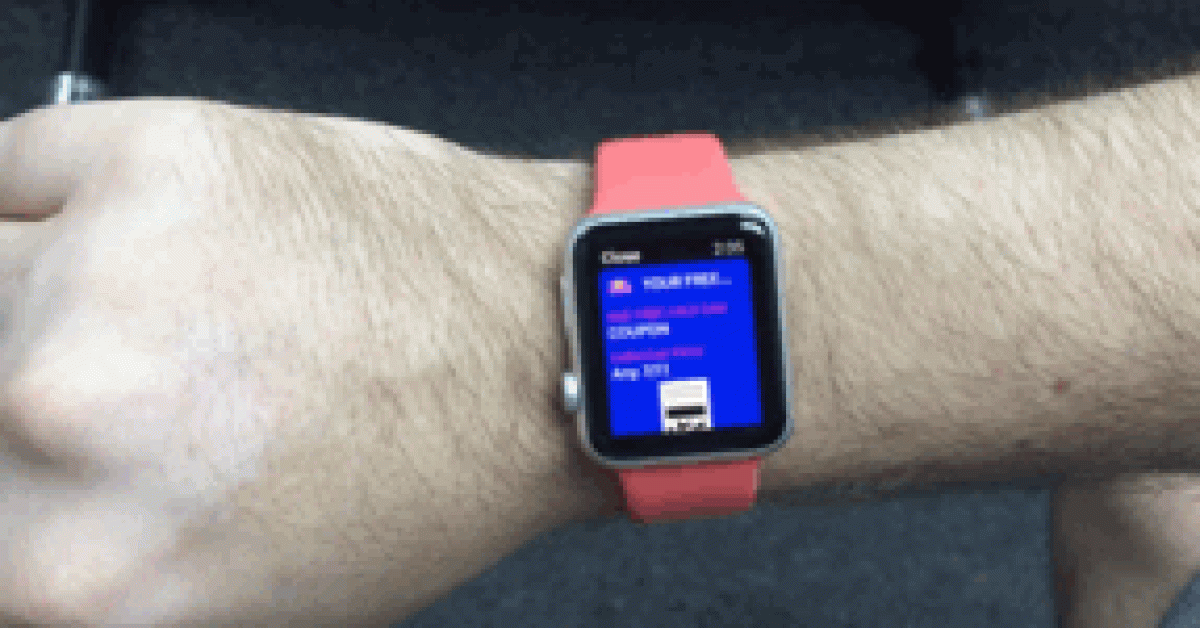
Will a pass disappear when someone twists their wrist? What does a pass look like on Apple Watch? Is a pass easy to access/deliver on Apple Watch?
As luck would have it, the majority of your specific Mobile Membership Card, Digital Store Card and Digital Coupon questions/problems can be answered pretty simply. So simply in fact it took all of 5mins to test out for you. You can see photos of this after we reveal the 3 simple steps, below.
3 SIMPLE STEPS
- Open Passbook on the Apple Watch
Locate the Passbook icon on the Apple Watch app screen. Click and you’ll see all your lovely passes automatically added and updated here, in real-time.
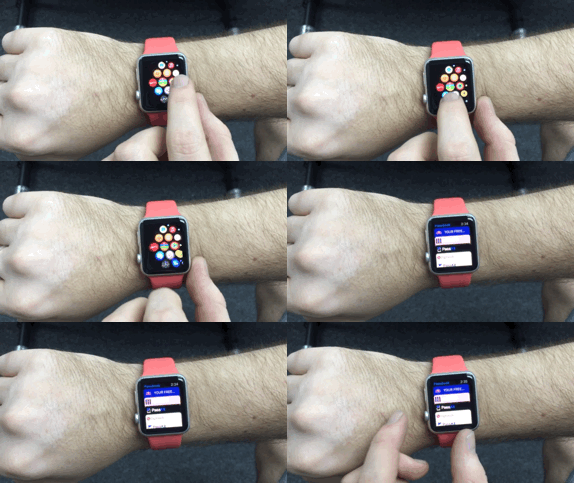
- Select a pass
Scroll to the pass you want. Tap the screen – softly.
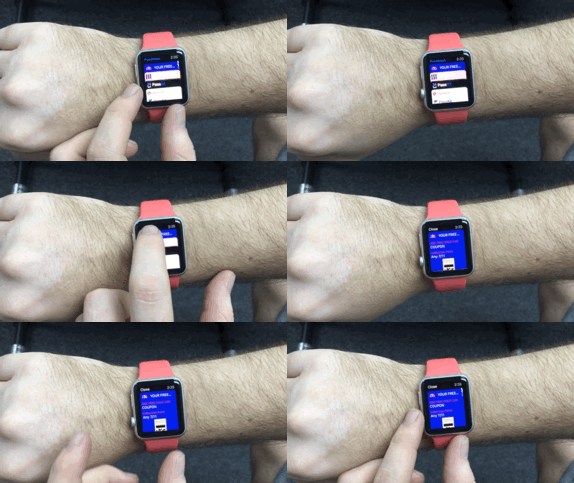
- Activate the barcode, QR code, PDF417 code…etc.
Scroll down, then tap the code softly or just let the background fade away, which will happen after about 1 second. And that’s it.
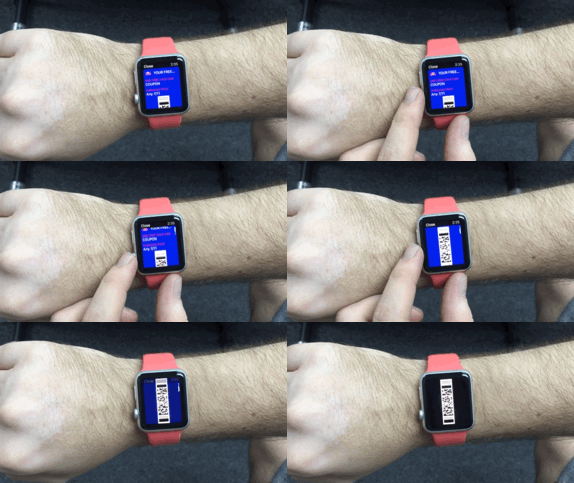
NOTE: Your barcode will stay on screen even if you turn your wrist away.
OK, so the process is pretty simple. Right.
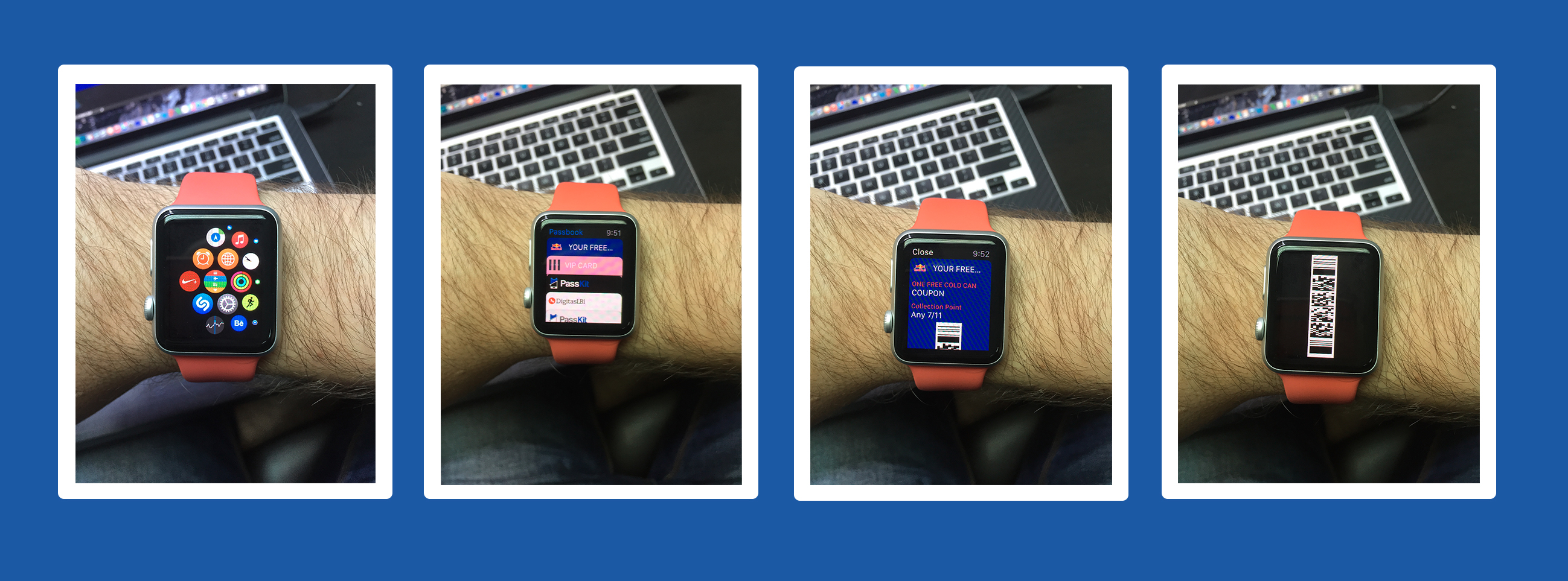
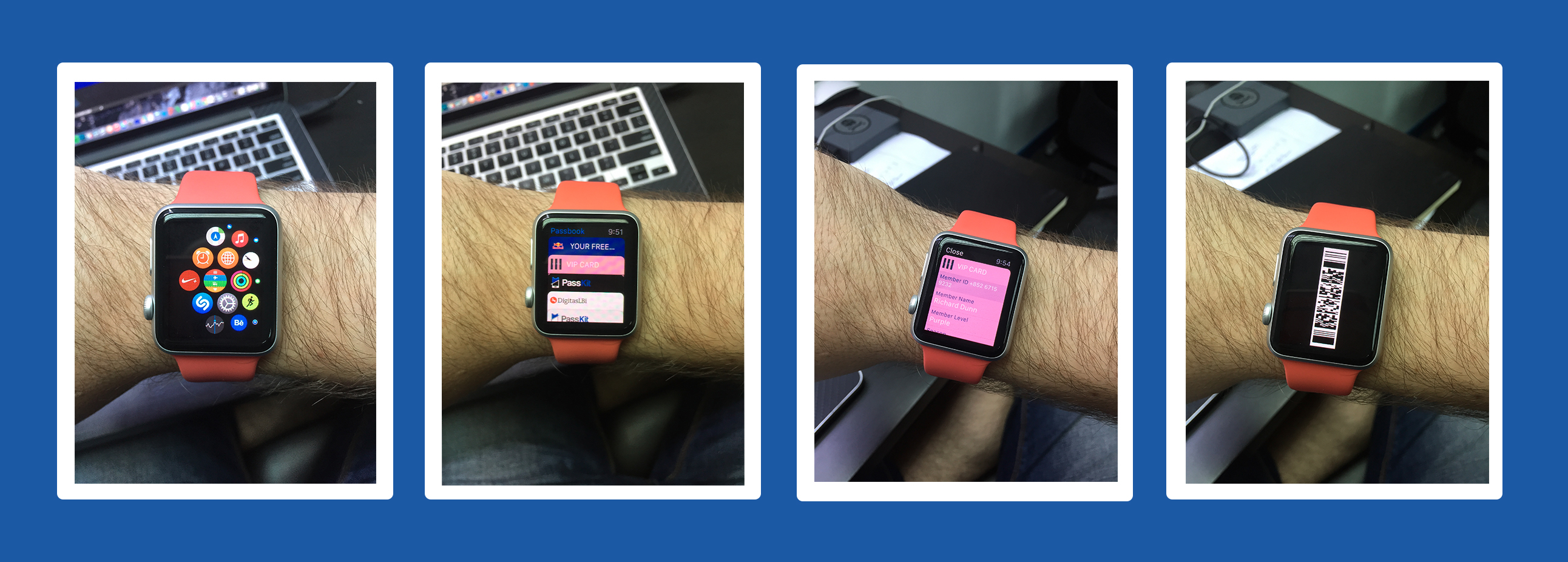
It actually felt almost too simple. So below you’ll also see screen shots of exactly what a Digital Coupon and Digital Membership Card look like on the Apple Watch – proving the simplicity of getting your passes into Passbook, and working without worry.
USE A DIGITAL COUPON IN PASSBOOK ON APPLE WATCH

USE A DIGITAL MEMBERSHIP CARD IN PASSBOOK ON APPLE WATCH

Now redeem with your wrist. Simple.
If you have more specific questions concerning the use of Passbook, passes, Digital Coupons, Mobile Wallet and more on your Apple Watch, please let us know below.
Viva la Movolution!
SOME OTHER APPLE WATCH QUESTIONS ANSWERED
Unbox Therapy: Apple Watch unboxing
FoneFox: Apple Watch waterproof test
Canoopsy: Apple Watch battery test