
How to discover music around you with WeChat
Learn how WeChat Shake could identify music playing nearby in this step-by-step guide.

Gung Hey Fat Choy! Happy Chinese New Year to all PassKit blog readers, as well as visitors who just happened to land on this page. We’d like to start the year of the Rooster by talking about the new feature that has recently been added to the most popular Chinese multi-function wallet app WeChat. The new functionality consists of users being now able to ‘Shazam-alike’ interact with music around them. The feature is located in the discover section within WeChat and here’s how it works:
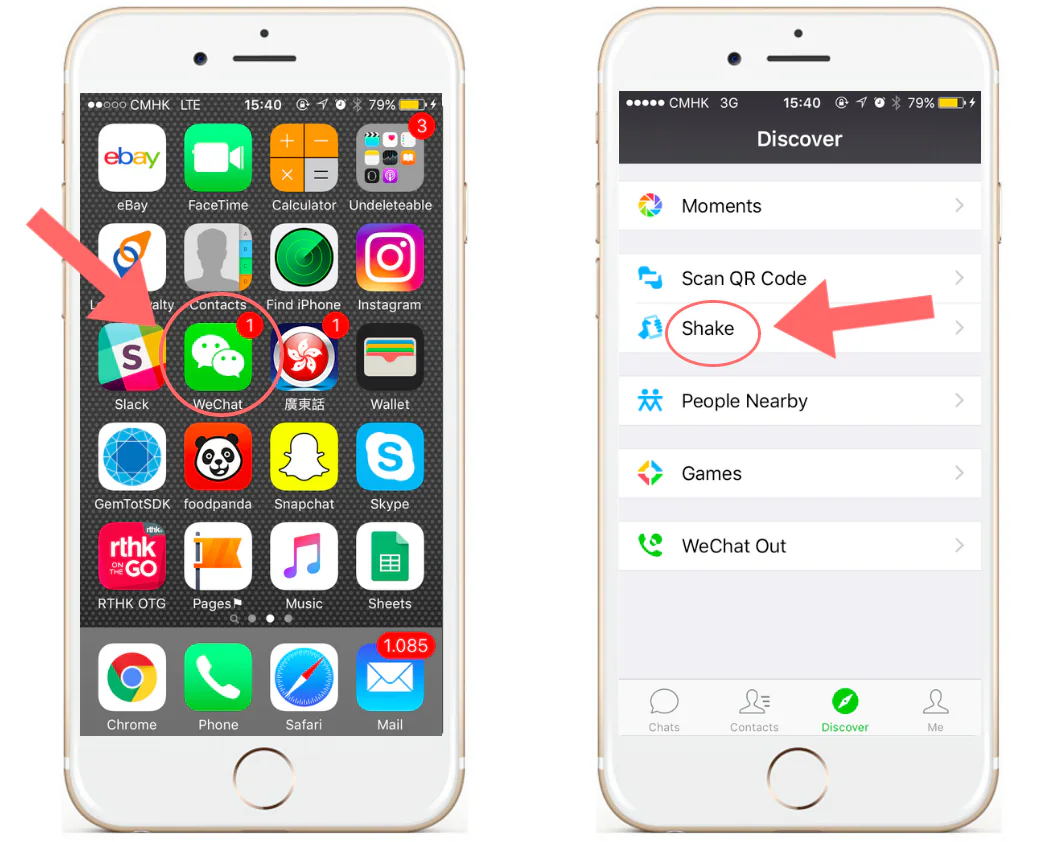
Step 1) Open WeChat and get to the ‘Shake’ functionality
Nothing too difficult here, just tap on the WeChat icon on your phone as shown below. You will access your WeChat. Then click on the ‘discover’ icon at the bottom right of your screen, and you will be prompted few options. Click on shake.
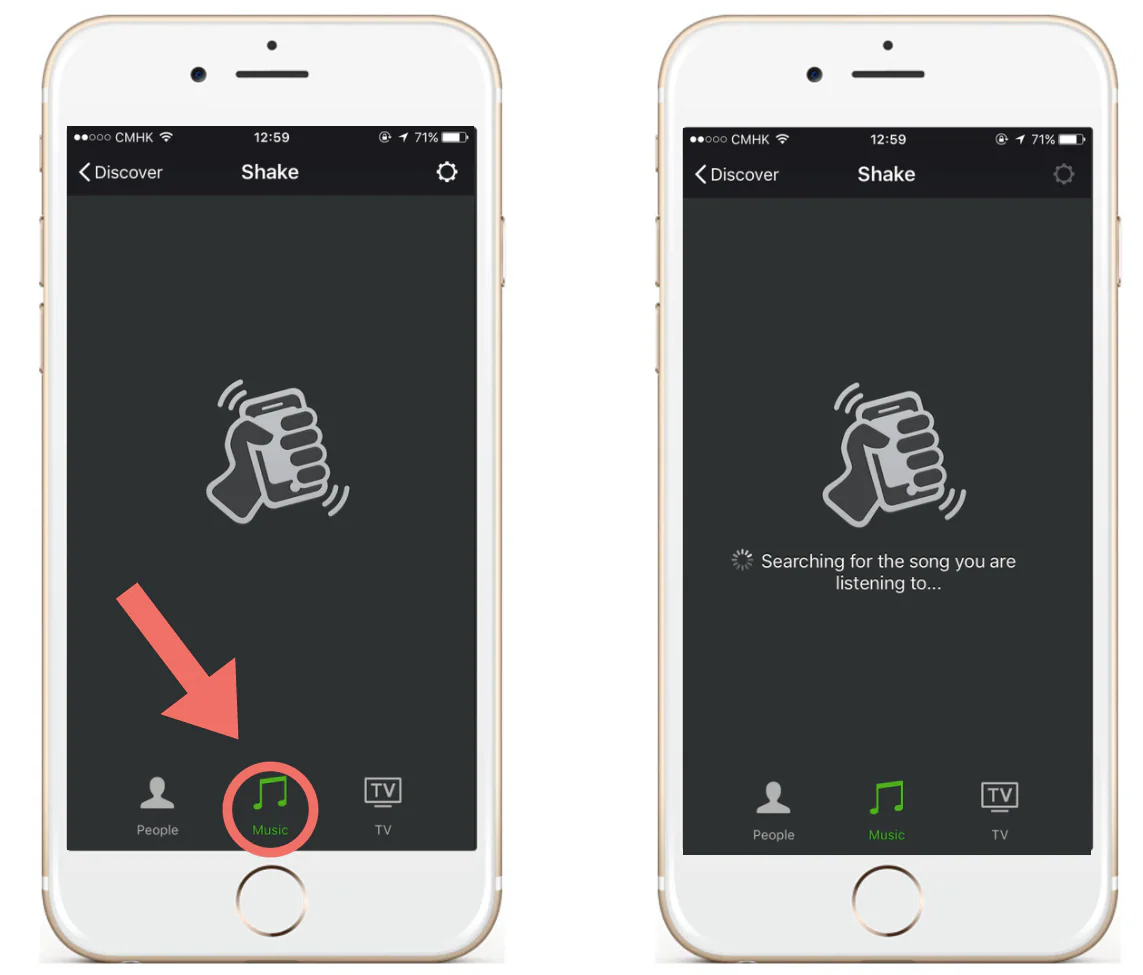
Step 2) Tap on the new ‘Music’ icon and then shake your phone
As you can see in the screen below, between ‘People’ and ‘TV’ there is a new icon called ‘Music’. Tap on it.
Step 3) WeChat finds your song: enjoy!
Congratulations, you just used the music discovery functionality within WeChat. The next step is to try it yourself.
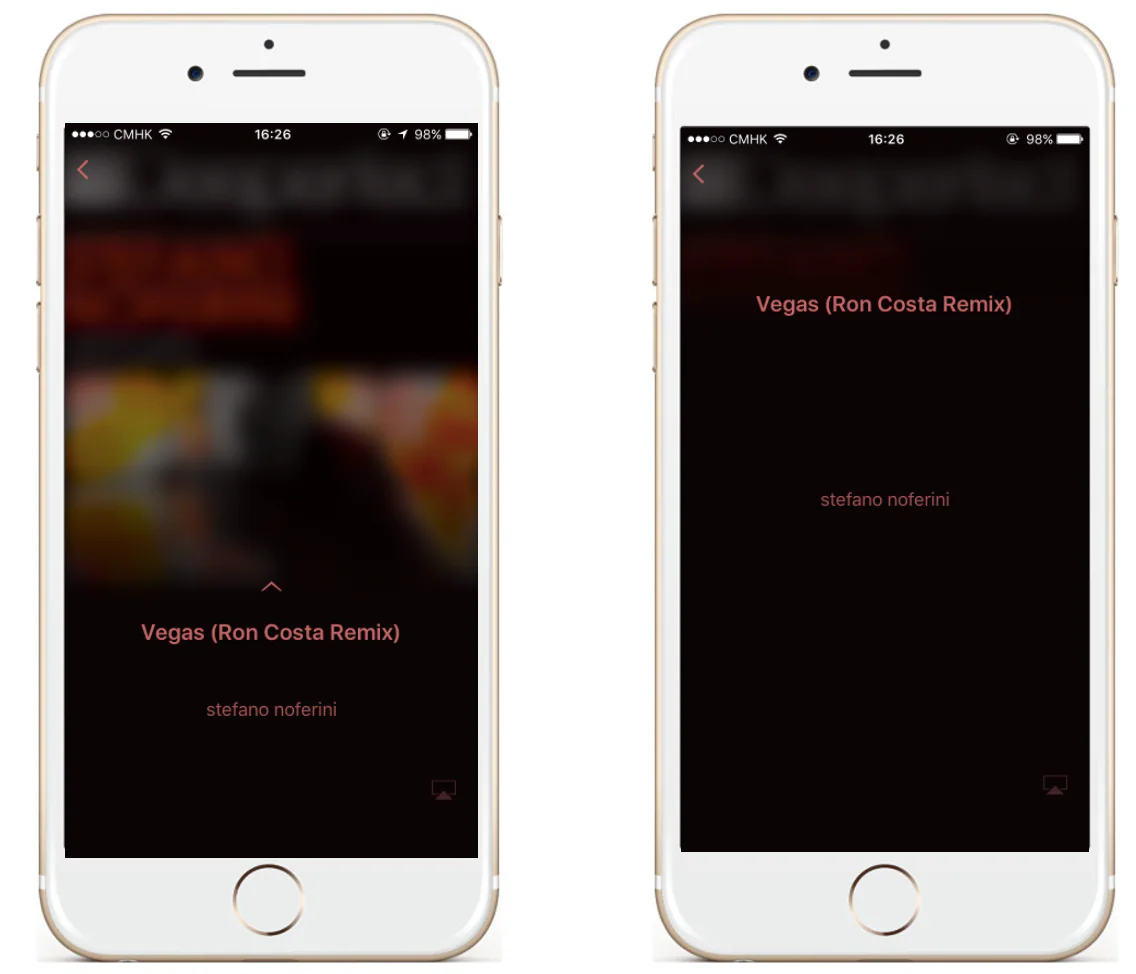
NOTE: we had a couple of tries where the feature was not 100% accurate in identifying the correct song.
If you liked this post or want to ask a question, please feel free to leave your feedback in the comment section below. Also, if you want to find out more about mobile wallet technology in general, WeChat and its potential uses and added value please read the following articles: