
In-Store Advertising: 15 Strategies, Types and Examples
Discover 15 in-store advertising strategies, from digital signage and retail displays to QR codes and mobile offers. Learn how to plan and measure campaigns.
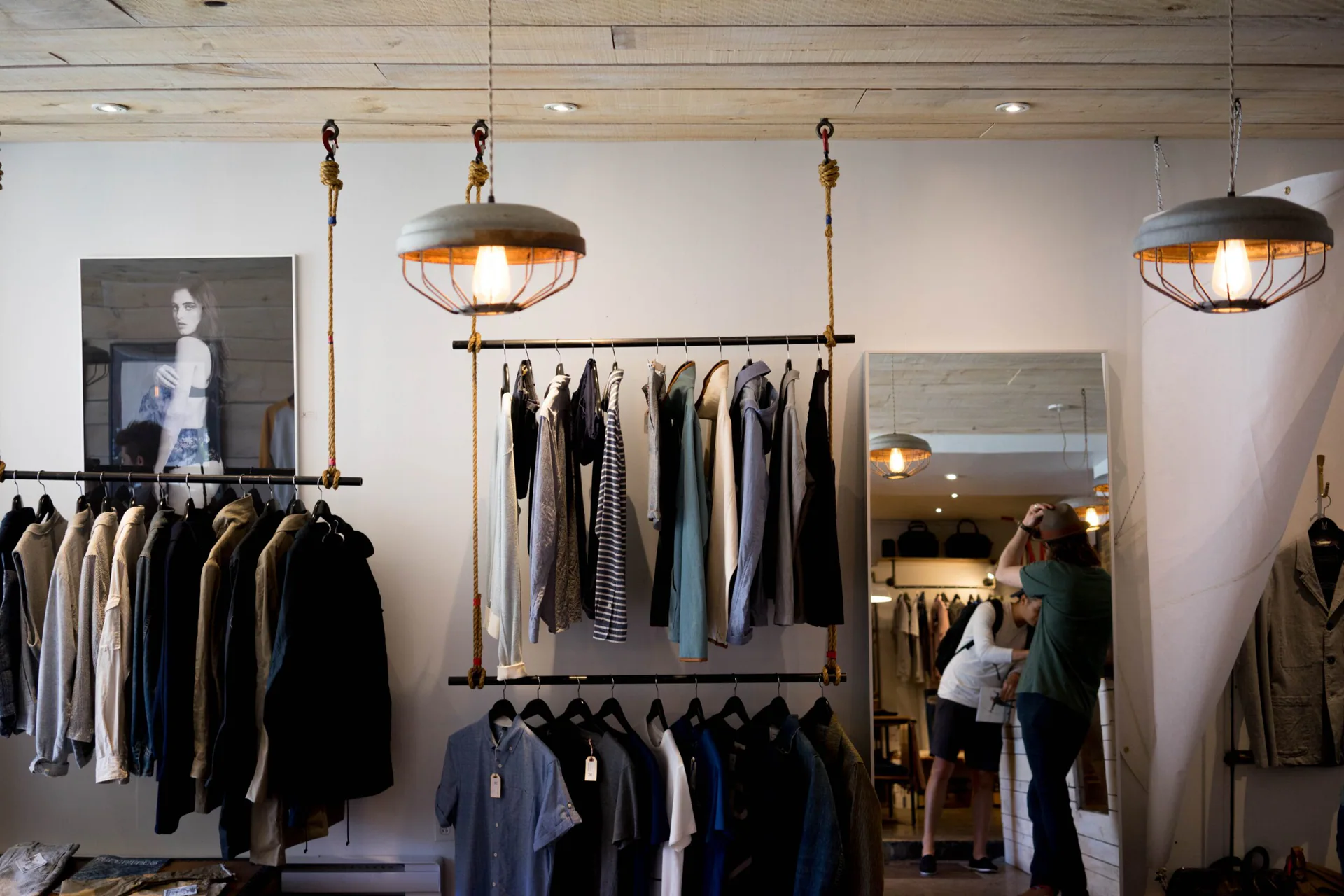
In-store advertising helps retailers promote products, communicate offers and influence purchasing decisions while customers are shopping.
From shelf displays and checkout promotions to digital screens and QR codes, retailers can reach shoppers close to the point of purchase.
However, effective in-store advertising involves more than placing promotional materials around a shop. Retailers need to choose suitable locations, communicate relevant offers and measure whether their campaigns produce meaningful results.
This guide explains the main types of in-store advertising, shares 15 practical strategies and shows how retailers can connect physical promotions with digital channels.
What is in-store advertising?
In-store advertising refers to promotional messages, displays and experiences presented to customers inside physical retail locations.
Examples include:
- Digital screens advertising featured products.
- Posters announcing seasonal offers.
- Shelf signage highlighting discounts.
- Checkout displays promoting additional purchases.
- Product demonstrations and sampling stations.
- QR codes linking to digital coupons or product information.
The objective is to reach customers while they are browsing, comparing products or preparing to purchase.
In-store advertising differs from general retail marketing because it focuses on communicating promotional messages within the shopping environment.
For example, introducing mobile checkout improves store operations. Advertising a limited-time offer beside a checkout terminal is an in-store advertising activity.
In-store advertising vs. in-store marketing
Although the terms overlap, they are not identical.
In-store marketing covers the wider customer experience, including store layout, merchandising, customer service, pricing and promotional activities.
In-store advertising is one component of that strategy.
A retailer might use product placement to make certain merchandise easier to discover, then use shelf signage to advertise why customers should consider buying it.
The placement supports merchandising. The promotional message is advertising.
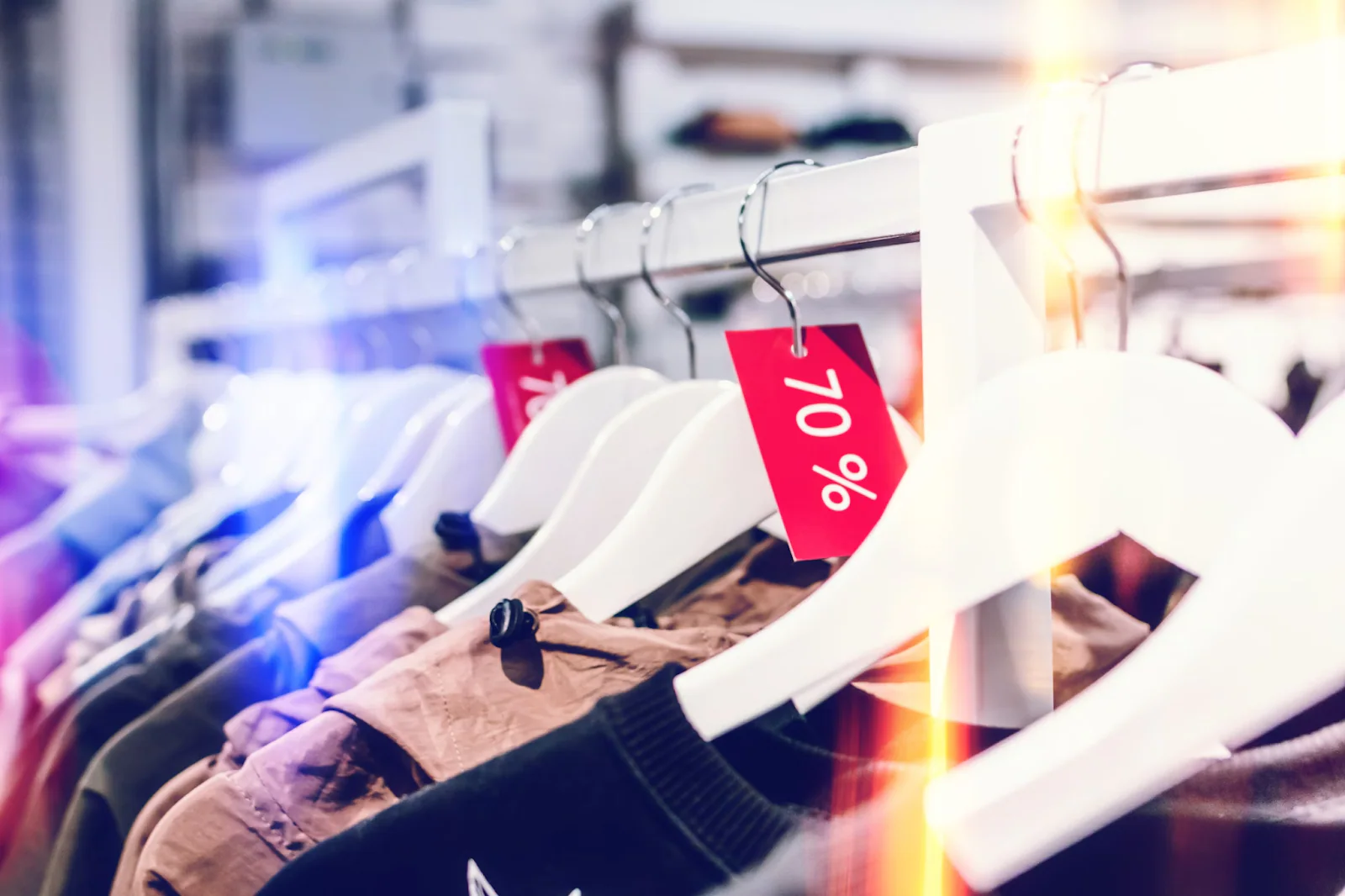
Types of in-store advertising
Retailers can use traditional, digital and interactive advertising formats.
| Advertising type | Common examples | Main advantage |
|---|---|---|
| Traditional advertising | Posters, banners, shelf talkers, floor graphics | Straightforward to produce and install |
| Digital advertising | Screens, video displays, digital shelf labels | Content can be changed without replacing printed materials |
| Experiential advertising | Product demonstrations, sampling, interactive displays | Customers can engage directly with products |
| Mobile-connected advertising | QR codes, digital coupons, wallet offers | Connects physical advertising with a customer’s phone |
| In-store retail media | Paid advertising placements within retailer-controlled locations | Allows brands to reach shoppers in participating retail stores |
An important distinction is whether the retailer is advertising its own products or selling advertising placements to another business.
For example, a supermarket may promote its own seasonal offers on a digital screen.
Alternatively, a consumer goods manufacturer may pay for advertising space on screens operated by a supermarket’s retail media network.
The Interactive Advertising Bureau provides additional guidance through its in-store retail media definitions and measurement standards.
15 effective in-store advertising strategies
The right format depends on the product, store layout, customer behavior and budget. These strategies serve different locations and campaign objectives.

1. Use window advertising to attract attention
Window displays reach people before they enter. Use products, posters or graphics to promote a seasonal collection, new arrival or limited-time offer.
Keep the message short enough for passing pedestrians to understand. Measure store visits and sales of the featured products during the campaign.
2. Advertise promotions at store entrances
Entrance advertising addresses customers after they have decided to enter. Signs, displays or screens can introduce current offers and direct shoppers to a department.
Prioritize one or two useful messages and avoid obstructing traffic. Measure sales of advertised products and visits to the promoted area.
3. Highlight offers with shelf talkers
Shelf talkers place the message beside the relevant product. They can identify a member price, discount, product benefit or customer rating.
Use specific language such as “Save 15% on selected products this week,” and clearly mark eligible items. Compare advertised-product sales with an appropriate baseline or control.
4. Promote products with endcap displays
Endcaps use prominent aisle-end space to feature products or related items together. A supermarket might combine pasta, sauces and a meal offer.
The connection between the products and promotion should be immediately clear. Measure featured-product sales, basket combinations and campaign costs.
5. Use checkout advertising
Checkout signs, counter displays, screens and receipt offers reach customers near the end of their visit. They suit simple promotions and complementary purchases.
Keep conditions brief and confirm that checkout systems and staff can apply the offer correctly. Measure uptake, qualifying transactions and additional basket value.
6. Guide shoppers with floor graphics
Floor graphics can direct shoppers toward a department, demonstration or seasonal display. Their primary distinction is navigational placement.
Use concise directions, slip-resistant materials and designs that do not interfere with accessibility or safe movement. Measure traffic to the destination and relevant product sales.
7. Use posters and promotional banners
Posters and banners provide flexible static advertising for sales, launches, membership offers and events. They work best when the message will remain valid long enough to justify printing and installation.
Place them where customers can read them without obscuring operational signage. Measure related sales or redemptions against production costs.
8. Introduce digital signage
Digital signage is designed for centrally managing and changing screen content. Retailers can schedule different promotions by location, time or available stock without replacing printed materials.
Readable creative and accurate content remain essential. Compare promoted-product performance across screens, stores or campaign periods where suitable controls are available.
9. Demonstrate products through video advertising
Video is most useful when movement or a sequence explains the product better than a static sign. Electronics and kitchenware retailers can demonstrate features or techniques.
Assume some shoppers will join halfway through or hear no audio. Use short loops, captions and a visible product connection. Measure relevant sales and reliable engagement signals.
10. Advertise through in-store retail media networks
Retail media networks allow outside brands to purchase retailer-controlled placements, including screens, audio and experiential promotions. This differs from a retailer using the same formats to advertise its own offers.
Walmart Connect Store Ads is one real example. Walmart reports that initial campaigns on deli and bakery screens produced up to 5% sales lift for participating food suppliers between September 2024 and January 2025, with results validated at an 80% confidence level or above.
That is a vendor-reported result from specific placements, not a general benchmark. Advertisers should assess audience relevance, locations, terms and measurement methods before buying.
11. Use overhead audio advertising
Audio announcements can promote an offer or event without requiring shoppers to face a display. A supermarket might announce a tasting session in a particular department.
Keep messages brief, relevant and infrequent enough to avoid disrupting the store experience. Measure participation in the promoted activity and related sales.
12. Organize product demonstrations and sampling
Demonstrations let customers experience a product and ask questions before buying. Their value lies in direct product interaction rather than passive exposure.
Provide clear pricing and offer terms, trained staff and appropriate hygiene or operational controls. Measure participation, redemptions and qualifying product sales.
13. Install interactive advertising kiosks
Kiosks let shoppers actively browse featured products, compare specifications, find departments or access offers.
Keep the interaction simple and avoid collecting unnecessary information. Measure completed sessions and related actions, while recognizing that interaction alone does not prove a purchase.
14. Add QR codes to promotional displays
QR codes connect a poster, shelf display, receipt or stand to a mobile destination such as a product demonstration, landing page, coupon or enrollment form.
State what scanning provides, use a mobile-friendly destination and test every code. Measure unique scans, subsequent engagement and completed actions separately.
For an offer customers can save and redeem, see our guide to QR code coupons.
15. Connect in-store advertisements to digital wallet offers
A QR code can let customers save an eligible coupon to Apple Wallet or Google Wallet, keeping the offer accessible after they leave the display.
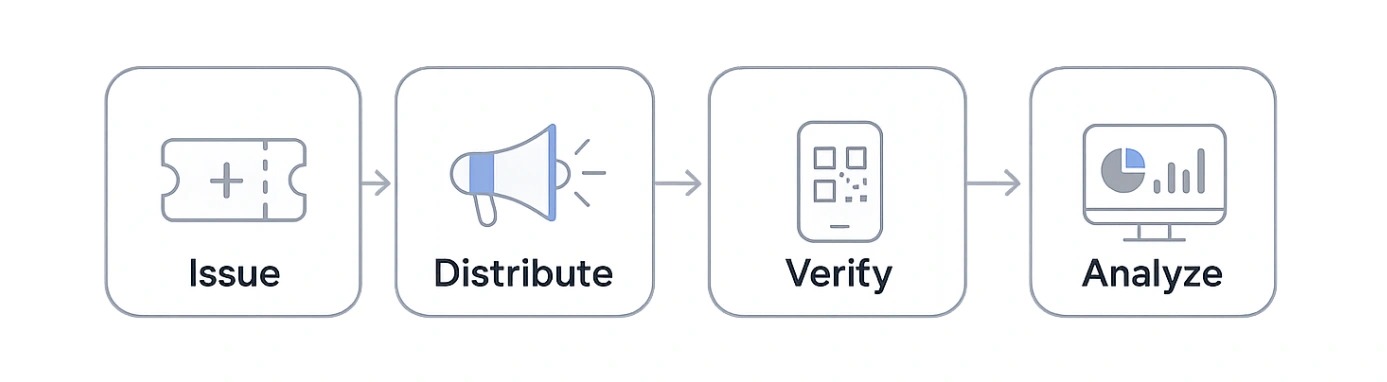
Plan the full coupon lifecycle so an in-store advertisement leads to an offer that staff can verify and the business can measure.
Define eligibility, expiration and redemption rules, and ensure the checkout workflow can validate the offer. Measure coupons issued, saved and redeemed without treating any one of those events as proof of an incremental purchase.
How to choose the right in-store advertising strategy
Start with the outcome the campaign needs to achieve.
| Business objective | Suitable advertising formats |
|---|---|
| Attract passing customers | Window displays and entrance signage |
| Increase awareness of a product | Shelf signs, endcaps and video displays |
| Promote a short-term offer | Digital signage and checkout advertising |
| Introduce an unfamiliar product | Demonstrations, sampling and interactive kiosks |
| Connect physical and digital channels | QR codes and digital wallet coupons |
| Advertise across multiple retailers | Participating in-store retail media networks |
Consider how frequently promotional messages need to change.
Printed materials may be sufficient for a month-long campaign.
Digital screens may be more practical when offers change daily or differ between locations.
The best format is not necessarily the most technologically advanced. It is the one that communicates the intended message effectively within the available budget.
How much does in-store advertising cost?
In-store advertising costs vary considerably depending on the format, placement, duration and number of locations.
| Format | Main cost considerations |
|---|---|
| Printed signage | Design, printing, installation and replacement |
| Endcap displays | Fixtures, merchandise, production and placement arrangements |
| Digital signage | Hardware, software, content production and maintenance |
| Product demonstrations | Staffing, equipment, samples and promotional materials |
| Paid retail media | Placement pricing, campaign duration and audience reach |
| QR-connected promotions | Creative production, landing pages and promotional fulfillment |
Retailers using their own advertising space have different costs from brands purchasing access to another retailer’s media network.
Request quotations that clearly identify what is included.
For example, a digital signage price may cover advertising placement but exclude creative production or reporting.
Calculate the cost of generating additional sales
Suppose a retailer spends $600 on an in-store promotion.
If each genuinely additional sale generates $10 in incremental gross profit before campaign costs, the campaign needs 60 such sales to cover the $600 expense.
This is an illustrative calculation.
It does not mean every sale recorded during the promotion was caused by the advertisement.
Retailers should evaluate incremental results rather than crediting all purchases to the campaign.
How to plan an in-store advertising campaign
A successful campaign requires more than selecting advertising materials.
1. Set a measurable objective
Decide whether the campaign should increase awareness, generate product sales, encourage offer redemption or attract customers to a particular department.
Choose measurements that reflect that objective.
2. Select the audience and placement
Consider where relevant shoppers will encounter the advertisement.
An offer for a product already on the shelf may work well beside that product.
A broader seasonal campaign may benefit from entrance signage.
3. Create a clear promotional message
Explain what is being offered and what customers should do next.
Include essential conditions, such as participating products and expiration dates.
Avoid presenting several competing messages within one advertisement.
4. Prepare the customer journey
Check what happens when someone responds.
If the advertisement includes a QR code, verify that the destination works.
If it offers a discount, confirm that staff and checkout systems can apply it correctly.
5. Test before expanding
Begin with a manageable campaign where possible.
Check placement, customer understanding, operational problems and measurable results before introducing the campaign across additional locations.
How to measure in-store advertising effectiveness
Advertising performance should be evaluated against the original campaign objective.
Different measurements reveal different parts of the customer journey.
| Metric | What it measures |
|---|---|
| Foot traffic | Visits to a store or defined area |
| Advertisement engagement | Interactions with a display or promotional experience |
| QR code scans | Engagement with a connected digital destination |
| Coupon redemption rate | Use of issued promotional offers |
| Product sales | Sales of advertised merchandise |
| Average basket value | Changes in transaction value |
| Incremental sales | Additional sales attributable to the campaign |
| Campaign profitability | Financial return after relevant campaign costs |
Not every retailer can measure all these activities.
A printed poster may have no direct interaction data, while a connected coupon can provide a record of redemption.
However, redemption data alone does not establish whether the promotion created additional demand.
Measure incremental performance where possible
Comparing sales before and after a campaign provides a starting point, but other factors may explain the difference.
Seasonality, pricing changes and unrelated promotions can all affect sales.
Where practical, retailers can compare similar stores or customer groups, exposing one group to the campaign while maintaining an appropriate control.
The IAB’s guidance on incremental measurement provides further background.
A campaign should ultimately be judged on whether its business results justify its costs.
How PassKit supports mobile-connected in-store advertising
Physical advertisements can encourage customers to save digital offers for later use.
PassKit helps businesses create, issue, manage and update compatible digital coupons and loyalty cards for Apple Wallet and Google Wallet.
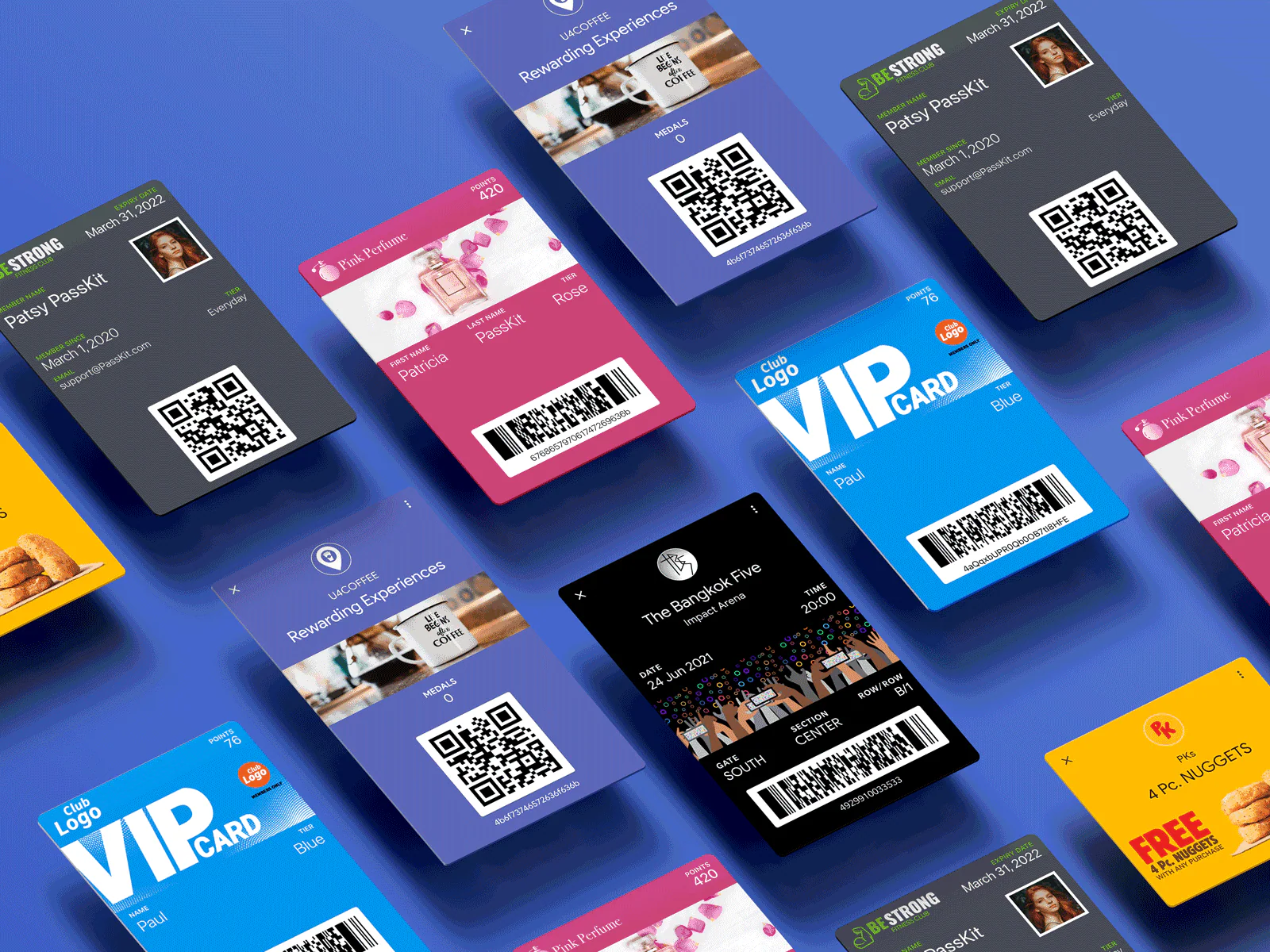
For example, a retailer could:
- Advertise a qualifying discount on an in-store display.
- Provide a QR code linking to a digital coupon enrollment or issuance page.
- Allow the customer to add the coupon to their mobile wallet.
- Validate the offer using an appropriate redemption process.
- Update the coupon’s status when the configured workflow records redemption.
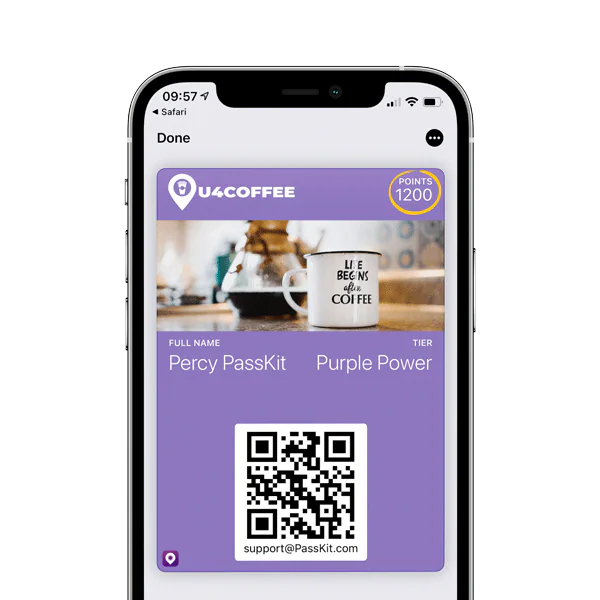
The wallet coupon gives the customer a convenient way to access the offer without installing a separate branded application solely for that purpose.
Connecting wallet offers to checkout systems
A digital wallet pass can contain a scannable identifier.
However, scanning a pass does not automatically establish that a qualifying purchase has occurred.
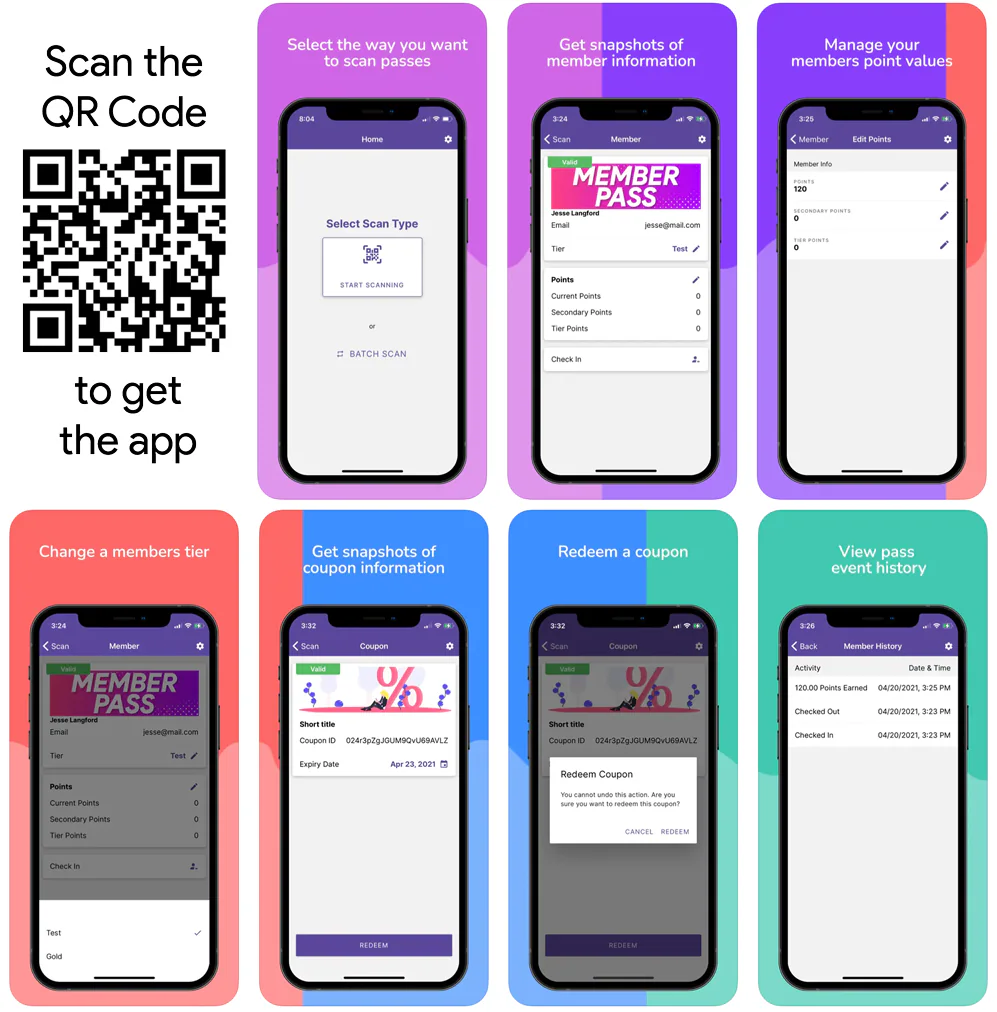
The retailer needs an appropriate system or staff workflow to validate the offer and record redemption.
Where POS integration is required, the connected systems must exchange the necessary information.
PassKit’s in-person validation guidance explains these responsibilities.
Using location relevance
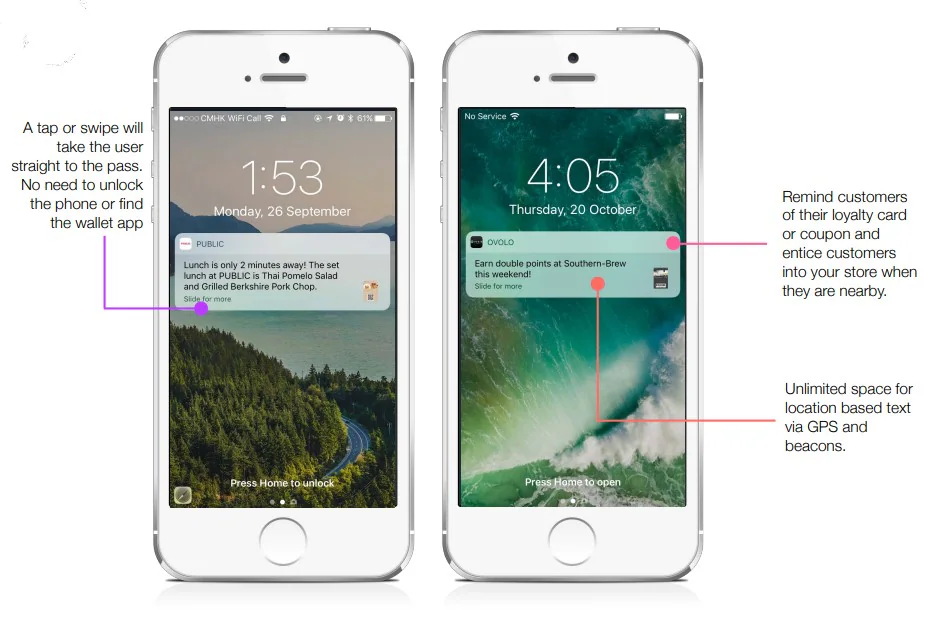
Compatible wallet passes can include location information that helps the wallet surface a relevant pass when the customer is nearby.
This is not equivalent to sending an unrestricted promotional push notification whenever someone approaches a store.
The wallet platform controls when relevant information appears, and customers can disable applicable notifications.
PassKit does not receive confirmation that a customer entered a configured location simply because location relevance was enabled.
Learn more about location-relevant wallet passes.
Where PassKit fits
PassKit supports the digital offer or loyalty credential.
It does not replace digital signage networks, advertising placement platforms or retail POS systems.
For retailers connecting physical promotions to mobile experiences, explore PassKit’s digital coupons and offers.
Frequently asked questions about in-store advertising
What are the main types of in-store advertising?
The main categories include traditional signage, digital displays, experiential advertising, mobile-connected promotions and paid in-store retail media.
Examples range from shelf talkers and posters to promotional videos, product demonstrations and QR-linked coupons.
What is the difference between in-store advertising and retail media?
In-store advertising describes promotional messages presented within physical stores.
In-store retail media generally refers to advertising opportunities controlled by retailers and made available to brands or other advertisers.
A retailer promoting its own products and a manufacturer purchasing advertising placements may use similar screens, but the commercial arrangements differ.
What are the best in-store marketing materials?
The most suitable materials depend on the campaign.
Shelf talkers are useful for product-specific messages, while window posters can promote wider campaigns.
Digital screens are practical when advertisements change frequently.
Choose materials based on visibility, message complexity, production costs and placement requirements.
How can retailers track in-store advertising results?
Retailers can measure sales, foot traffic, promotional redemptions and digital interactions where relevant data is available.
For stronger evidence of advertising impact, compare performance against an appropriate control group rather than assuming every purchase during the campaign was caused by the advertisement.
Can in-store advertising work without digital screens?
Yes.
Traditional advertising formats such as posters, shelf signs, endcap displays and printed promotional materials can communicate relevant offers.
Digital screens provide additional flexibility, but they are not necessary for every campaign.
Can customers save in-store offers without downloading an app?
Yes.
Retailers can provide compatible coupons that customers save to Apple Wallet or Google Wallet.
A QR code or suitable link can direct customers to the issuance process.
The retailer still needs appropriate rules and procedures for validating and redeeming the offer.
Final thoughts on in-store advertising
Effective in-store advertising connects relevant promotional messages with customers at useful moments during their shopping journey.
Traditional displays, digital signage, retail media and interactive promotions each serve different purposes.
Retailers should choose formats based on their objectives, placement opportunities and operational capabilities, then measure the results.
Digital wallet coupons can extend selected promotions beyond a physical display by giving customers a convenient way to save and retrieve offers.
The priority is to make advertising useful, easy to understand and measurable.