
Gift Card Software for Small Business: How to Choose
Choose gift card software for your small business by comparing POS fit, online and in-store redemption, staff workload and total cost.

Gift card software for a small business should fit the way customers already buy and the way employees already take payment. Start with your current POS or online store, check whether its gift-card option covers your needs, and compare a separate service only when there is a clear gap.
For a café, the deciding factor may be fast redemption at the till. An online retailer may prioritize recipient delivery and checkout compatibility. A shop selling through both channels needs the same remaining balance available wherever the recipient spends it. This guide helps you choose between those approaches, estimate the cost and test a supplier before committing.
What should small-business gift card software do?
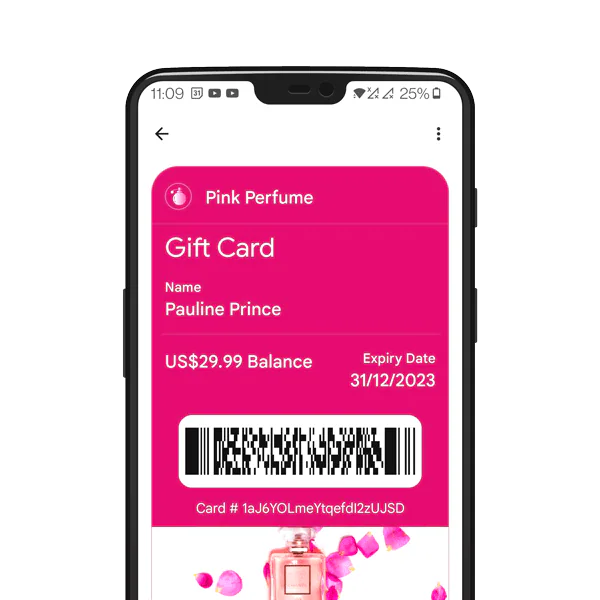
Gift card software gives each card an identifier, records its spendable value and lets customers use that value under your business’s rules. Depending on the product, it may also collect payment, deliver the card and report outstanding balances.
Write down four jobs before looking at features: sell the card, deliver access, accept it at checkout and keep the remaining balance accurate. Identify which jobs your existing systems already handle. This prevents paying for a second checkout or introducing a separate balance that staff must reconcile manually.
A digital wallet pass is an optional way to present the card on a phone. Payment, balances and redemption still need the appropriate checkout and gift-card system. For a wider operational checklist, see gift card management software.
Which gift card setup fits your small business?

Image source: Freepik
Use the closest business scenario to choose your starting point. Evaluate an existing platform’s gift-card feature first; compare a separate provider when it cannot support a required sales channel, customer experience or operating process.
| Your business | Start by evaluating | Ask the supplier to demonstrate | Choose another approach when |
|---|---|---|---|
| A café or salon taking payment through one POS | The gift-card feature supported by that POS | Sell a card, redeem part of it, accept another payment for the remainder and issue a refund | The required service, location or online sales channel is unsupported |
| An online retailer using one ecommerce platform | A compatible store feature or gift-card extension | Collect payment, email the recipient, apply value at checkout and show the remaining balance | Delivery, account access or refund handling creates a gap the extension cannot resolve |
| A retailer selling online and in-store | A system that can share balances across both checkouts | Buy online, spend in-store, then use the remainder online | Each channel creates separate balances or requires routine manual corrections |
A café choosing around the till
If nearly every redemption happens at one counter, prioritize the number of steps a cashier must perform. Ask a new employee to sell and redeem a test card during a realistic order. A low subscription fee loses its appeal if each sale requires another login or a written balance note.
Check the equipment cost too. Establish whether the existing terminal and scanner can handle the proposed card format, how many staff accounts are included and who helps when a redemption fails during opening hours.
An online shop choosing around recipient delivery
The purchaser and recipient may be different people. Test the recipient email address, gift message, delivery timing and resend process. Confirm where the recipient can find the card number and balance without needing the purchaser’s account.
The checkout should explain partial use and additional payment clearly. Make sure customers can complete an order when their basket costs more than the available gift-card value.
A business choosing across channels

Image source: Freepik
Use the same card for an online purchase and an in-store redemption during the demonstration. Then check the balance from both channels. This reveals more than a list of integration logos.
Ask whether adding another location changes the subscription, equipment, permissions or support arrangement. If cross-channel selling is a future plan, request its implementation requirements separately so an entry-level purchase does not hide a later migration project.
Test the shortlist with a $50 gift card
Give every supplier the same small transaction to complete:
- A customer buys a $50 card. Payment succeeds before the system makes its value usable.
- The recipient receives the card and finds the redemption instructions.
- The recipient spends $20. Checkout records the redemption and leaves $30 available.
- On a later $40 purchase, the system applies the remaining $30 and accepts $10 through another payment method.
- Staff can locate the original sale and both redemptions without contacting the software vendor.
Run a separate refund test after the first $20 redemption, when the card holds $30. Suppose an $8 item from that purchase is returned. If your policy restores that payment to the original gift card, the supported refund process should leave $38 and a record linking the refund to the purchase. Agree on the refund policy before testing it.
Also ask what happens when a connection fails after a redemption request. Staff need to check whether value was deducted before trying again. Compare how easily each supplier explains and resolves the situation; this is a useful test of day-to-day support.
Six essentials to compare before optional features
Use these requirements to decide whether a product belongs on the shortlist. Ask the supplier to show the result rather than simply confirm that a feature exists.
| Essential | A useful acceptance check |
|---|---|
| Payment-linked activation | A declined or cancelled payment leaves no spendable card behind |
| Partial redemption and split payment | A $20 purchase from a $50 balance leaves $30; a larger purchase accepts another payment method |
| Clear refund and cancellation handling | Staff can follow your policy and see the original transaction and resulting balance |
| Consistent balances across required channels | The remaining value agrees online, at the counter and across participating locations |
| Suitable staff access and customer support | Employees can find a card, resend delivery and resolve common errors using approved permissions |
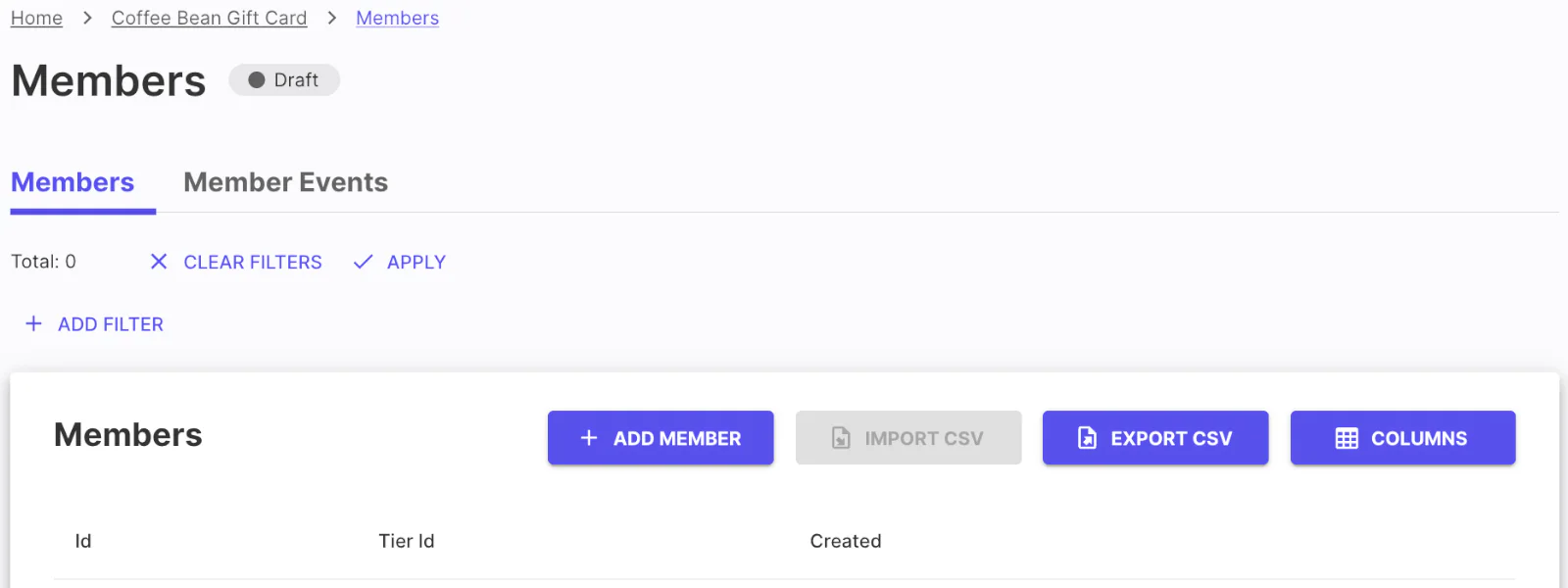
| Usable exports and records | You can identify cards sold, value redeemed and remaining balances for a chosen period |
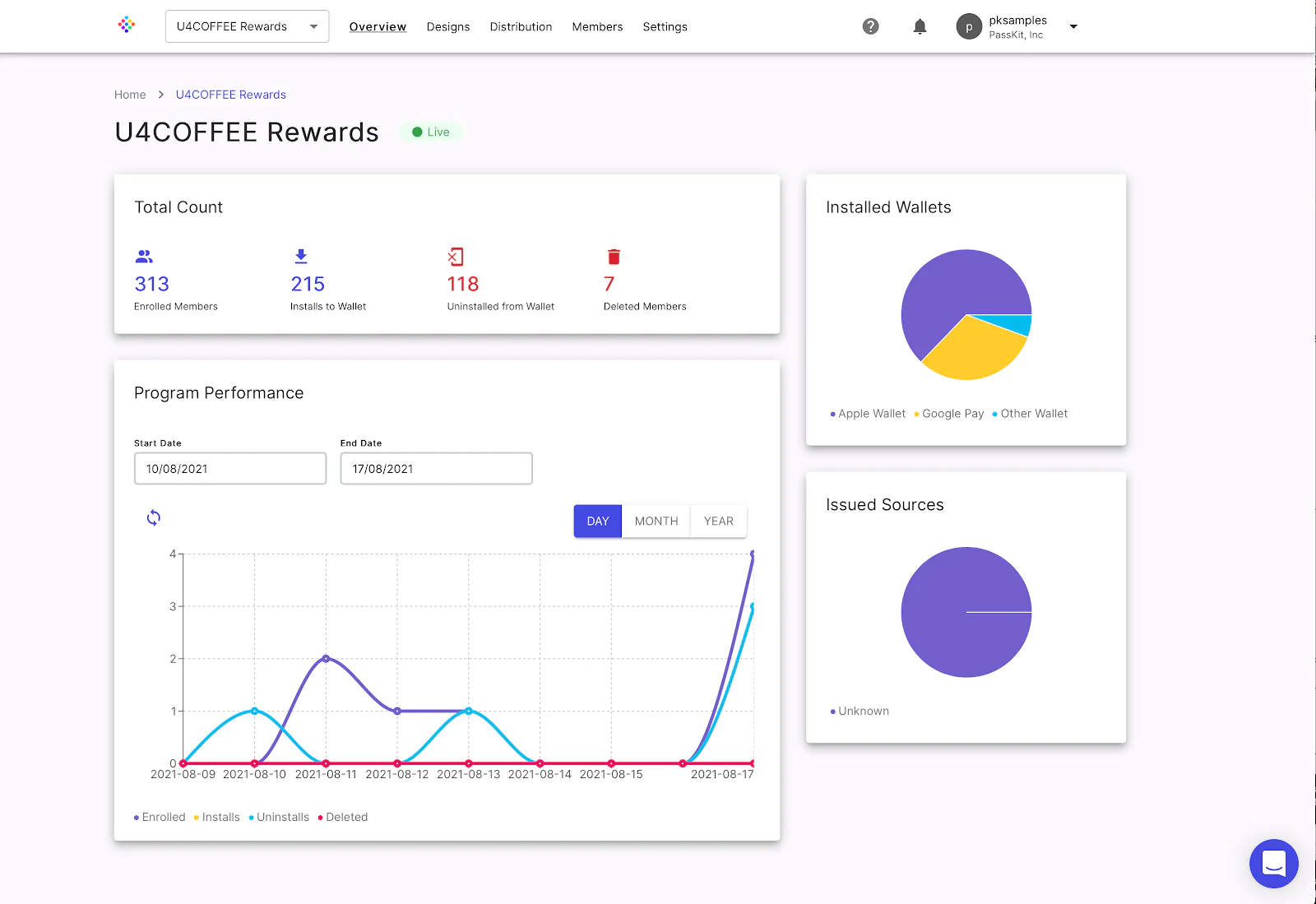
For a small team, basic records that can be checked and exported are often more useful than a large analytics dashboard. Ask to see an actual sample export and how someone would investigate a customer balance query. The gift card tracking software guide explains reporting requirements in more depth.
Will it work with your current checkout and staff?
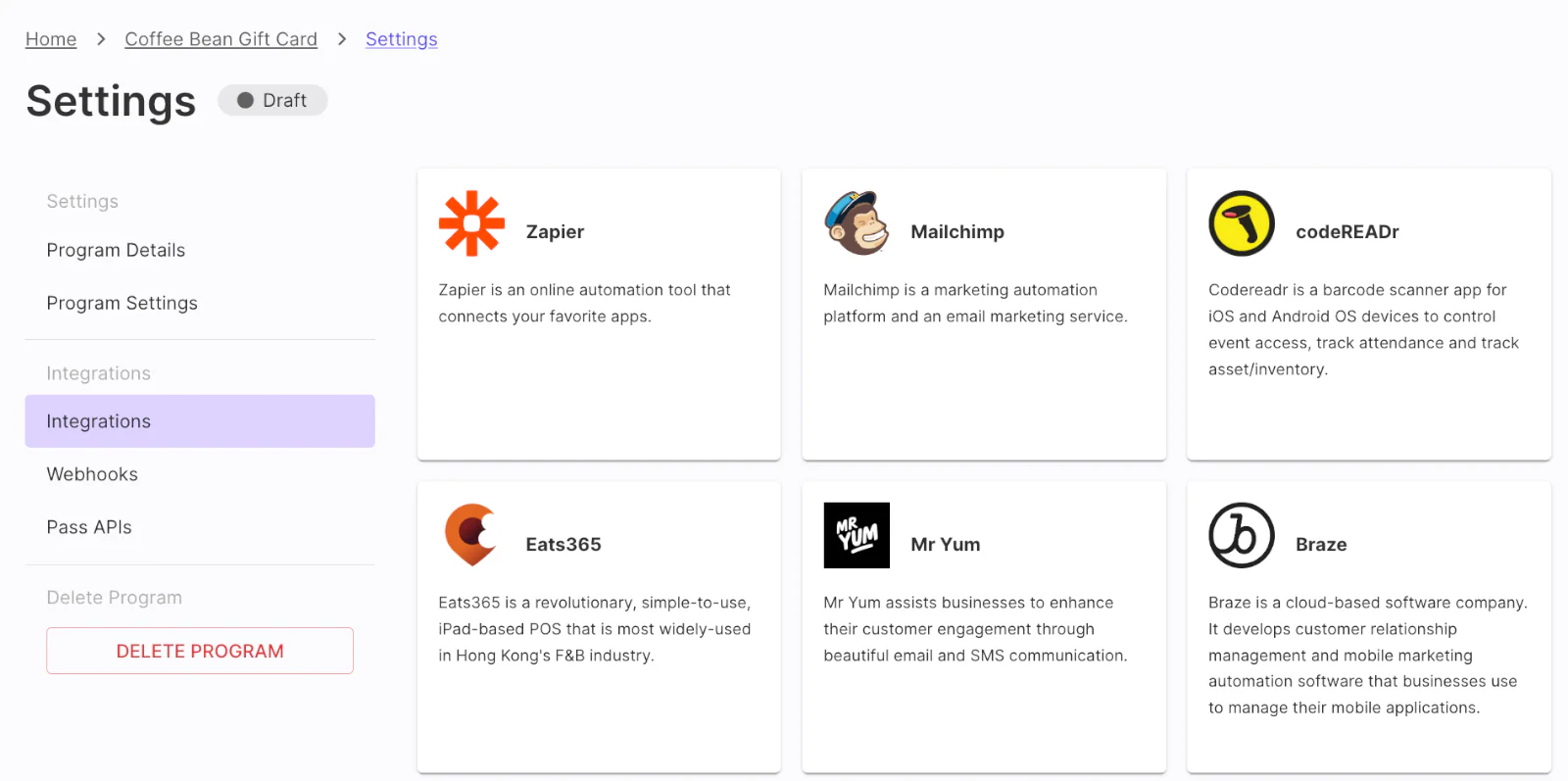
Give suppliers the names and versions of your POS, online store and payment provider. Include the number of locations and whether cards must work online, in-store or both. Ask for a written explanation of what is included in the connection and who sets it up.
Clarify five points before paying for implementation:
- Can staff sell and redeem through their usual checkout, or must they use another application?
- Is the connection already supported for your setup, or does someone need to build it?
- Who handles a mismatch between a checkout transaction and the gift-card record?
- What support is available during your trading hours, and does it cost extra?
- Can you export card identifiers, balances and transaction records if you later change providers?
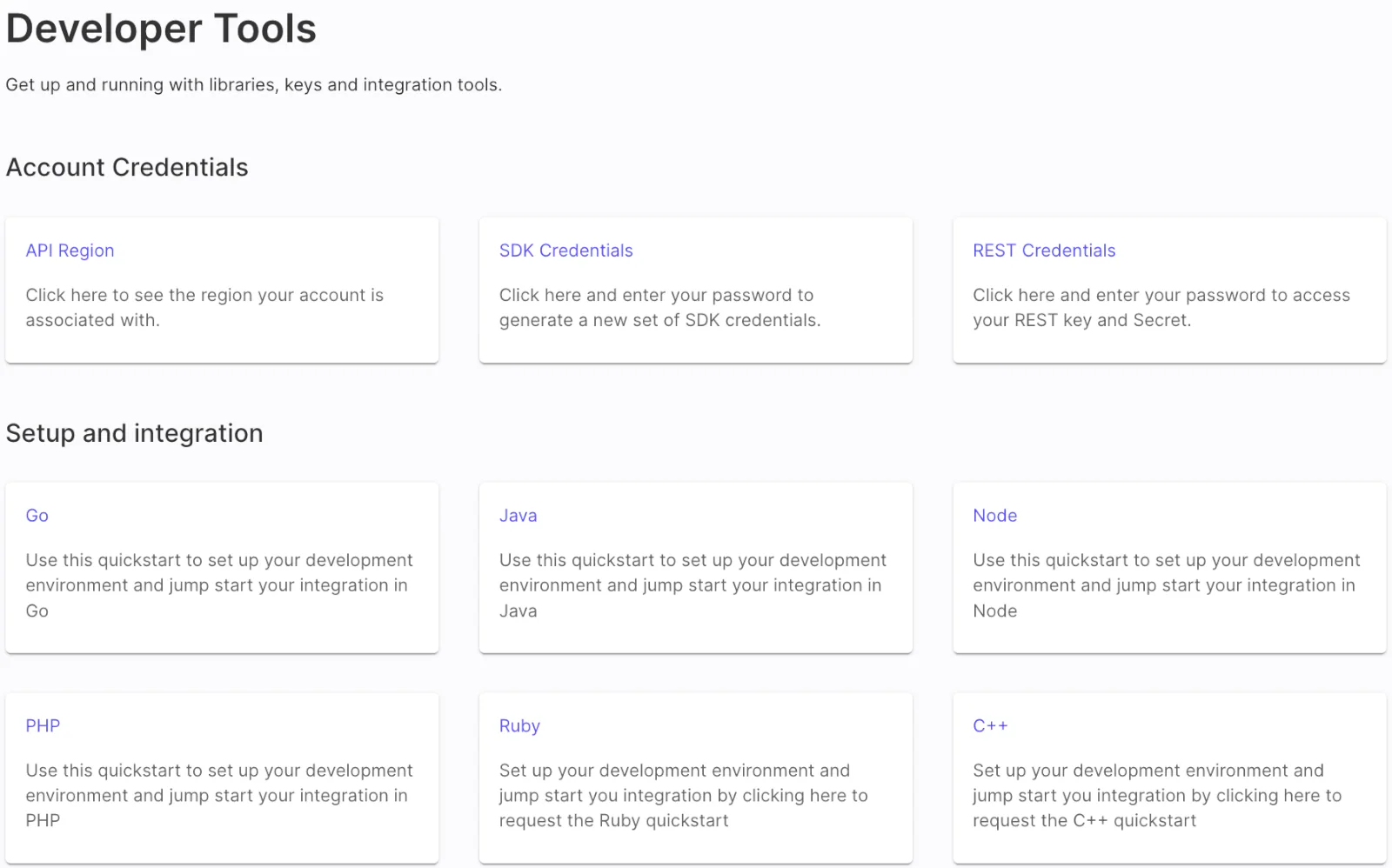
APIs and SDKs matter when an existing connection cannot deliver the required workflow. Ask who will configure, test and maintain that connection, and include the work in the quote. A small business without technical staff should favor an approach with a clear support owner and manageable daily procedures.
Once the operating approach is clear, the best gift card apps comparison can help build a product shortlist.
Which extra features are worth paying for?
Buy optional features around an identified customer need. Keep their cost separate so you can see whether they justify a higher plan or another service.
Branded cards and wallet access
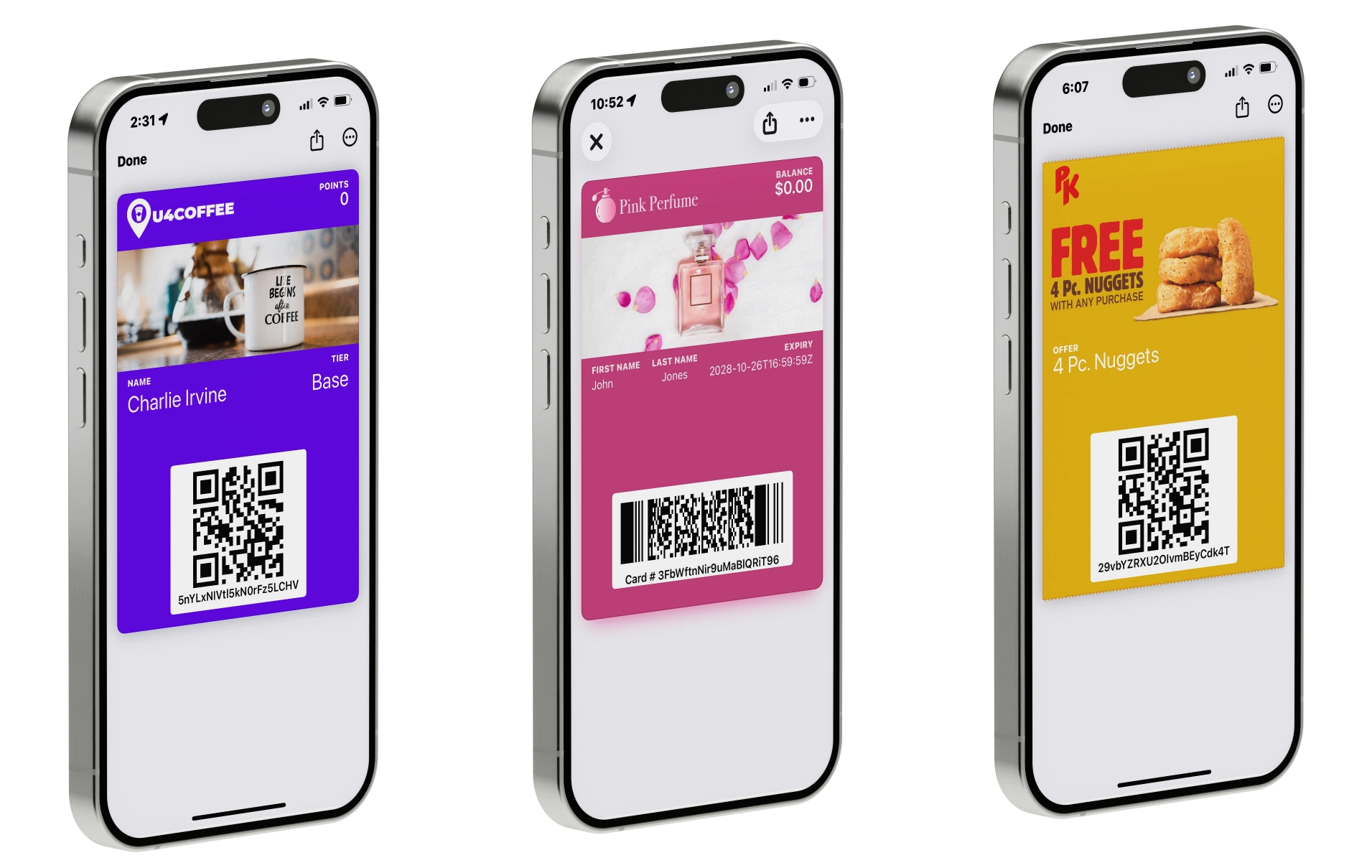
The perfume gift card in the center illustrates a retail wallet design alongside other pass types.
A recognizable design and readable instructions help recipients find and use their card. Check that the currency, identifier and displayed balance are clear on the formats you intend to offer.
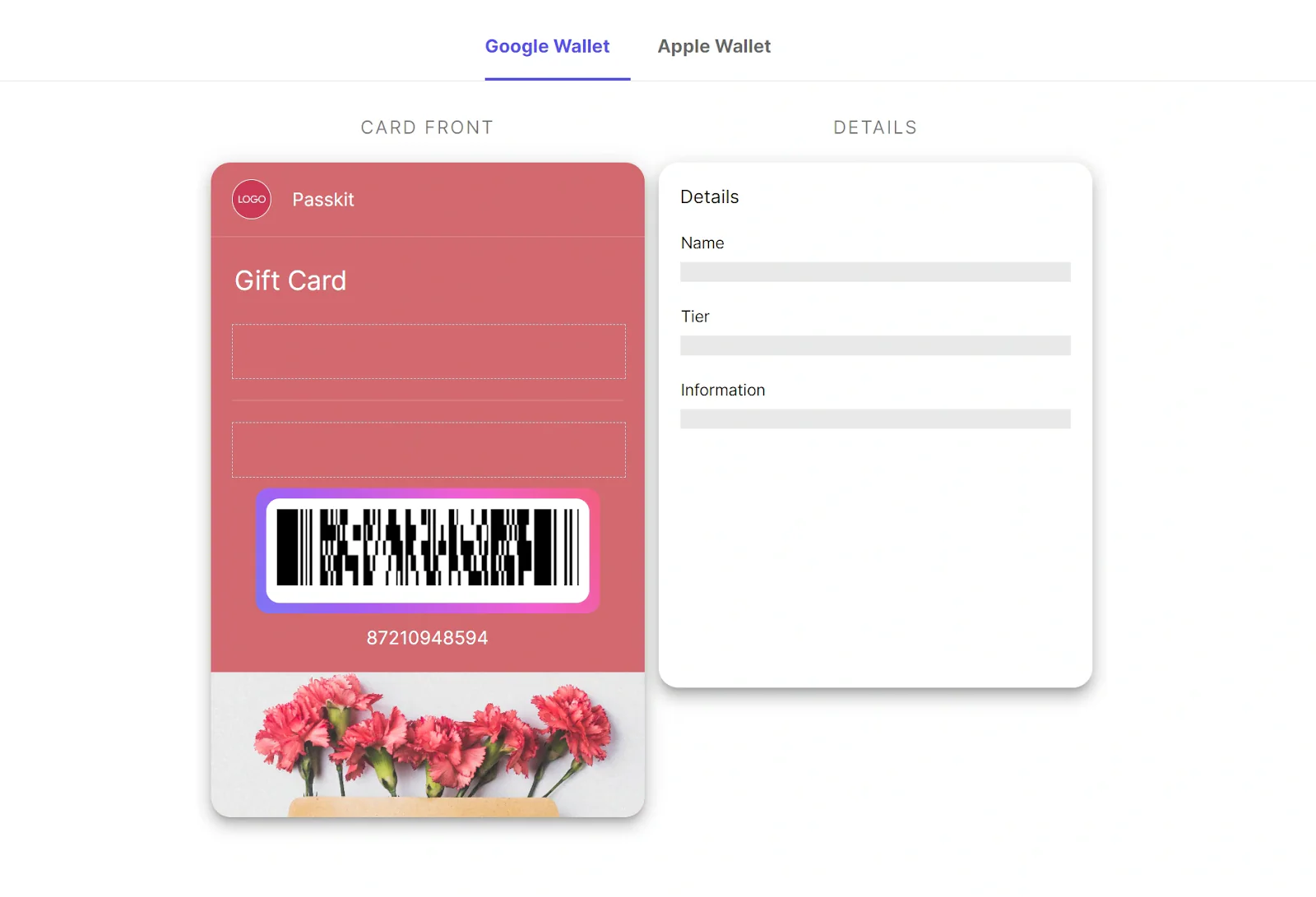
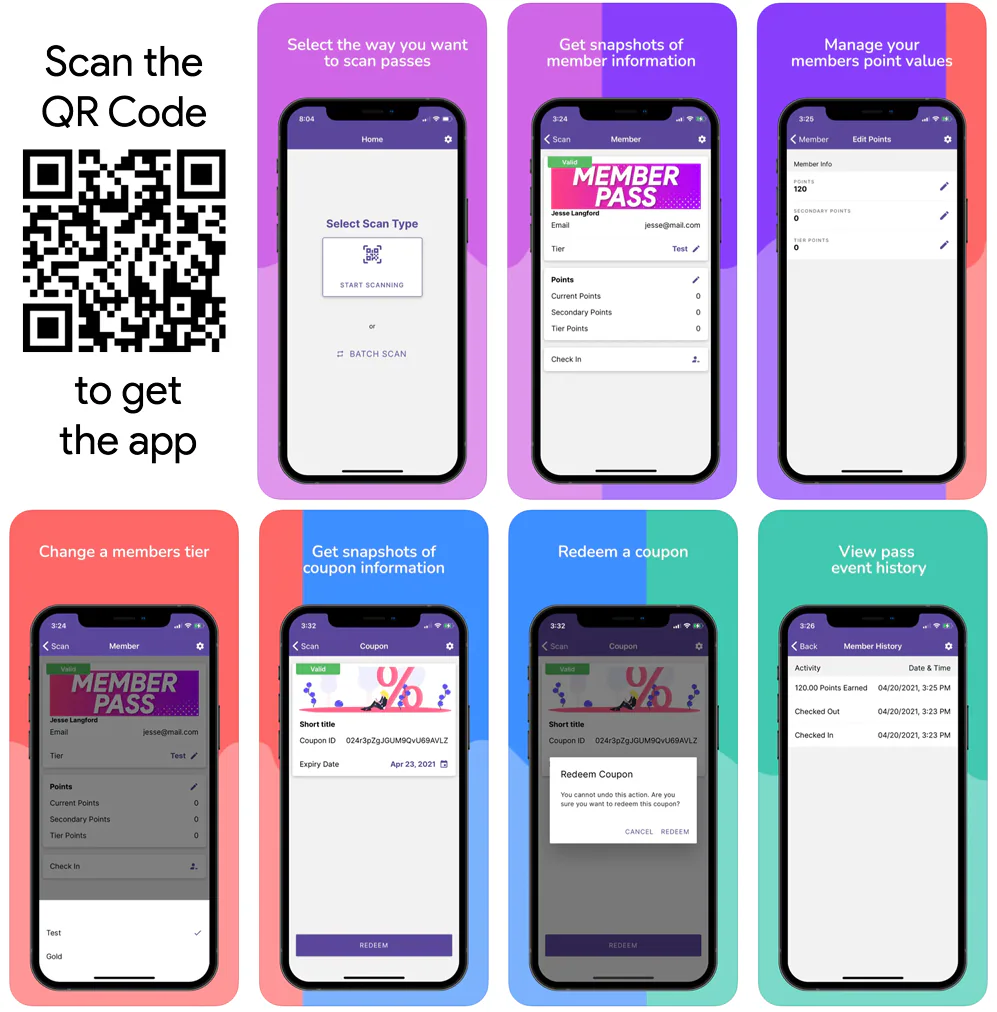
A wallet format may suit customers who redeem in person and want easy access on their phone. The PassKit gift-card template provides a starting design. Check both wallet previews and how confirmed balance changes reach the saved card.
Delivery channels
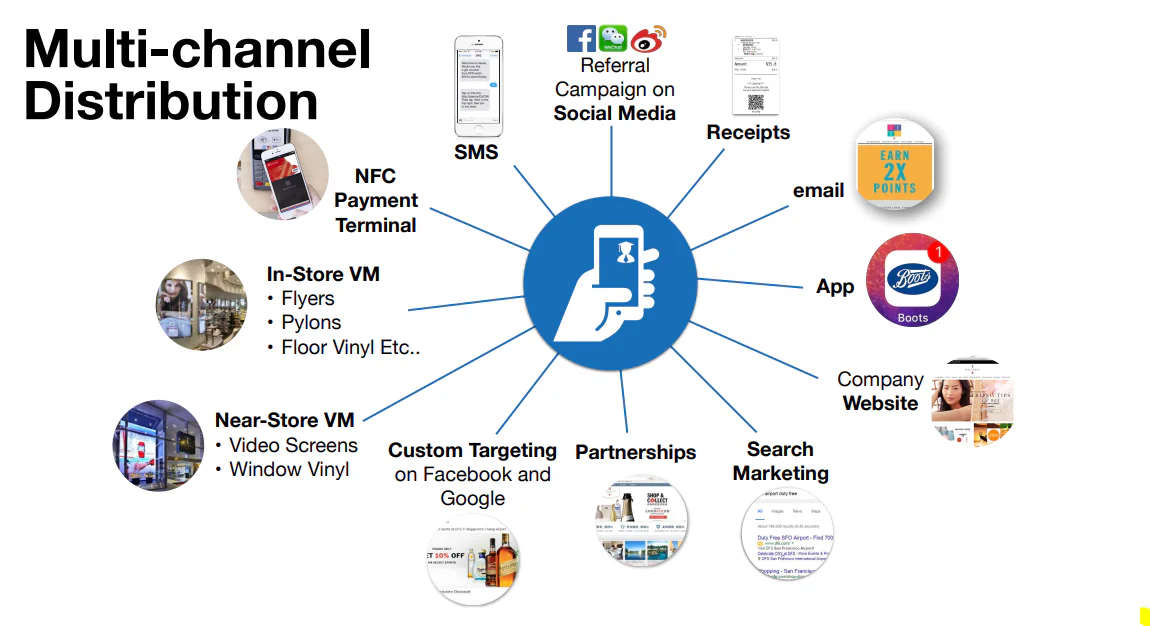
Email may cover the initial requirement; SMS, scheduled delivery and other channels may be useful for particular customers. Compare delivery charges, resend controls and the recipient experience before paying for more channels. Purchase instructions and recipient redemption instructions should be easy to distinguish.
Customer communications
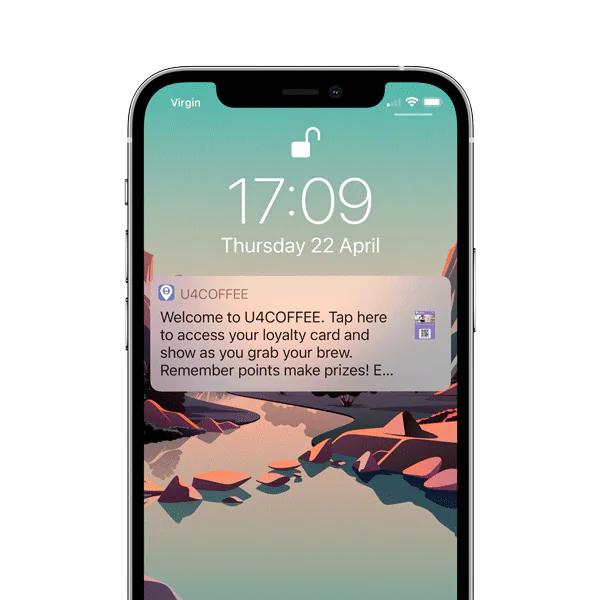
A balance update or useful reminder can help a recipient use their card. Decide which communication you need, which pass types and customer settings support it, and whether another subscription is involved. PassKit’s wallet notification guidance explains the platform differences.
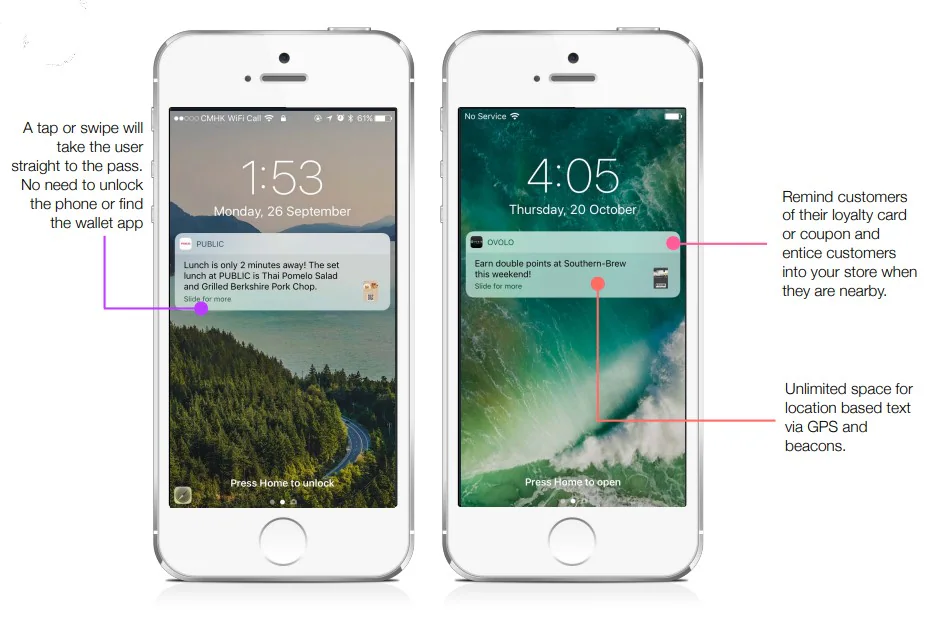
Location-relevant presentation may help customers find a saved pass near a participating store. Consider it after sale, delivery and redemption are working reliably. An online-only shop can usually focus its budget on checkout and recipient delivery first.
How much will the software cost your business?
Compare supplier quotes using the same monthly sales volume, average card value, locations and delivery channels. Separate the software charge from payment processing and any fee for loading or issuing value. Include setup, hardware and staff administration where applicable.
Example budget for 40 cards a month
For a worked budget, assume the business sells 40 cards worth $50 each, for $2,000 of value loaded. Use the following example inputs:
| Cost | Example input | Monthly calculation |
|---|---|---|
| Software subscription | $20 per month | $20 |
| Gift-card load charge | 2% of $2,000 loaded | $40 |
| Delivery | $0.10 for each of 40 cards | $4 |
| Payment processing | 2.9% of $2,000 plus $0.30 for each sale | $70 |
| Recurring total | $134 |
With a one-time setup charge of $120, the first month would cost $254. Later months at the same volume would cost $134 before any other services or staff time. Replace the example inputs with each supplier’s quoted rates when comparing options.
A provider without a load charge might have a higher subscription, while a low monthly fee might require a paid connector. Compare the resulting total at your expected volume and at a busier seasonal volume. Keep the $2,000 of gift-card value separate from the operating charges when doing this comparison.
Where PassKit fits in your choice
PassKit creates, distributes and updates gift-card passes for Apple Wallet and Google Wallet. It is relevant when a business has a dependable gift-card system and wants to add digital wallet delivery.
The gift-card integration guide explains how the saved pass represents a card held in the connected gift-card database. Confirmed balance changes can be supplied to the pass through the configured connection. The checkout and gift-card system handle payments and stored-value transactions.
Include PassKit’s platform and pass-volume pricing in the overall budget alongside the connected services. Ask who will own the connection and how staff will handle a delayed update before selecting this approach.
Make the final choice with a short pilot
Choose the option that completes your required sales and redemption journey with the least ongoing friction for customers and staff. Run the $50 test, one refund, one failed connection and one lost-delivery query. Confirm the quote, support owner and export process in writing.
Start with the channels your business needs now. Add further delivery or communication features when there is a clear reason to use them and a team ready to operate them.
FAQs about choosing gift card software for a small business
Should I use my POS gift-card feature or a separate provider?
Evaluate the supported POS option first when most sales and redemptions happen there. Compare a separate provider when you need a channel, recipient experience or shared balance that the existing option cannot supply.
Can customers buy online and spend the card in-store?
Yes, when both checkouts can use the same supported gift-card record. Test the purchase, a partial in-store redemption and the remaining online balance before choosing the product.
Can I keep existing gift cards when changing software?
Ask whether the new provider supports importing the existing identifiers and balances, and how the transition will prevent duplicate spending. Agree on a reconciliation and customer-support plan before closing the old service.
What happens if the recipient loses the digital gift card?
Choose a service with an approved lookup and resend or replacement process. Staff should verify the customer’s request and preserve the existing balance rather than accidentally creating a second spendable card.
Is free gift card software enough for a small business?
It can be enough when the included checkout, locations, delivery and support meet your needs. Check transaction charges and required paid services as well as the subscription price, then run the same sale-and-redemption test used for paid options.