Choose the audience
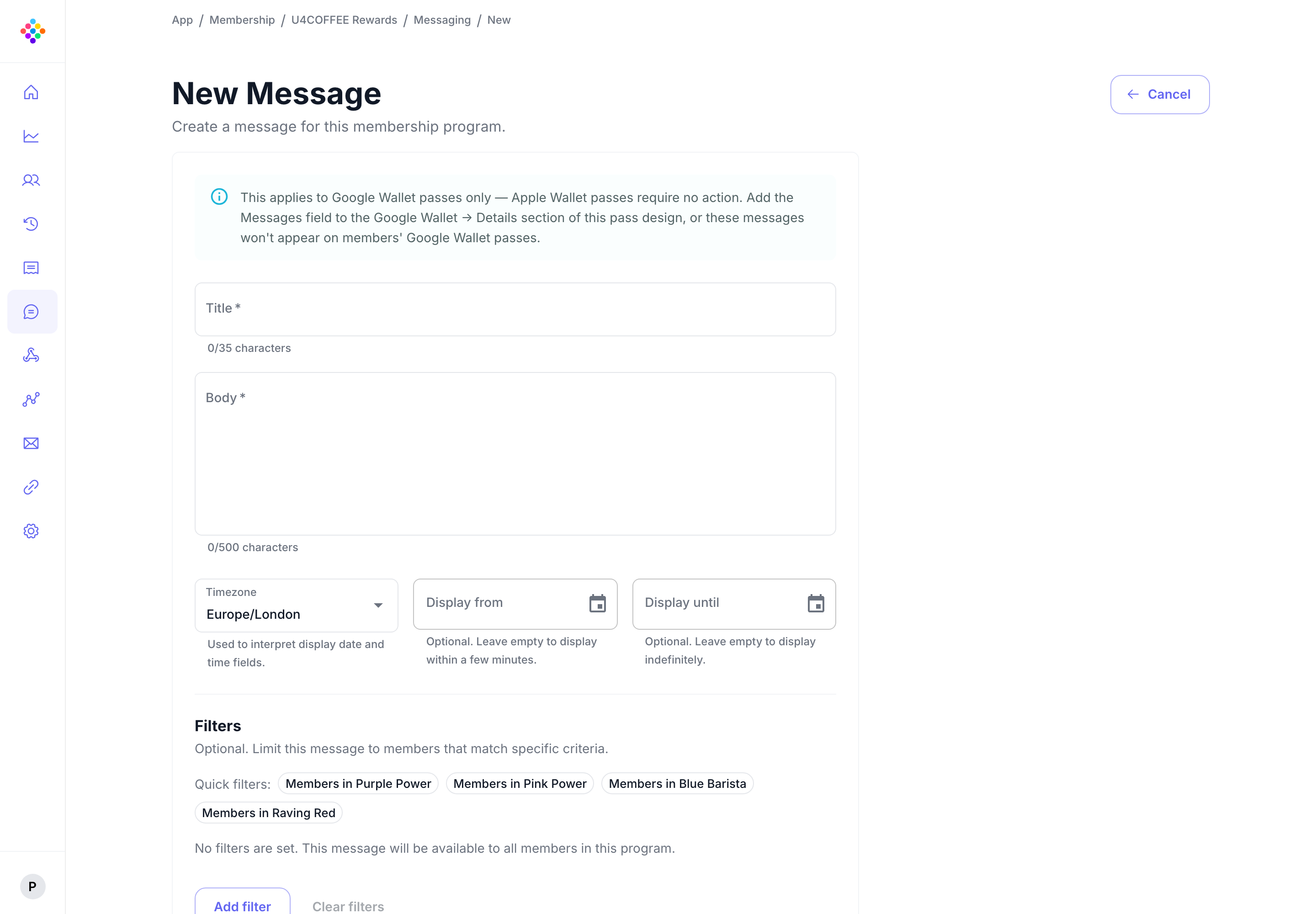
Send to all pass holders or use filters to reach a focused group or individual recipient.

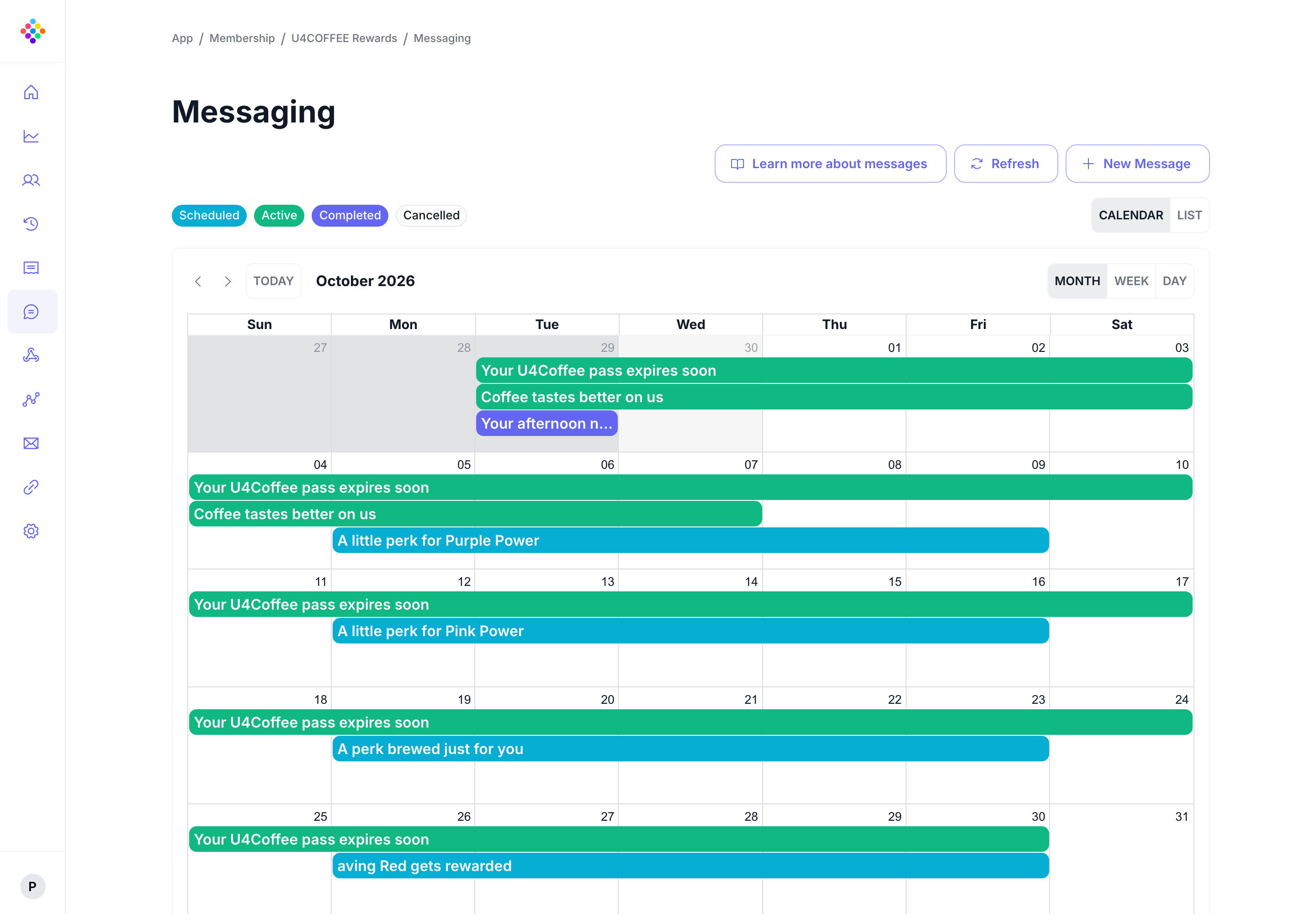
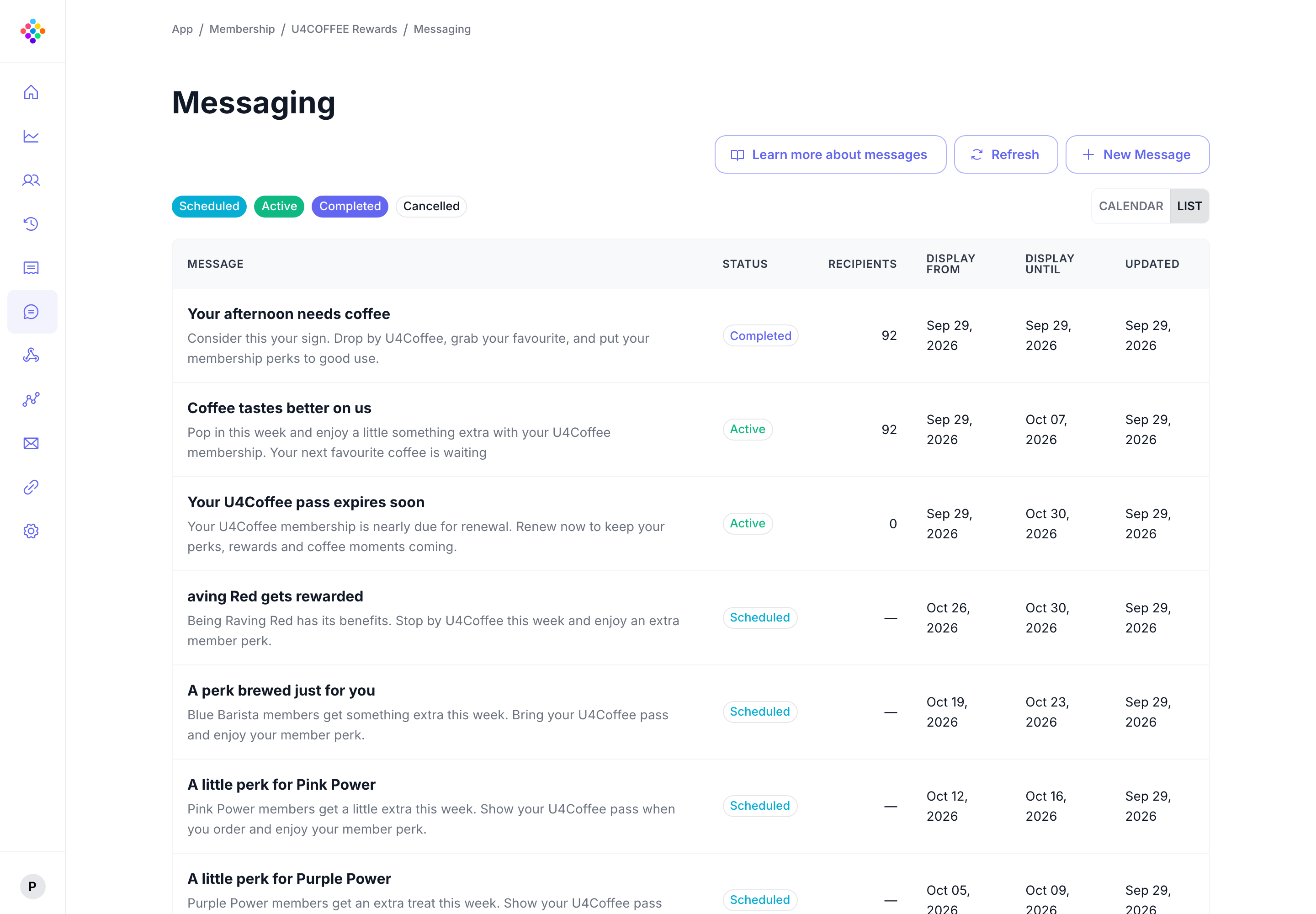
PassKit Messaging helps teams plan useful communication around the pass experience. Reach all pass holders, a filtered group, or an individual recipient using filters, then choose when the message should appear.
Send to all pass holders or use filters to reach a focused group or individual recipient.
Choose when a message should start and stop appearing, with the timezone that makes sense for the campaign.
Use pass holder data to make each message more useful to the audience receiving it.
Create messages now, schedule them ahead, and review their status from the PassKit Portal.
Messaging is available for membership programs, coupons and offers, and event tickets. It gives teams a focused way to communicate with the people who already have a pass.
Share timely, relevant communication with members based on the pass holder data you already manage.
Use targeted messages to help pass holders notice useful offers and moments to return.
Schedule messages around the moments ticket holders need useful information.
Build an audience from pass holder data instead of sending the same message to everyone.
Use the Portal to write a message, configure an audience, and choose its display window. The Help Center has the detailed setup guidance for each step.
Use filters to create a recipient group or narrow the audience to an individual recipient.
Audience filtering guideSet the date, time, timezone, and display window for each message.
Scheduling guideMessaging is included with the PassKit platform.
What's includedA focused messaging capability for teams managing live wallet pass programs.
You can send to all pass holders or use filters to create a more focused group, including an individual recipient when the filter identifies that person.
Yes. Set when a message should begin and stop appearing, including the relevant timezone.
Messaging is available for membership programs, coupons and offers, and event tickets.