Service ownership
Which team and service own the PassKit integration and changes to it?

A working API call is only the beginning. As your wallet programme moves toward launch, decide which service owns the integration, where credentials and customer data are managed, how failures and webhooks are handled, and how changes are rolled out safely.
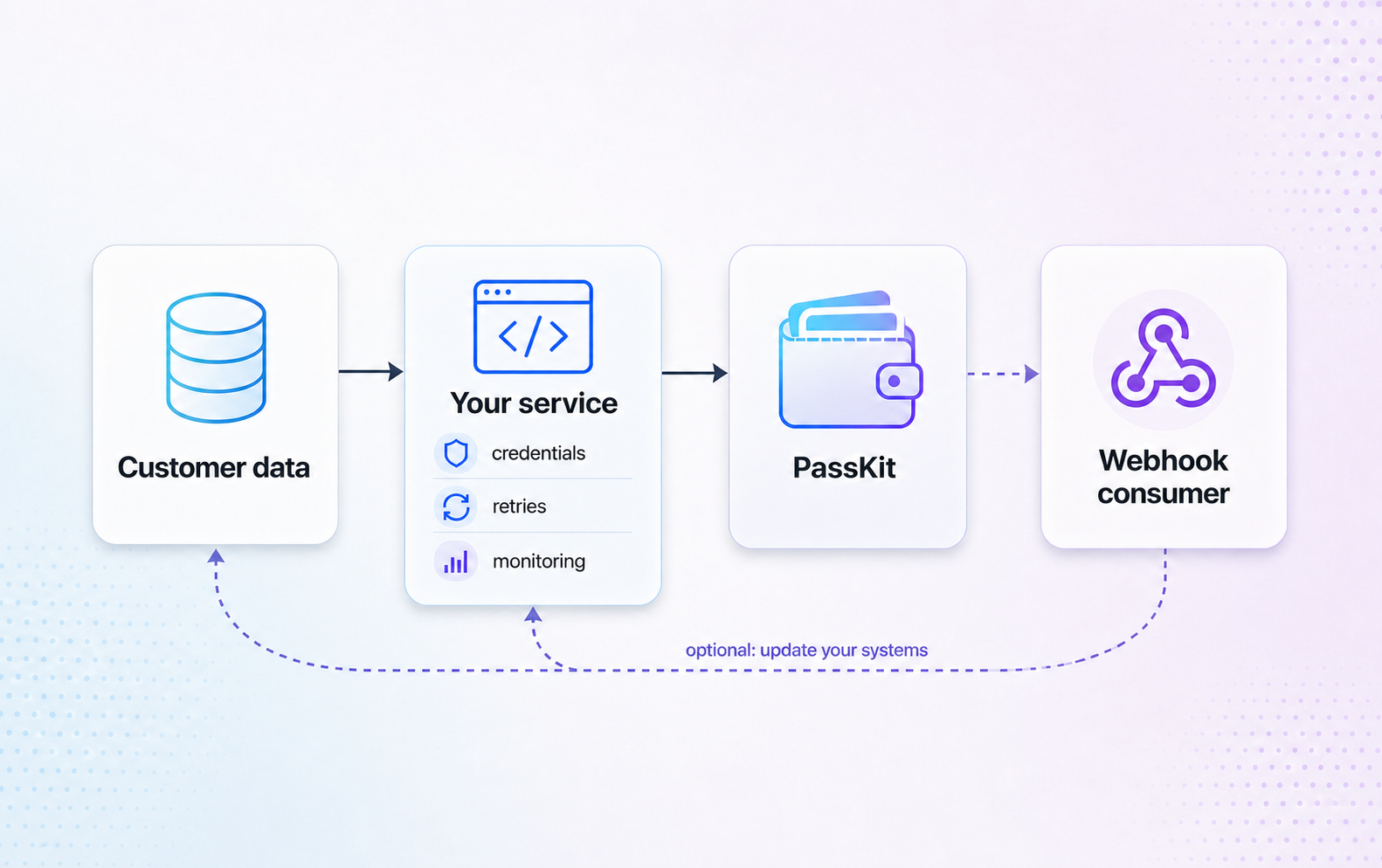
A successful launch depends on more than a first API call. Decide how the surrounding services, data and operations will work together while there is still time to make the right choices.
Which team and service own the PassKit integration and changes to it?
Who manages account credentials, where are they stored, and how are changes handled?
Which customer, programme, commerce or ticketing system is authoritative for each workflow?
How will the team validate, monitor and phase the integration into production?
Plan retry and failure handling, webhook ownership, observability, credential protection and the path from a tested flow to a production rollout. Confirm exact API behaviour and contracts in the official technical documentation.
Decide which service receives and processes supported lifecycle events.
When to use webhooksDefine how your service records failures, retries safely and alerts the team when a workflow needs attention.
Keep credentials private and account ownership clear from the first implementation.
Read setup guideUse the PassKit Portal to review and filter recent account API activity when investigating a technical workflow.
Open account activity