
9 Best Event Ticketing Apps for Organizers Compared
Compare nine event ticketing apps for organizers, including checkout platforms, conference tools and mobile wallet ticket delivery.

The best event ticketing app depends on which part of the organizer workflow you need it to own.
Eventbrite, Ticket Tailor, Humanitix, TicketSpice, TicketLeap and Ticketbud provide event pages, checkout, payment connections and check-in tools. Sched and Bizzabo add deeper conference or enterprise event management. PassKit is different: it connects an existing sales or registration system to Apple Wallet and Google Wallet ticket issuance, updates and admission.
This comparison is for organizers choosing business software. It does not cover consumer apps for finding cheap concert tickets or reselling sports tickets.
What is an event ticketing app for organizers?
An event ticketing app helps an organizer perform one or more stages of the ticket lifecycle: publish an event, collect registrations, take payment, issue tickets, communicate changes, scan attendees and report on results.
The phrase covers several product types:
- A full ticketing platform combines an event page, checkout, payment handling, ticket delivery and check-in.
- An event management suite adds agendas, speakers, sponsors, attendee networking, badges or virtual-event tools.
- A mobile wallet ticket platform issues and manages tickets in Apple Wallet and Google Wallet but may rely on another system for checkout and payment.
- A consumer marketplace helps attendees discover or resell tickets. That is not the software-selection problem addressed here.
These categories overlap, but they are not interchangeable. An organizer with no sales infrastructure may need an all-in-one checkout platform. A venue with an established ecommerce or registration system may need only better mobile delivery and gate validation.
Best event ticketing apps at a glance
| Platform | Best for | Sales and payment | Ticket delivery and entry | Pricing approach and main limitation |
|---|---|---|---|---|
| Eventbrite | Public events that benefit from marketplace discovery | Hosted checkout and payment processing | Mobile or printable tickets and Organizer check-in app | Regional per-ticket and processing fees; less control than a fully independent stack |
| Ticket Tailor | Independent organizers wanting a branded box office | Checkout connected to Stripe, PayPal or Square | QR tickets, Apple Wallet option and check-in app | Flat usage fee plus processor charges; some branding and integrations cost extra |
| Humanitix | Community, nonprofit and socially focused events | Hosted checkout with supported payment gateways | Digital, PDF and wallet tickets with host scanning app | Fees vary by currency and gateway; verify the live rate for your event |
| TicketSpice | Attractions, festivals and complex ticket configurations | Hosted checkout with Webconnex Payments or another processor | Digital tickets, box-office app and configurable scanning | Per-ticket plan pricing; advanced features and processing can add cost |
| TicketLeap | US organizers wanting straightforward self-service ticketing | Hosted online and on-site sales | Mobile or printed QR tickets and free scanning app | Percentage, per-ticket and online transaction fees apply |
| Ticketbud | Organizers wanting broad features without plan tiers | Checkout connected to Stripe or PayPal | Digital tickets and mobile check-in app | Per-ticket and processor fees; marketplace reach is smaller than Eventbrite’s |
| Sched | Conferences and multi-session events | Registration and optional paid ticketing through Stripe | Attendee web/app experience and event or session check-in | Schedule-first product; paid registration has regional and workflow constraints |
| Bizzabo | Enterprise B2B event portfolios | Registration, ticketing and payment workflows | Event app, QR check-in, badges and onsite tools | Annual enterprise commitment and premium price |
| PassKit | Organizations with sales infrastructure that need wallet tickets | No native checkout or payment processing | Apple Wallet and Google Wallet tickets, updates and PassReader validation | Requires a separate sales/payment source and integration workflow |
There is no universal winner. The decisive question is whether you need a system to sell the ticket, manage a complex event programme, or deliver an existing ticket through mobile wallets.
Event ticketing app comparison criteria
The comparison covers event types, registration and checkout, payment ownership, ticket delivery, wallet support, scanning, reporting, integrations and total cost.
Fees vary by organizer country, currency, ticket value, payment gateway and contract.
Event ticketing platforms compared
Eventbrite: for public events and marketplace discovery
Eventbrite combines event listing pages, hosted checkout, payment processing, digital ticket delivery, promotion and onsite admission. Its distinguishing feature is its consumer discovery marketplace: an organizer can reach people already browsing Eventbrite for local events.
The Eventbrite Organizer app scans mobile or printed QR tickets, supports attendee lookup and can handle on-site ticket sales in supported markets. Organizers can also monitor check-in and sales activity from the app.
Best fit: Public classes, performances, community events and festivals that want one recognizable platform for discovery, checkout and entry.
Important limitation: Eventbrite controls more of the buyer journey and fee structure than an independent box-office setup. Charges vary by market and can include ticketing and payment-processing fees. Review the current organizer pricing page for the event’s country before deciding whether to absorb or pass on fees.
Ticket Tailor: for an independent branded box office
Ticket Tailor provides event pages, ticket checkout, order management and a check-in app while connecting payments directly to an organizer’s Stripe, PayPal or Square account. This separation can suit businesses that want more ownership of branding and payouts.
Its pricing model uses pay-as-you-go usage or prepaid ticket credits, with separate payment-processor charges. Free events are free within the published fair-use allowance; reserved seating and white-label options can create additional usage or monthly charges.
Ticket Tailor documents an Apple Wallet ticket option. Its check-in app scans tickets, searches door lists and can work offline after the relevant event data has been downloaded.
Best fit: Independent venues, recurring events, workshops and organizers who want a branded box office without an annual enterprise contract.
Important limitation: It is not a discovery marketplace on Eventbrite’s scale. Organizers remain responsible for attracting buyers, configuring their payment account and understanding processor fees.
Humanitix: for social-impact and community events
Humanitix is a full event ticketing platform that directs its profits to charitable programmes. It supports event pages, checkout, reporting, reserved seating, promotions and digital tickets.
The Humanitix for Hosts app can sell tickets, scan QR codes, search attendees and track entry. Current documentation says attendees can present a ticket from email, PDF, Apple Wallet or Google Wallet.
Best fit: Community groups, schools, charities and purpose-led organizers that want full ticketing functions aligned with a social-impact model.
Important limitation: Humanitix pricing varies by currency, organization type and payment gateway. Its US pricing page and some help-centre material present fees differently, so use the live pricing page and checkout configuration for the authoritative rate rather than relying on an old comparison figure.
TicketSpice: for configurable ticketing and timed admission
TicketSpice supports online ticket sales, custom event pages, reserved seating, timed entry, donations, merchandise and optional marketing tools. It is particularly relevant to attractions, fairs, festivals and events that need more control over purchase flows and ticket types.
Its scanning app can validate and check in tickets, work offline after ticket data is downloaded and sync scan records when connectivity returns. Organizers should plan how multiple devices will synchronize during weak-connectivity events.
The current TicketSpice plans guide lists Standard, Premium and Professional fees of $0.99, $1.49 and $1.99 per paid ticket respectively. Reserved seating, season passes, integrated waivers and several onsite or API features require Premium or Professional. Payment processing and some optional services are additional.
Best fit: Attractions, seasonal events, festivals and organizers with complex ticket categories, upsells or timed-entry requirements.
Important limitation: The lowest per-ticket rate does not include every feature. Select the required plan before comparing payment processing, messaging and other optional costs.
TicketLeap: for straightforward US self-service ticketing
TicketLeap combines event pages, online ticket sales, attendee management and mobile admission. Its TicketLeap Scan app handles QR codes on mobile or printed tickets, while a separate selling workflow supports box-office transactions.
According to TicketLeap’s current event check-in page, its published US fee is $1 plus 2% of the ticket price, with a further 3% online transaction fee. Onsite sales have a different fee structure. Confirm the live terms for the payment method and event before launch.
Best fit: Small and midsize US organizers that want an uncomplicated event page, checkout and scanning workflow from one provider.
Important limitation: The fee model can become material on lower-priced tickets. Its wider event-management and attendee-engagement features are not as extensive as enterprise conference platforms.
Ticketbud: for broad features without pricing tiers
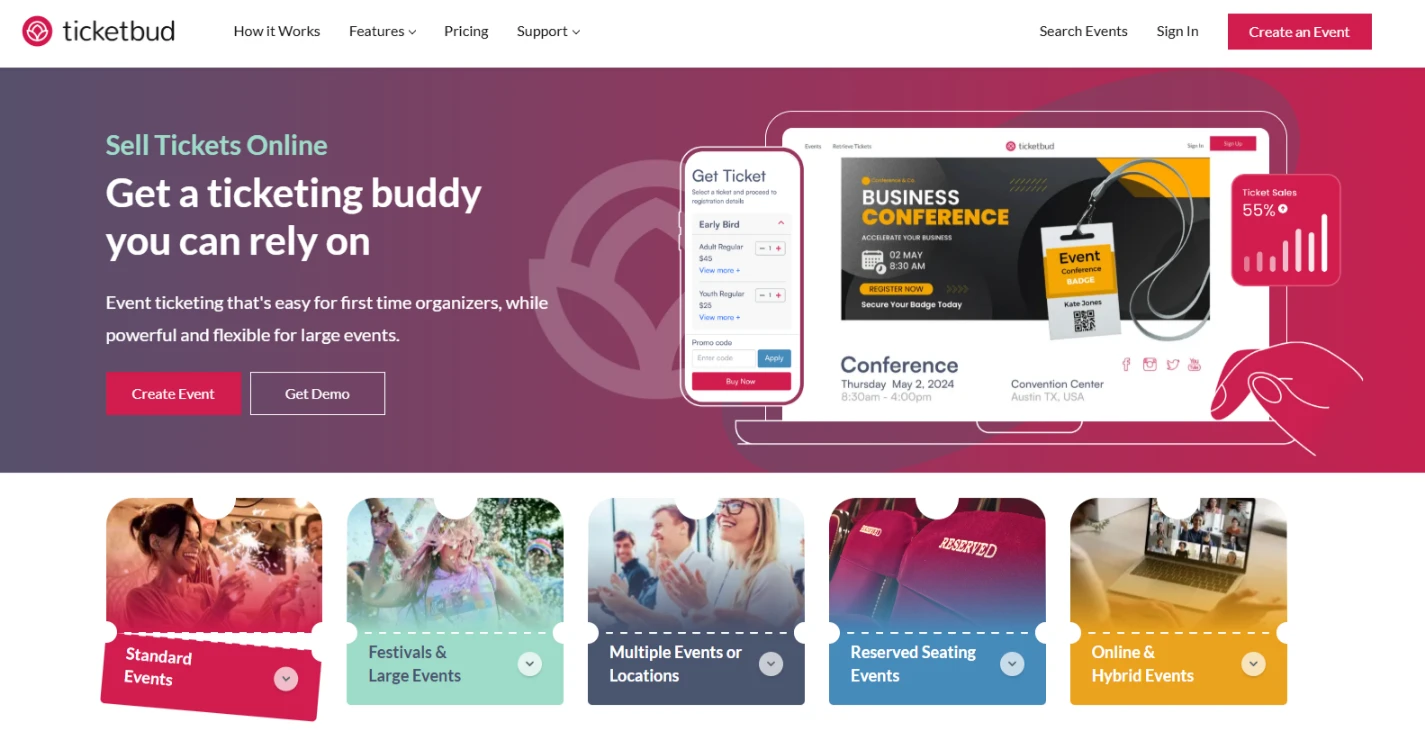
Ticketbud provides hosted event pages, checkout, attendee communications, reporting, reserved seating, check-in and API access without dividing core features into multiple subscription tiers.
The mobile app scans QR tickets and allows manual attendee lookup. Stripe and PayPal are documented payment options. Ticketbud’s current pricing page lists a 2% plus $0.99 ticketing fee for standard paid tickets and a 2.9% plus $0.30 processor fee, with reduced ticketing fees for qualifying nonprofit and school events. Organizers can pass on or absorb applicable fees.
Best fit: Associations, festivals, community events and organizers that want one feature set without choosing between several software plans.
Important limitation: It offers event discovery, but its marketplace reach is not equivalent to Eventbrite’s. White-label and unusually complex requirements may need a custom arrangement.
Sched: for agenda-led conferences and multi-session events
Sched is an event-management platform built around schedules, speakers, sessions and attendee agendas. It now also supports registration, ticketing and event or session check-in, which makes it more relevant to conferences than to a simple one-night ticket sale.
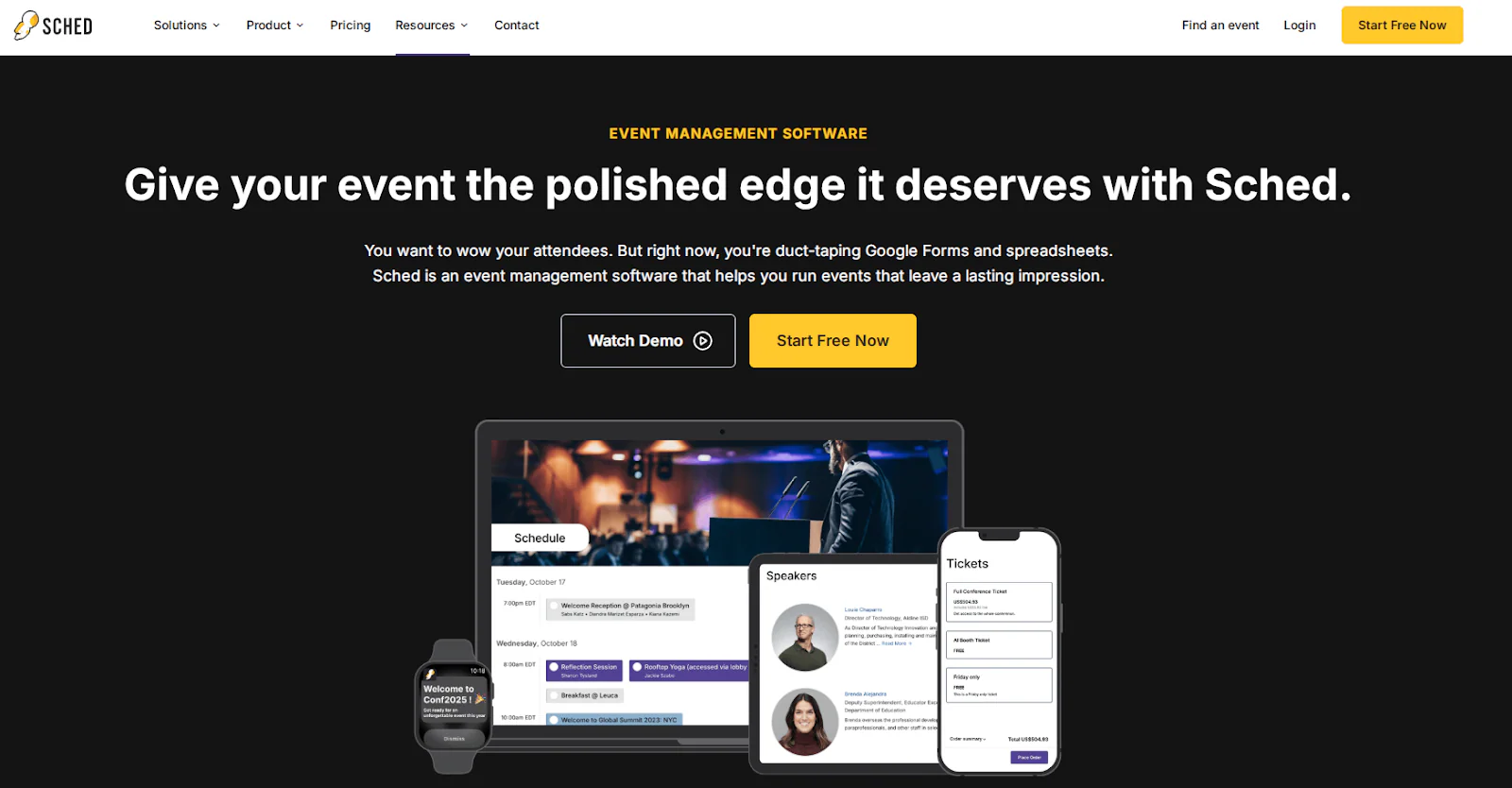
Attendees can build personal schedules in the web or mobile experience. Organizers can use QR or manual check-in, including session-level attendance. Paid registration connects to Stripe; Sched’s current documentation says the organizer processes refunds through Stripe and must separately remove a refunded attendee from the Sched event.
Best fit: Conferences, educational events and festivals where session scheduling and attendee agendas are as important as admission.
Important limitation: It is schedule-first, not a broad consumer ticket marketplace. Review the paid-registration requirements, including geographic payment constraints, and compare the single-event or subscription plan that includes the required features.
Bizzabo: for enterprise B2B event programmes
Bizzabo is an enterprise event-management suite rather than a lightweight ticket-sales app. It combines event websites, registration, ticketing, email, attendee apps, agendas, analytics and onsite operations.
Its onsite tools include QR check-in, badges and session access. Premium options extend into networking, CRM and marketing integrations, virtual events, custom applications and managed onsite services.
Bizzabo publishes a starting price of $17,999 per year for its Event Experience OS, based on a three-user annual commitment. Additional onsite, service and premium capabilities may be priced separately; consult the current Bizzabo pricing page for scope.
Best fit: Enterprise B2B teams running a portfolio of conferences, field events, webinars or hybrid programmes and needing centralized event data.
Important limitation: The annual cost and implementation scope are disproportionate for a small organizer running one basic event.
PassKit: for Apple Wallet and Google Wallet ticket delivery
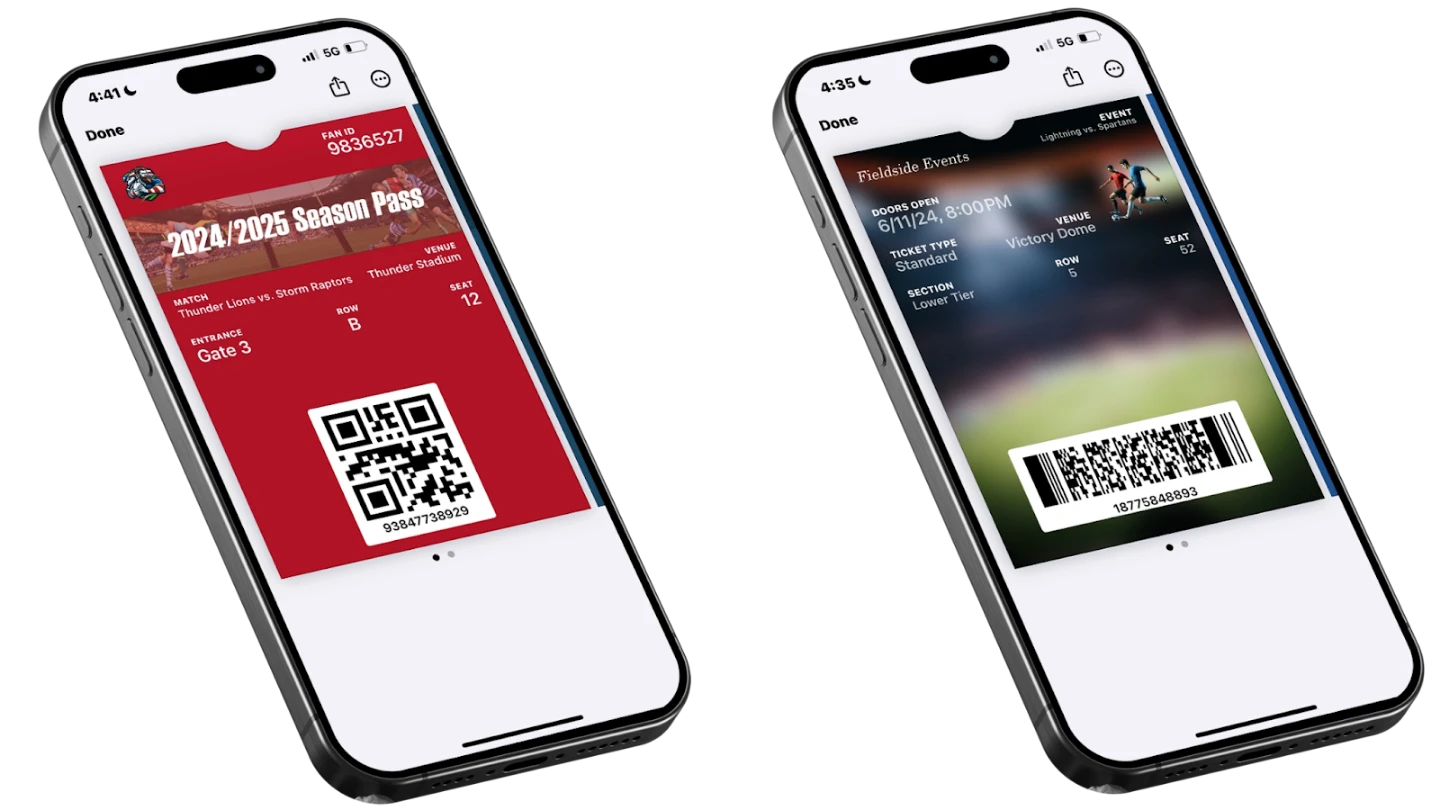
PassKit is not a complete ticket-selling marketplace. It creates, issues, updates and validates digital event tickets for Apple Wallet and Google Wallet.
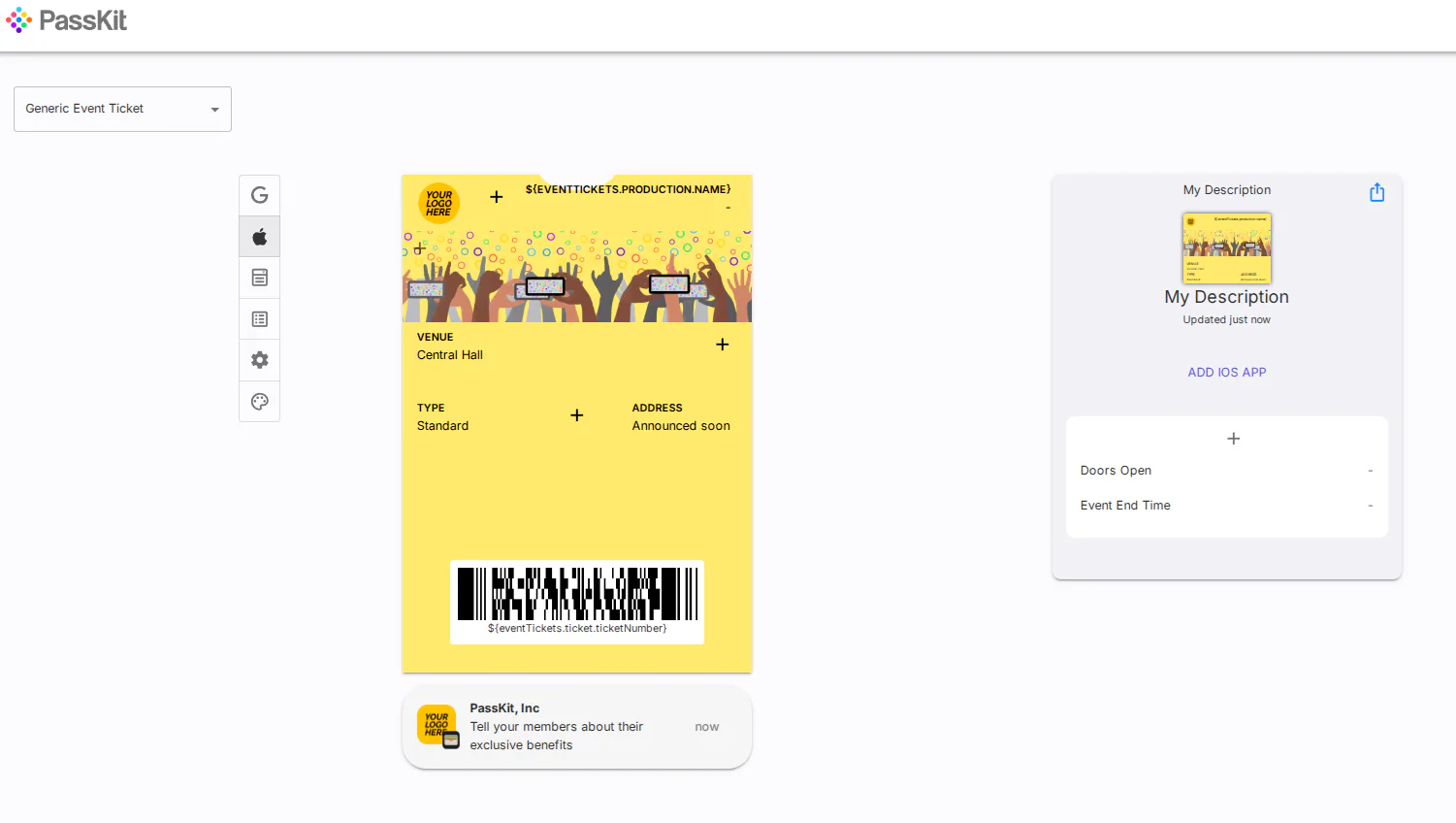
A business can create tickets in the PassKit portal, through batch import or through its APIs and SDKs. Tickets can contain scannable identifiers and be distributed through email, SMS, landing pages or other connected channels. Event details can be updated after a ticket is installed.
PassKit’s current capabilities guide states explicitly that it does not process payments. A payment gateway, ecommerce platform or registration system must collect the transaction. A successful payment or approved registration can then trigger PassKit ticket issuance through an API, webhook or automation workflow.
For admission, PassReader allows authorized staff to scan, validate and redeem PassKit event tickets. Validation checks ticket state; a QR code alone does not prevent screenshots or reuse. Staff need the configured validation workflow and, for PassReader redemption, an active internet connection.
PassKit reporting focuses on pass lifecycle information such as issuance, installation, uninstallation and invalidation. Revenue, refunds and complete sales analytics remain in the connected commerce or registration system.
Best fit: Venues and organizers that already have checkout, payment or registration infrastructure and want branded wallet tickets, live updates and controlled admission without building their own wallet integration.
Important limitation: The organizer must design and maintain the connection between sale, ticket issuance, refund or cancellation state and admission. Pricing combines an account-access platform fee with single-use pass volume; use the PassKit pricing calculator for the intended ticket volume.
How to choose the right event ticketing app
Small community or free events
Start with the provider’s free-event policy, ease of setup and volunteer check-in controls. Eventbrite, Humanitix, Ticket Tailor and Ticketbud all support this type of workflow, but their audience reach, fee rules and payment ownership differ.
Paid public events that need discovery
Eventbrite is the clearest fit when marketplace exposure is a priority. If the organizer already has an audience and wants more control over branding or payments, compare Ticket Tailor, Humanitix, TicketSpice, TicketLeap and Ticketbud instead.
Conferences and business events
Choose Sched when schedules, speakers and session attendance drive the experience. Choose Bizzabo when an enterprise team needs a broader event portfolio, integrations, analytics, onsite services and attendee engagement.
Festivals, attractions and timed entry
TicketSpice is designed for more configurable admissions, ticket categories and upsells. Ticketbud and Ticket Tailor also support reserved seating or complex event structures, but organizers should test capacity rules and scanning under realistic gate conditions.
Existing checkout or registration systems
Do not pay for a second checkout platform solely to improve ticket delivery. PassKit can receive an approved order or attendee record and issue an Apple Wallet or Google Wallet ticket, while the existing system remains responsible for money, refunds and the authoritative customer record.
Events with demanding entry operations
Check whether the system supports multiple staff accounts, device permissions, offline mode, duplicate-ticket alerts, manual lookup, ticket-state synchronization and post-event audit records. A successful demonstration with one phone is not enough for a multi-gate event.
Ticket sales versus digital ticket delivery
Selling a ticket and delivering it are separate operations. An all-in-one platform may handle both, but an integrated stack can assign each stage to a specialist system.
| Workflow stage | Full ticketing platform | PassKit-connected workflow |
|---|---|---|
| Event page and registration | Platform hosts the event page and registration form | Existing website, registration tool or ecommerce system |
| Checkout and payment | Platform or its connected gateway takes payment | External commerce or payment provider takes payment |
| Ticket issuance | Platform creates its own digital or PDF ticket | Confirmed order or registration triggers PassKit issuance |
| Mobile delivery | Email, mobile web, provider app or supported wallet option | Apple Wallet or Google Wallet pass link |
| Event changes | Platform updates its ticket or sends messages | PassKit updates installed wallet tickets from the portal or integration |
| Admission | Provider’s check-in app or hardware | PassReader or a connected validation system |
| Financial reporting | Platform records orders, fees, refunds and payouts | Commerce system owns revenue; PassKit records pass lifecycle and validation events |
A dependable integration must also handle failure states. A failed payment must not issue a valid ticket. A refund or cancellation should update the ticket state. Webhook failures need monitoring and retry logic. Our guide to selling digital tickets covers the commercial workflow, while the event ticket scanner guide focuses on admission.
What does an event ticketing app really cost?
The headline fee rarely represents the full operating cost. Compare these components:
- Platform or subscription fee: A monthly or annual charge, especially common in enterprise and event-management suites.
- Per-ticket fee: A flat amount, percentage or credit consumed for each issued or sold ticket.
- Payment processing: The gateway’s percentage and fixed transaction charge.
- Buyer versus organizer payment: Some platforms let the organizer pass fees to attendees, absorb them or split them.
- Paid feature tiers: Reserved seating, custom domains, white labelling, email, SMS, APIs or advanced reports may cost extra.
- Onsite costs: Card readers, scanners, badge printers, connectivity, rented equipment and additional staff accounts.
- Refund exposure: Determine whether platform and processor fees are returned when an order is refunded.
- Currency and tax: Rates and available gateways can change by organizer country, settlement currency and local tax rules.
- Integration work: A composable setup may require developer time, automation subscriptions and monitoring.
Model the actual event rather than comparing one advertised percentage. Include the expected number of free and paid tickets, average ticket value, refunds, at-door sales, staff devices and optional features. Then confirm whether the buyer or organizer sees each charge.
Event ticketing app selection checklist
Before signing a contract or publishing an event, confirm that the proposed system can support the whole workflow:
- The organizer can build the required event page, registration form and ticket types.
- Checkout supports the required country, currency, tax and payment methods.
- The payout schedule works with venue and supplier commitments.
- Refunds, cancellations, transfers and chargebacks have documented owners.
- Attendees receive a ticket format they can retrieve easily at the venue.
- Apple Wallet or Google Wallet support is available if it is a requirement, not merely described as a generic “mobile ticket.”
- Each ticket has an authoritative state such as valid, cancelled, expired or redeemed.
- Scanning checks that state and prevents a redeemed ticket from being accepted again.
- Staff roles, device access and audit history meet operational requirements.
- The entry workflow has been tested with poor connectivity and multiple scanners.
- Sales, attendance and pass-lifecycle reporting come from clearly identified systems.
- Fees have been modelled using the real ticket price, volume and optional features.
- Data export, privacy, accessibility and retention requirements are understood.
- Integrations have monitoring, retry handling and a manual recovery process.
Run a test event from purchase through refund and admission. Include a duplicate scan, cancelled ticket, wrong event date, lost ticket, offline device and failed integration message.
FAQs about event ticketing apps for organizers
What is the best event ticketing app for organizers?
It depends on the operating model. Eventbrite suits public discovery and all-in-one checkout. Ticket Tailor, Humanitix, TicketSpice, TicketLeap and Ticketbud suit different self-service sales needs. Sched and Bizzabo serve more complex event programmes. PassKit fits organizations that already sell or register attendees elsewhere and need Apple Wallet and Google Wallet tickets.
What is the difference between an event ticketing app and ticketing software?
The terms often overlap. “App” may refer to an organizer’s mobile scanner, an attendee application or the full online service. “Ticketing software” more clearly describes the complete system used to configure events, sell or issue tickets, manage records and validate entry.
Can I sell event tickets without building an app?
Yes. Hosted ticketing platforms provide event pages and checkout, while an existing website can connect payment, registration and ticket-delivery services. Attendees can receive tickets by email, mobile web, PDF or wallet pass without the organizer building a native mobile app.
Do attendees need to download an app?
Not necessarily. Many platforms supply a QR ticket by email or browser. Apple Wallet and Google Wallet tickets use wallet functionality already available on compatible phones. A provider-specific attendee app may offer additional discovery, scheduling or networking features but should not be assumed to be mandatory.
Can event tickets be saved in Apple Wallet or Google Wallet?
Yes, when the selected provider documents that support. PassKit specializes in both Apple Wallet and Google Wallet. Humanitix documents both, while Ticket Tailor currently documents an Apple Wallet option. Verify the exact wallet support and design controls required before choosing a platform.
Which platforms include payment processing?
Eventbrite, Humanitix and several other full ticketing services provide an integrated payment workflow. Ticket Tailor, Ticketbud and Sched connect to external processors such as Stripe, PayPal or Square. PassKit does not process payments; it receives a successful transaction or registration event from another system before issuing a ticket.
Can I use a separate payment system and ticket provider?
Yes. A successful payment in an ecommerce or payment system can trigger ticket issuance through an API, webhook or automation tool. The integration must also handle failures, cancellations and refunds so the ticket state remains aligned with the transaction.
How are event tickets scanned and validated?
A scanner reads the QR code or barcode, then the admission system checks the associated ticket record. A proper workflow confirms that the ticket belongs to the event, is currently valid and has not already been redeemed. The scan should update the record so another gate does not accept the same ticket.
Can I use my phone to check in attendees?
Yes. Every provider in this comparison offers or supports a mobile or browser-based check-in workflow. The details differ: some apps work offline, some require an active connection, and some separate event check-in from session attendance or at-door sales.
What should I look for in a free or low-cost ticketing app?
Check what “free” means for paid events, payment processing, free-ticket limits, attendee fees, support, data export and scanning. A platform with no organizer charge may pass fees to attendees. Compare the complete event cost and required features, not only the signup price.
Choose by workflow, not by a universal ranking
Choose a full ticketing platform when you need event pages, checkout, payment processing and ticket delivery in one product. Choose Sched or Bizzabo when conference and event-management depth matters. Choose PassKit when an existing system already handles the commercial transaction and you need branded Apple Wallet and Google Wallet tickets, live updates and validation.
If the wallet-delivery model matches your infrastructure, review PassKit’s event ticketing use case and map the complete sale-to-entry workflow before implementation.