
5 Digital Coupon Tools for Small Gift Shops That Work In-Store
Compare five digital coupon tools for small gift shops by customer delivery, in-store redemption, checkout fit and pricing.

Digital coupon tools for small gift shops should solve a straightforward retail problem: send an offer through channels the shop already uses, let staff check it quickly, and make the promised discount clear at the till. An independent retailer with one location, a small team, and limited technical resources rarely needs the most complicated coupon platform.
PassKit, Square, Shopify POS, CodeBroker, and Coupontools approach that problem differently. PassKit delivers branded coupons through Apple Wallet and Google Wallet. Square and Shopify POS bring coupon application into their own checkout environments. CodeBroker concentrates on personalised, single-use distribution. Coupontools combines mobile promotions with several validation methods.
We selected these five because each provides an official route for in-store redemption and represents a distinct operating model: wallet delivery, POS-native checkout, connected ecommerce and POS, personalised single-use coupons, or QR-led campaigns. PassKit publishes this comparison and is included. We reviewed official documentation on 27 October 2026; this is not hands-on testing, and inclusion order is not a ranking.
Digital Coupon Tool Comparison for Small Gift Shops
| Tool | Appropriate for | How customers receive coupons | What staff do at checkout | Pricing basis |
|---|---|---|---|---|
| PassKit | Branded Apple Wallet and Google Wallet coupons | Open a Pass URL and choose to save the coupon to a wallet | Use PassReader or a web-link redemption method; apply the discount separately | Platform fee plus single-use passes issued |
| Square | Shops already using Square Point of Sale | Receive or see a coupon code in-store, online, or through Square Marketing | Enter or select the coupon in Square POS, which applies it to the cart | Free vanity-code creation; paid plan needed for email or text marketing |
| Shopify POS | Shops selling through Shopify online and in person | Receive a discount code or shareable QR code | Enter the code or scan the QR code in Shopify POS to apply a supported discount | Paid Shopify plan; POS Pro needed for automatic POS discounts |
| CodeBroker | Personalised, single-use coupons | Receive an individual coupon by email or save it to a supported wallet | Scan it in a browser-based staff tool, or connect validation through an API | Pricing available from CodeBroker |
| Coupontools | QR-led mobile promotions | Claim through QR code, email, SMS, social media, or a wallet option | Use its widget, app, QR/password, or customer-device method; POS setup varies | Plans based on active campaigns and monthly interactions |
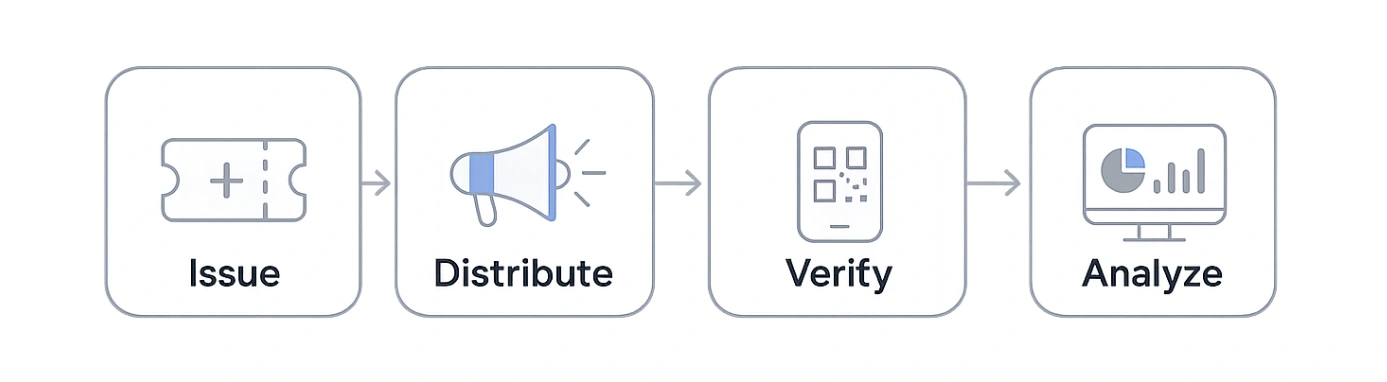
A coupon management system must account for three separate stages. First, the customer receives or claims the offer through a link, email, QR code, wallet pass, or another supported route. Next, the shop checks whether it is valid and has already been used. Finally, the cashier applies the promised discount to the sale. Some tools combine the last two stages inside the point-of-sale system; others require two staff actions.
What a Small Gift Shop Should Compare

The right comparison starts at the counter. A boutique gift store or souvenir shop may have seasonal staff, a small customer list, one or two locations, and a point-of-sale system that cannot support a lengthy integration project. The coupon process needs to remain clear when the store is busy.
For example, an independent gift shop could place a QR code beside its Mother’s Day display and email the offer to previous customers. Before launching it, the owner needs to know whether the QR code gives each shopper an individual coupon or simply shows everyone the same promotional code.
A QR code is only the route into the offer. One display code can lead every shopper to a shared promotion, or it can start a process that issues a unique coupon record or code to each person. Single-use control comes from the coupon platform and its redemption setup, not from the QR image itself. Our QR code coupon guide explains the format in more detail, while coupon fraud prevention covers stronger misuse controls.
If the shop sends promotions by email or SMS, it should send them only to customers for whom it has the marketing permission or consent required in its region.
Use the same questions for every tool:
- Does the customer need to download a dedicated app?
- Can the shop distribute the coupon through the channels it already uses?
- What must the customer show at the counter?
- Does the cashier use the existing till, a coupon scanner app, a browser, or a code supplied by the customer?
- Does redemption require an internet connection?
- Can the same coupon be reused or forwarded?
- Does the tool validate the coupon, apply a checkout discount, or both?
- Must the shop use a particular POS or ecommerce platform?
- What event does the provider count for pricing?
- Can the shop see how many coupons were issued, claimed, checked, or redeemed?
A shop comparing broader feature categories can use our digital coupon software guide. This article stays focused on the practical differences among these five options for a small physical gift shop.
PassKit: Wallet Coupons Without a Separate Shop App
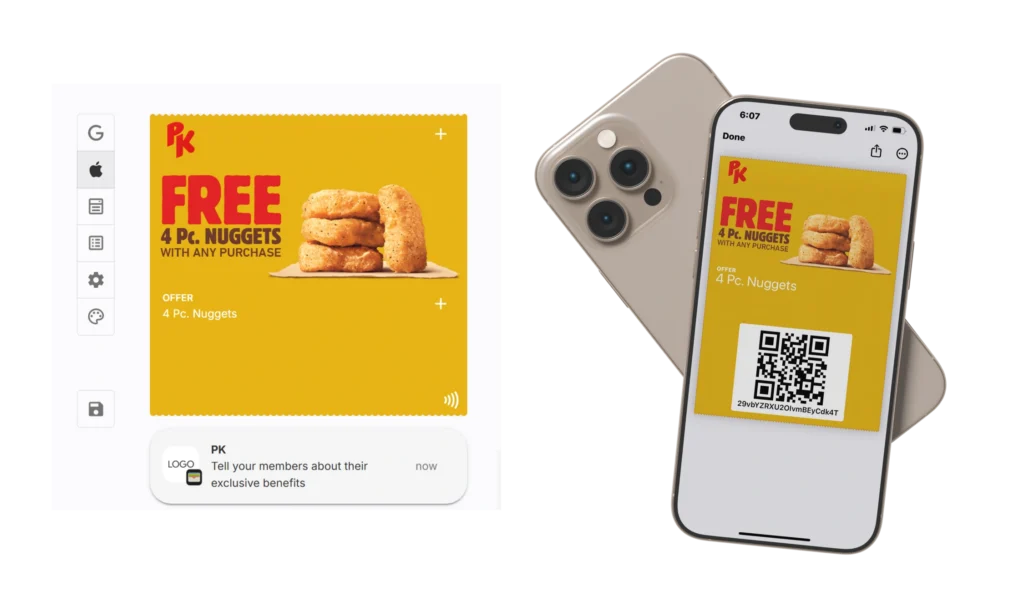
PassKit suits a gift shop that wants branded offers in Apple Wallet or Google Wallet. The shop shares a Pass URL by email, SMS, website, social media, or QR code. The customer must open the link and choose to save the pass; distributing it does not guarantee wallet installation.
At the counter, the shop can use the PassReader app or web-link redemption for single-use coupons. PassReader scans the coupon, shows whether it is active, redeemed, expired, or disabled, and can mark an active coupon as redeemed; staff must be signed in and online. With web-link redemption, the customer can redeem directly, show a code to the cashier, or enter a code supplied by staff. Web links also require internet access.
A souvenir shop, for example, could let tourists scan a QR code, save a wallet coupon, and return later. Staff would check whether it had been used, then apply the discount in the shop’s till. PassKit records the redemption but does not automatically change the price unless the shop connects it to checkout.
PassKit’s rate card lists a minimum monthly charge of US$39.50 for one team member, including up to 250 multi-use and 250 single-use passes. Each issued coupon creates a single-use pass record. Additional records are charged in volume tiers, whether or not the coupon is installed or redeemed.
Practical fit: A shop that wants branded wallet coupons, flexible distribution, and a clear redemption process without developing a consumer app.
Main limitation: The checkout discount is not automatic unless the shop connects PassKit to its till or POS.
Square: Coupons Applied in Square POS
Square coupon codes are a natural option for a gift shop already using Square Point of Sale. Square lets sellers create coupon codes for in-person and online sales and share them in the store, on a website, or through Square Marketing campaigns.
At checkout, a cashier can open the rewards area in Square POS, enter the customer’s code, select the coupon, and apply it to the cart. A coupon attached to the customer’s Square profile can also be selected there. The coupon check and price change therefore happen inside Square POS.
The trade-off is that Square coupon behaviour is tied to Square’s rules. Square states that some coupon conditions apply only in person or only online. For example, the availability of a condition can vary by sales channel, so a gift shop should test the exact offer rather than assume the online and in-store versions have identical eligibility.
The cashier needs the relevant checkout permission. Square describes vanity-code creation as a free feature, while Square email and text marketing requires Square Plus or Square Premium. That plan structure differs from charging by the number of coupons issued.
Practical fit: A shop already committed to Square that wants staff to apply coupon codes directly within its current checkout flow.
Main limitation: The value is closely tied to using the wider Square ecosystem, and coupon conditions can differ between online and in-person sales.
Shopify POS: Shared Discount Codes for Online and In-Person Selling
Shopify discount codes suit a gift shop that runs its ecommerce store and physical checkout through Shopify. Merchants can set dates, usage limits, minimum order values, applicable products, and combination rules. Customers can use supported codes online and through Shopify POS.
In the POS app, a staff member with the Apply discount codes permission can enter a fixed-value or percentage code when the cart meets its requirements. Shopify POS version 11.5 or later can also scan a shareable discount QR code with a supported 2D scanner or the POS device’s camera. Shops can place the QR code in an email or on a receipt.
Online and in-store discounts still need careful testing. Shopify says the POS cart must meet the code’s requirements, discount codes cannot be applied to exchanges, and different discount types follow different rules. A shop should not assume every online promotion or combination behaves identically in person.
For example, a gift shop offering 15% off full-price Christmas gift sets needs to confirm that Shopify POS recognises the included products and excludes sale items. The shop should test the rule before asking seasonal staff to use it.
Shopify POS subscription documentation says discount codes and manual discounts are included with paid Shopify plans. Automatic POS discounts require the POS Pro add-on, charged per location. Cost therefore depends on the shop’s Shopify plan and whether it needs the extra retail features.
Practical fit: A gift shop that uses Shopify as the shared commerce system for its website and physical location.
Main limitation: The shop must operate inside Shopify’s commerce and POS environment, and it needs to check whether the same discount works online and in-store.
CodeBroker: Personalised Single-Use Coupon Distribution
CodeBroker’s SMB coupon platform focuses on issuing secure, one-time-use coupons to selected customers. A gift shop can use its existing email provider or CodeBroker’s email service, issue individual coupons through an API, and let customers save supported coupons to Apple Wallet or Google Wallet.
For in-store use, authorised employees can open CodeBroker’s HTML5 web app, scan a customer’s coupon, check whether it is valid, and mark a valid single-use coupon so it cannot be accepted again. The SMB page also lists reports for coupons issued, viewed, and redeemed.
CodeBroker also lists APIs that can validate coupons through a POS or ecommerce integration and mark them as redeemed. That requires more implementation than its browser-based staff scanner. A small shop should decide whether separate staff validation is enough or whether checkout must receive the coupon result directly.
CodeBroker’s broader digital coupon platform describes SMS and additional channels, but the SMB page does not confirm that every broader feature comes with every small-business package. Shops should ask which channels, support, and developer integrations are included. CodeBroker does not publish an SMB monthly price on the reviewed page.
Practical fit: A shop that prioritises personalised, single-use distribution and browser-based staff validation.
Main limitation: Package scope and pricing require confirmation, particularly when SMS or deeper POS and ecommerce integration is required.
Coupontools: QR-Led and Interactive Mobile Promotions
Coupontools supports digital coupons and interactive promotion formats. Its entry-level SMB Lite plan lists a regular coupon, scratch card, or loyalty card; SMB Pro lists all campaign types. Coupontools lists QR codes, email, SMS, social media, Apple Wallet, and Google Wallet as distribution options. This suits a gift shop that wants an offer to begin on a printed sign, receipt, social post, or mobile page.
Its validation page describes several options. Staff can use a browser widget or mobile app, scan a QR code and enter a preset password, or work with imported codes and barcodes. The customer can also enter a password or press a redeem button on their phone. The browser widget requires an internet connection.
Coupontools also describes barcode and API options for POS integration, but showing a barcode is not the same as having a completed checkout integration. A shop must confirm that its scanner and POS understand the chosen data and that the redemption event produces the required checkout result.
On the US-dollar subscription page, SMB Lite was listed at US$37 per month when reviewed. It includes one active campaign and 1,000 monthly user interactions. Other regional pages can display euros. Coupontools defines an interaction as one engagement session, not one wallet pass issued, so this allowance cannot be compared directly with PassKit’s issuance-based pricing.
Practical fit: A shop that wants QR-led mobile campaigns, interactive promotion formats, and several configurable validation methods.
Main limitation: Campaign and interaction allowances use a different pricing unit, while POS-connected outcomes require additional setup.
Which Operating Model Fits the Shop?
| Gift shop situation | Model to examine first | Reason |
|---|---|---|
| The shop wants branded coupons in Apple Wallet and Google Wallet without creating an app | PassKit | Wallet delivery, updates, and redemption records are central to the process |
| The shop already uses Square for in-person sales | Square | Coupon entry and discount application remain inside Square POS |
| The shop uses Shopify for its website and physical location | Shopify POS | Supported discount codes can be used through the same Shopify setup |
| The shop wants personalised, single-use coupons sent to a selected audience | CodeBroker | Secure issuance and browser-based validation are central capabilities |
| The shop wants QR-led or interactive promotions | Coupontools | Distribution and validation support mobile campaign formats beyond a conventional code |
Before choosing, document the existing till or checkout software, customer communication channels, staff devices, expected coupon volume, and whether the offer is restricted to certain customers. Then ask each provider to demonstrate the exact in-store journey from receipt to checkout.
Test the In-Store Workflow Before Choosing

A feature list cannot show exactly how a tool will behave with the shop’s devices, staff, and checkout system. Test one simple offer before committing to a provider or sending it to customers.
- Create a sample discount with an expiry date and clear product exclusions.
- Claim it through the intended route, such as an email, receipt, or shop-window QR code.
- Ask a cashier to complete a successful redemption and note exactly what appears on their screen and what they must tap, scan, enter, or confirm.
- Check whether the discount changes the cart automatically or requires a separate till action.
- Repeat the test with an expired coupon, an already-redeemed coupon, and a duplicate or forwarded coupon.
- Test a poor or failed internet connection and document the safe response; do not assume the tool can validate offline.
- Record how long each attempt takes and what part-time or seasonal staff need to remember.
This is a product-selection test, not a campaign-planning exercise. Once the workflow is chosen, our mobile coupon marketing guide covers promotion strategy.
Frequently Asked Questions
These answers address common questions small gift shops may have when comparing digital coupon delivery, validation, and redemption options.
Can a gift shop send digital coupons without developing an app?
Yes. Wallet passes, email, SMS, websites, and QR codes can distribute digital coupons without a dedicated gift-shop app. Available routes vary by provider. PassKit, CodeBroker, and Coupontools support Apple Wallet and Google Wallet, while Square and Shopify centre coupons on their checkout systems.
How does a cashier redeem a digital coupon?
With Square or Shopify POS, staff apply a supported code inside the checkout system. With PassKit, CodeBroker, or Coupontools, staff may scan the coupon or use a browser, app, or customer-device method, then apply the price reduction separately unless an integration connects the two actions.
Does a digital coupon need a POS integration?
Not always. Staff may be able to validate a coupon using a scanner app, browser tool, customer-initiated flow, or coupon code. A POS integration becomes important when the checkout system must validate eligibility automatically, apply the discount, or return transaction data to the campaign platform. Our guide to wallet coupon integration explains what must stay consistent when those systems connect.
How can a shop limit a coupon to one use?
Use a provider that assigns or tracks a unique coupon record and marks it as used after redemption. Staff must follow the provider’s proper validation method rather than relying on a visual screenshot. Shared promotional codes follow different reuse rules from personalised single-use coupons.
Can all five tools put coupons in Apple Wallet and Google Wallet?
No. PassKit, CodeBroker, and Coupontools document Apple Wallet and Google Wallet support. Square and Shopify POS provide their own coupon and checkout workflows, but the reviewed sources do not establish equivalent native wallet-pass delivery for the coupon features compared here.
Choosing a Digital Coupon Tool for a Small Gift Shop
The useful question is not which platform has the longest feature list. It is which operating model fits the shop’s existing checkout, customer channels, staffing, and campaign goals.
PassKit provides branded Apple Wallet and Google Wallet coupons with scanning and customer-led redemption options. Square and Shopify POS keep supported discounts inside checkout. CodeBroker emphasises personalised single-use distribution, while Coupontools combines coupons with QR-led and interactive mobile promotions.
The right choice is the one a shop’s staff can use confidently with its existing checkout setup, even during a busy seasonal period. Test that exact counter experience before committing to a plan.