
iOS 10: Apple Wallet Updates, Lock Screen, and Native Apps
An early iOS 10 beta review of Apple Wallet pass details, redesigned lock-screen notifications and removal of selected native apps.
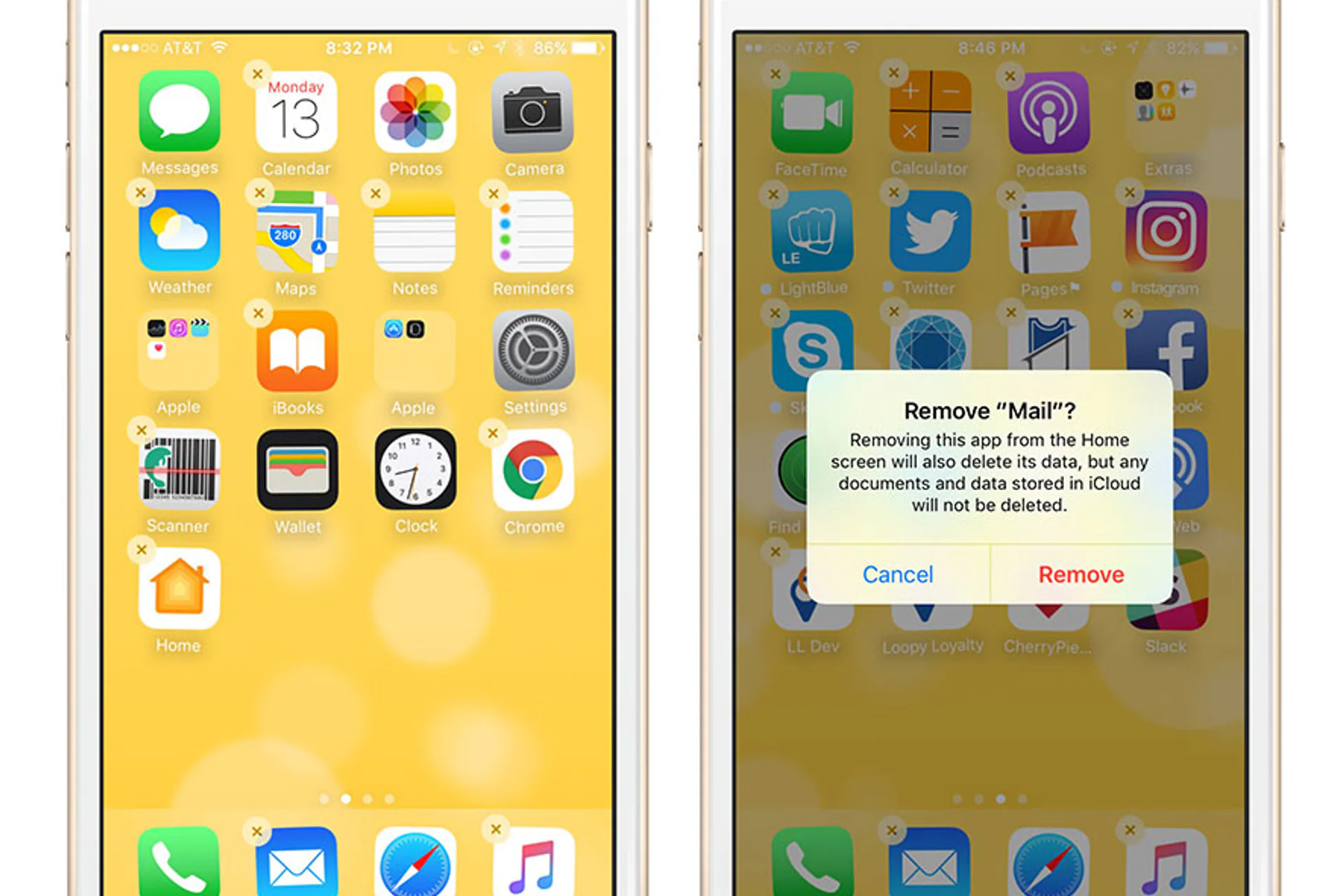
It’s only been a few hours since the WWDC Keynote and we’ve already been playing around with iOS 10 beta. We’ve highlighted some of the cool things that came out of WWDC 2016 in this post here.
So far, we’d like to share what has changed so far in iOS 10 - specifically with Apple Wallet, lock screen notifications, and native apps.
Apple Wallet
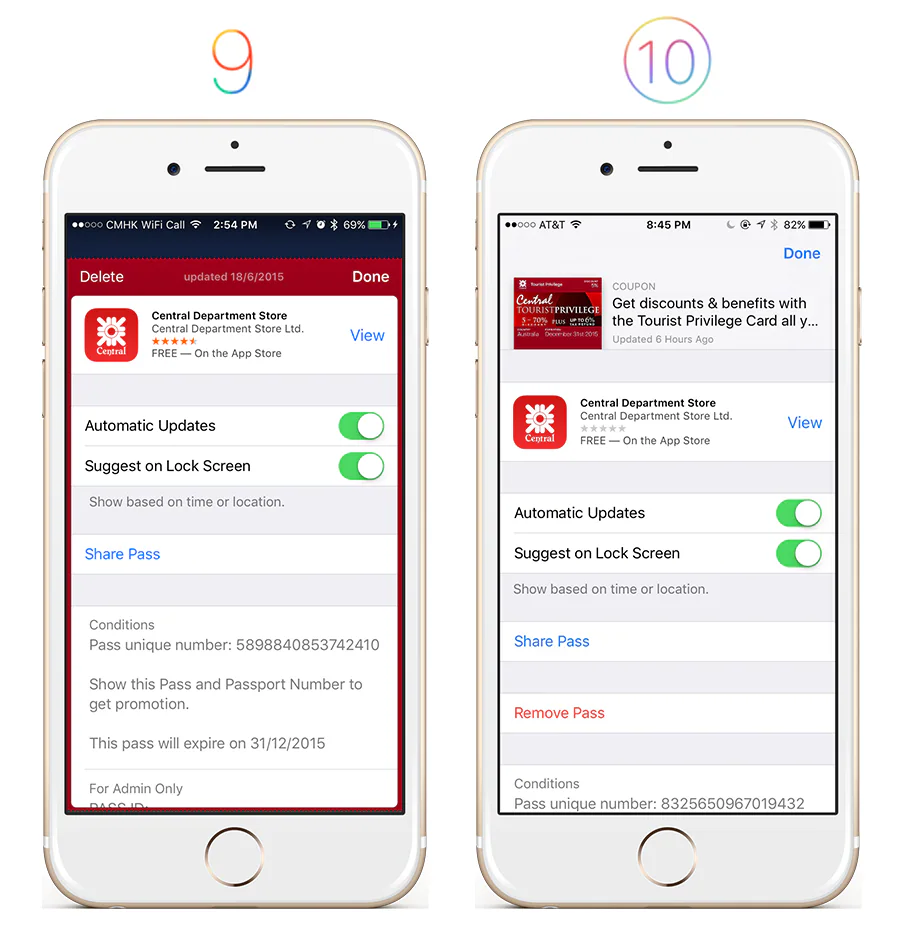
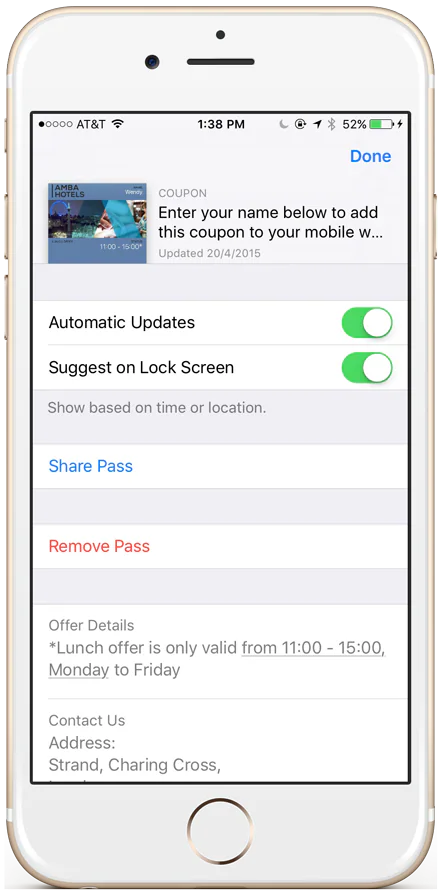
The back of passes have a completely new design.
- A pass preview and pass description is displayed at the top of the pass.
- ‘Delete’ has now been moved to a row and changed to ‘Remove’, right under ‘Share Pass’
Lock Screen Notifications
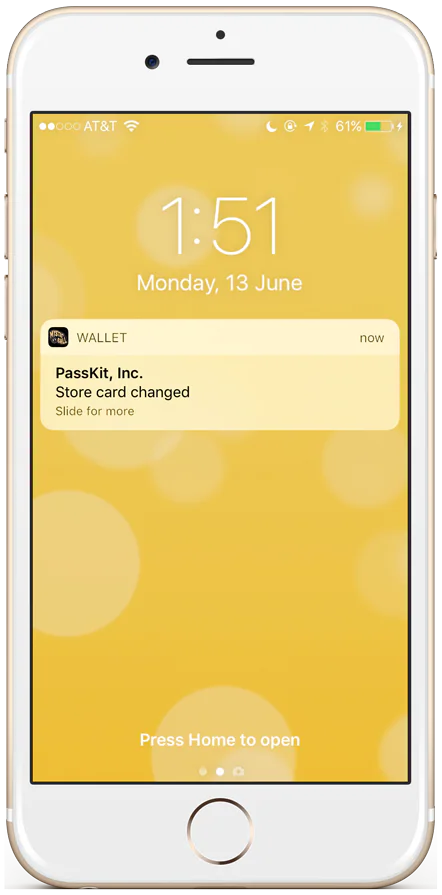
We’re loving how Apple has completely redesigned the lock screen to include beautiful, rich content. Here’s an example of a lock screen notification from Wallet.
Native Apps
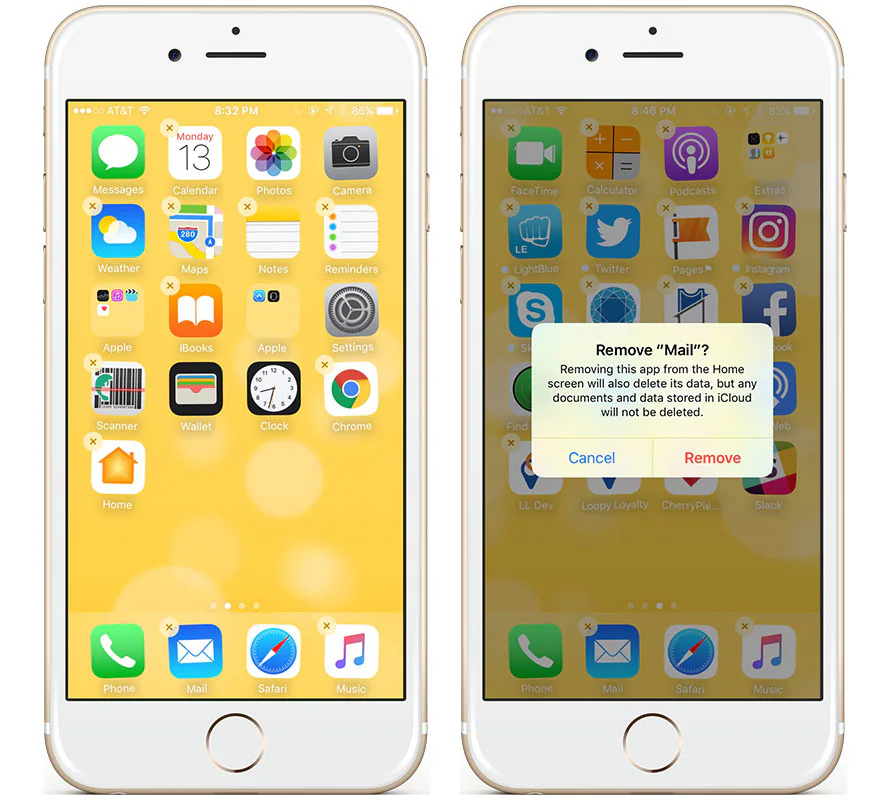
In iOS 10, certain native apps can now be deleted from the device. For example, Music, Mail, Weather, Calendar, and Home. Here’s the full list. What we’re most excited about is that Wallet is still native to all iOS devices and cannot be deleted. Wallet is here to stay.
Stay Tuned
We’re excited to see what else Apple has in store, especially for Wallet. Check back here for the latest updates!