
How Agencies Can Create Branded Apple and Google Wallet Passes
A practical guide for agencies creating, operating and handing over branded Apple Wallet and Google Wallet pass programmes for clients.

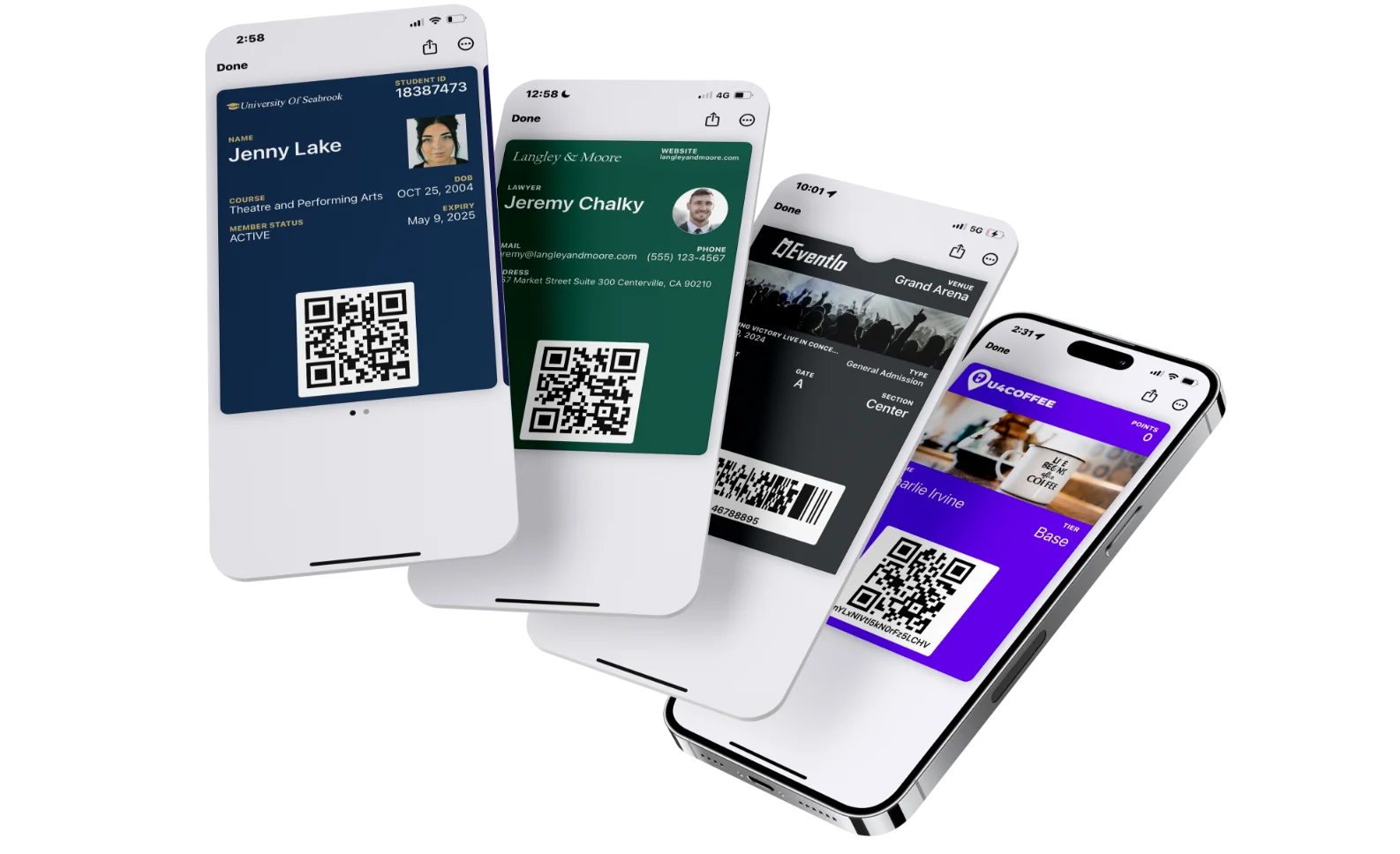
Agencies can use Apple Wallet and Google Wallet passes to extend a client campaign beyond the first click, email, event, or store visit. A customer can save a branded coupon, membership card, loyalty card, event ticket, or other pass to a compatible phone’s mobile wallet without being asked to install a separate client app.
Creating the visual pass is only the first step. An agency also needs to decide who owns the account and certificates, which system owns customer data, how passes are distributed and updated, what the client can measure, and what happens when the campaign or agency relationship ends.
This guide explains how agencies can plan that complete operating model and use a wallet platform such as PassKit to create and manage the customer-facing pass layer.
Platform details were checked against PassKit’s official documentation on 27 October 2026.
What Agencies Can Deliver With Digital Wallet Passes
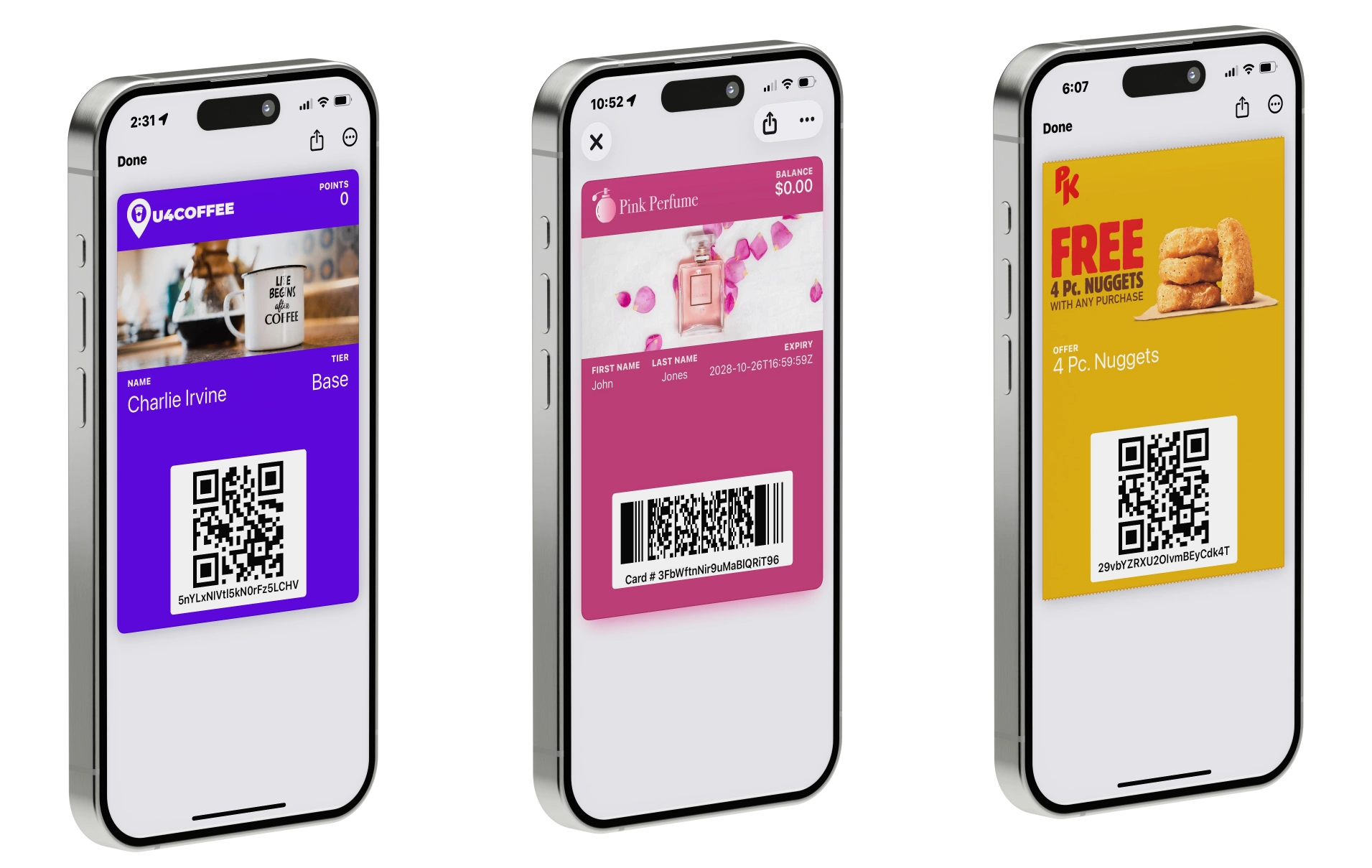
A mobile wallet pass is a customer-facing surface inside Apple Wallet or Google Wallet. Its role depends on the client’s use case.
| Client need | Possible wallet pass | Information that may need to stay current |
|---|---|---|
| Promote an offer | Coupon or offer pass | Validity, redemption status, locations, offer details |
| Recognise a member | Membership card | Member name, identifier, tier, expiry, status |
| Extend a loyalty programme | Loyalty card | Points, status, rewards, member identifier |
| Support an event | Event ticket | Date, venue, entry code, status, event information |
| Engage a fan community | Fan pass | Release links, event information, benefits, calls to action |
| Provide a digital credential | Staff or visitor credential | Holder details, validity, role, status |
The pass does not automatically become the client’s system of record. A CRM, membership system, loyalty engine, ticketing system, ecommerce platform, database, or internal application may still own the underlying customer and programme data. The wallet pass presents selected information and actions in a convenient mobile format.
That distinction protects an agency from promising a complete operational system when the brief is really for the wallet experience.
Choose the Agency Delivery Model First
The right account, integration and support model depends on what the agency is selling. An engagement may combine initial implementation, integration, ongoing management, support and eventual handover rather than fitting one fixed delivery model.
How Agencies Can Package Wallet Pass Services
The commercial structure should reflect the work and responsibility involved. These are common service models, not prescribed prices or packages.
| Service | What the agency delivers | Typical commercial model |
|---|---|---|
| Initial setup | Pass design, configuration and testing | One-off project fee |
| Integration | CRM, loyalty, membership or event-system connection | Implementation fee |
| Campaign or managed operations | Issuance, updates, reporting and monitoring | Project fee or monthly retainer |
| Support and maintenance | Staff training, troubleshooting and operational maintenance | Ongoing support fee |
| Handover and training | Documentation and transfer of operational responsibilities | Defined project or contract deliverable |
Before quoting the work, an agency should define which services the engagement includes, who is responsible for each stage, and whether ongoing management or client handover is required. The same pass design can require very different implementation, governance and support commitments.
Is PassKit Right for Your Agency?
PassKit is particularly suited to agencies that want to design and manage Apple Wallet and Google Wallet passes for several clients while retaining control of delivery, updates, reporting and ongoing support. Its agency setup supports multiple client projects in one shared account, with one consolidated PassKit invoice and account-level aggregation for relevant pass-volume tiers.
That shared model is designed for agency operation rather than separate client administration. If a client requires direct access to an isolated Portal environment, a separate client account is more appropriate. Team-member permissions within a shared account are account-wide rather than limited to one client project.
Agencies that promise a completely branded client dashboard should also budget for additional development. The standard PassKit Portal and PassReader app cannot be white-labelled, although an agency can build its own client-facing interface using the PassKit API.
Decide Account Ownership Before Designing the Pass
Ownership decisions influence security, continuity, billing, and the client’s ability to continue operating after the engagement. Before production starts, choose between a shared agency account and a separate client account, then record the decision in the statement of work.
PassKit’s documented agency model lets an agency operate multiple client projects in one central account. The agency receives one PassKit invoice, and pass usage is combined at account level for the relevant volume tiers. The agency then bills each client under its own commercial terms. Clients do not receive project-specific Portal access in this model. PassKit team-member roles apply across the account rather than to an individual project, so an agency should not add a client expecting them to see only their own project.
A separate client account is the clearer choice when the client needs isolated Portal access and direct control. The agency can still configure the programme and operate it under an agreed access model, but usage and billing sit within that separate account.
| Decision | Shared agency account | Separate client account |
|---|---|---|
| Account owner | Agency | Client |
| Portal operator | Agency team | Client team or an agreed agency operator |
| Client Portal access | No project-specific client login; team roles are account-wide | Isolated to the client’s account |
| PassKit billing | One consolidated agency invoice; the agency bills clients separately | Usage and billing remain within the client account |
| Main advantage | Central management and account-level aggregation | Direct client control and clearer separation |
| Handover consideration | Continued operation depends on the contract, account access and integrations | Remove or rotate agency access and transfer the operating documentation |
Account-level aggregation does not mean every pass is billed in the same way. The current PassKit rate card uses different billing units for multi-use and single-use passes, so model each client programme against the relevant pass type.
For stronger brand separation, PassKit recommends a separate Apple Wallet pass certificate for each business. This also reduces the risk of Apple Wallet icon caching causing one client’s icon to appear on another client’s passes. An agency can also build a client-facing interface with the PassKit API, but that is a separate development project rather than client access to a white-labelled PassKit Portal.
Whichever model you choose, document who owns or controls:
- The account, subscription and each client project
- Apple Wallet certificates and related Apple Developer access
- Google Wallet issuer access where applicable
- Client brand assets and pass templates
- Customer data and the CRM, POS, database or programme system of record
- Email, SMS, web, app and QR-code distribution channels
- Integration identities, credential owners and approved storage locations, but not the secret values themselves
- Reporting, support, incident response and renewal processes
- The process for suspending, exporting or handing over the programme
Build a Repeatable Agency Workflow
A repeatable delivery process helps the agency scale without treating every client as a completely bespoke implementation.
1. Define the customer job
Start with what the pass holder needs to do: save an offer, prove membership, enter an event, view a balance, find a location, or return to a useful digital destination. Avoid adding fields simply because the wallet template makes them available.
2. Map the source of truth
Identify which system controls each important value. The loyalty engine may calculate points, the membership platform may control expiry, and the ticketing system may decide whether entry is valid. PassKit should receive or present that information without being described as the system that created the rule.
3. Design for both wallets
Create a shared brand system, then account for the way Apple Wallet and Google Wallet render their respective pass formats. The two wallet experiences should feel consistent, but they will not be pixel-identical. Test real passes on supported Apple and Android devices rather than approving only a browser preview.
4. Plan issuance and distribution
Decide when a pass record is created and how the holder receives the Pass URL. Distribution may happen through the client’s email, SMS, website, application, QR codes, enrolment flow, or another connected channel. Sending a link is not the same as the holder installing the pass.
5. Define updates and messaging
List which values can change, what event triggers each change, and which system sends the new data. Separate routine pass updates from wallet messages that may produce a visible notification, subject to wallet and device behaviour.
6. Define validation or redemption
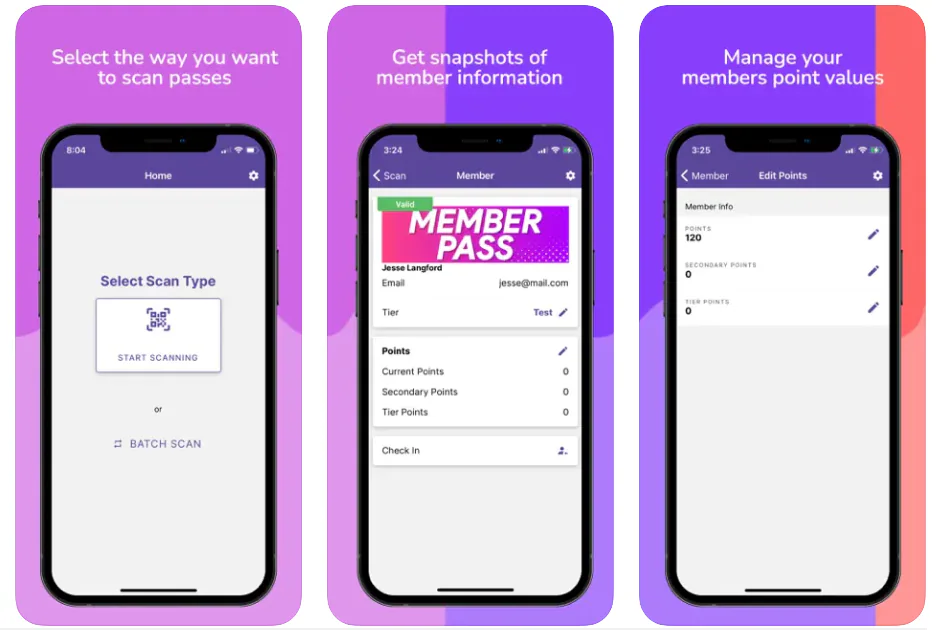
Document what staff or systems will do when the pass is presented. A barcode can carry an identifier, but it does not automatically make a client’s scanner, POS, or access system understand the pass. Test the complete operational workflow.
7. Agree on measurement
Choose the lifecycle and operational signals the client needs before launch. This prevents a campaign from being sold against metrics the wallet platform cannot observe.
8. Prepare support and handover
Create a record of templates, fields, identifiers, integrations, distribution links, credential owners, renewal dates and support contacts. Store secret values in an approved credential manager rather than the handover document. A client should not depend on one agency employee remembering how the programme works.
Illustrative example: a regional gym membership pass
Suppose an agency is engaged by a regional gym group to add existing membership cards to Apple Wallet and Google Wallet. During discovery, the agency confirms that the gym’s membership system remains the source of truth for member status and renewal dates. It then defines a data map, creates an on-brand pass template and connects the membership identifier to the pass record. Members receive a Pass URL through the gym’s existing onboarding email rather than a new agency-owned list. Before launch, the agency tests enrolment, installation, field updates and front-desk validation on both wallet platforms. After release, it monitors supported pass lifecycle events and gives the client a monthly operational report without claiming that pass activity proves an in-store visit. The handover pack identifies the account model, certificate owner, integration owner, support route and the steps required if the gym later changes agency. This is a hypothetical workflow, not a description of a customer implementation.
Branding and White-Label Expectations
Agencies often use the phrase white label to describe several different requirements. These should be separated during discovery. PassKit’s current white-label documentation distinguishes the live pass from distribution surfaces and operating tools.
The pass itself
The customer-facing pass can use the client’s approved logo, colours, images, copy, links and relevant pass fields within Apple Wallet and Google Wallet design constraints. PassKit branding is removed from the live pass as part of the platform service. The pass should look and feel like the client’s programme rather than an agency template reused without adaptation.
Distribution and communication
The client may want branded enrolment, delivery, landing-page or email experiences. Custom pass URL domains, removal of “Powered by PassKit” from data collection pages, and custom welcome or delivery sender domains are available with additional setup or ongoing fees. Confirm the current commercial terms before quoting them to a client. A branded email design is not automatically the same as a fully white-labelled sending domain.
The operating platform
The agency may use PassKit behind the scenes while the client or pass holder interacts mainly with branded passes and client-controlled channels. The PassKit Portal and PassReader app cannot be white-labelled. If a client requires a branded operating interface, the agency would need to scope a separate API-based application and its ongoing support.
Using white label as a blanket promise creates avoidable scope disputes. A proposal should name the exact customer-facing and administrative surfaces that will carry the client, agency, or platform brand.
Create a Client-Specific Pass Design System
A reusable agency workflow should not produce generic-looking passes. Create a small design system for each client that specifies:
- Approved logos and image assets
- Brand and contrast-safe colours
- Field names and content hierarchy
- Date, number, points, and expiry formats
- Barcode or QR-code payload requirements
- Links and calls to action
- Terms, support information, and privacy destinations
- Apple Wallet and Google Wallet differences
- Localised content where the implementation supports it
- Test scenarios for long names, missing data, and exceptional statuses
Design around the most important customer action. A coupon should make the offer and redemption path clear. A membership card should make identity and validity easy to find. An event ticket should prioritise entry information. Trying to place every possible client message on the front of the pass makes the experience harder to use.
Connect the Pass to Client Systems
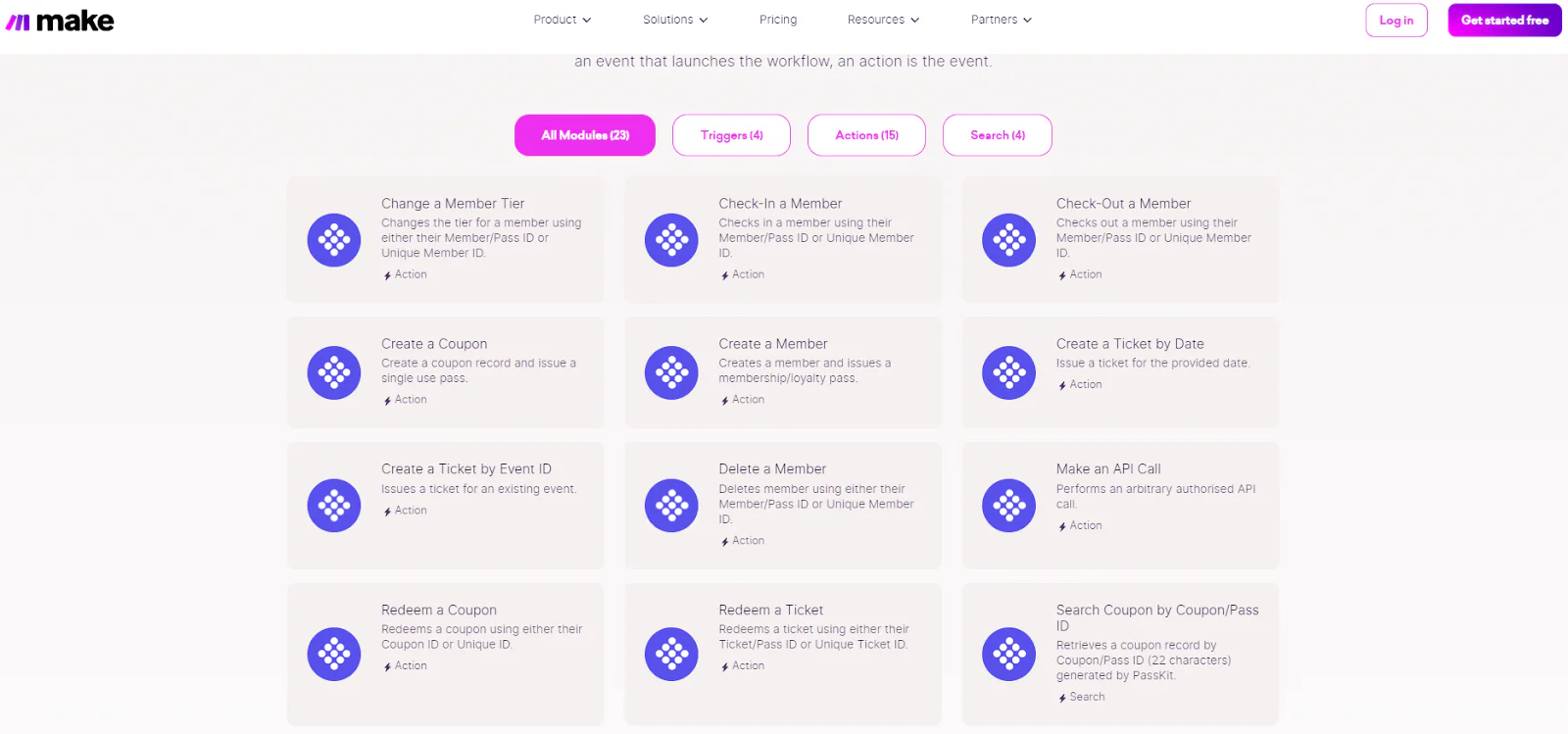
Some agency projects can be operated through the PassKit Portal and documented imports. Others need APIs, SDKs, webhooks, native integrations or automation platforms. PassKit’s integration planning guidance recommends keeping the client’s master system authoritative while PassKit provides the customer-facing wallet layer.
The implementation should begin with a data map:
| Data or event | Source system | Wallet use | Update owner |
|---|---|---|---|
| Customer identifier | CRM or database | Match the pass to the correct record | Client or integration |
| Membership status | Membership system | Show whether the member is current | Membership system integration |
| Loyalty balance | Loyalty engine | Display the latest points or reward state | Loyalty integration |
| Event status | Ticketing system | Keep entry information current | Ticketing integration |
| Coupon redemption | PassKit or connected checkout | Change the coupon state | Defined redemption workflow |
Stable identifiers are essential. PassKit external IDs are immutable, so plan them before records are created. The agency should also define retry behaviour, duplicate prevention, data validation, logging, error ownership and what happens when a connected system is unavailable.
PassKit provides the wallet engagement layer; it does not automatically replace the client’s CRM, POS, loyalty engine, ticketing platform, payment processor, or database. For a deeper explanation of that boundary, read wallet tools versus wallet infrastructure.
Plan Distribution Around the Client Journey
The distribution method should match the moment when the customer sees value in saving the pass.
Possible routes include:
- A client website or campaign landing page
- Email or SMS controlled by the client
- A QR code in a store, venue, advertisement, or printed pack
- A client application or account area
- A checkout or post-purchase journey
- A membership or event enrolment process
- A personalised link generated through an integration
The agency should distinguish four separate events:
- A pass record is created.
- A Pass URL is delivered or displayed.
- The holder follows the link.
- The holder installs the pass in Apple Wallet or Google Wallet.
These events should not be reported as though they are the same conversion. Test the journey on the devices, browsers, and channels the client’s audience is expected to use.
Operate the Pass After Launch
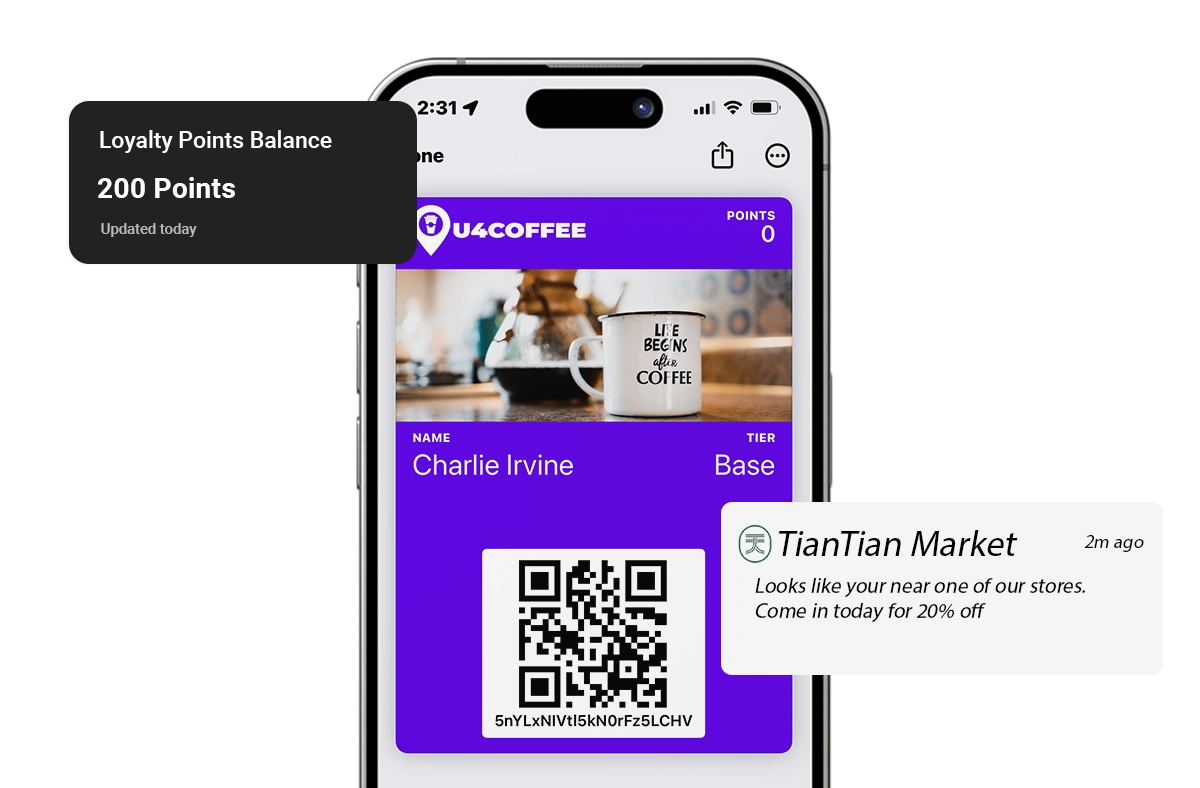
A wallet campaign becomes more useful when the saved pass stays accurate. Before launch, define which changes can occur after installation.
Examples include:
- A revised event time or location
- A membership renewal or expiry
- A new loyalty balance or tier
- A coupon becoming redeemed, expired, or disabled
- An updated campaign link or call to action
- A new benefit available to an eligible segment
The underlying data owner should trigger or authorise the change. The agency also needs an approval process for template-wide updates because one change may affect many issued passes.
Wallet messages should be used selectively. Updating a pass does not guarantee that every holder will see a notification; wallet-platform behaviour and device settings influence presentation. Agencies should promise accurate updates and a controlled communication process, not guaranteed attention.
Report What the Platform Can Actually Measure
Agree on measurement definitions before presenting campaign targets to the client. Depending on the workflow, useful signals may include:
- Pass records created or issued
- Distribution source
- Pass installation
- Pass updates
- Uninstallation
- Coupon or ticket redemption events
- PassReader or connected validation activity
- Campaign, location, or issue-source information where configured
Do not report wallet opens, pass views, notification impressions, or notification click-through rates unless a separate, verified system actually supplies those events. Revenue attribution also requires transaction data from the client’s commerce or POS environment; a pass installation alone does not prove a sale.
For a fuller measurement framework, see mobile wallet analytics and customer engagement tracking.
Manage Multiple Clients Safely
An agency needs operational separation as its wallet practice grows. Establish rules for:
- Client-specific projects, templates, data, and credentials
- Team-member access and offboarding
- Naming conventions and environment labels
- Draft, test, and live project use
- Approval before bulk issuance or template-wide updates
- Certificate and domain renewal ownership
- Incident escalation
- Client reporting access
- Retention and deletion of customer data
- Documentation and change history
Use individual team-member identities rather than shared credentials. PassKit’s current pricing and account FAQ describes Admin, Website, PassReader, Certificates and Billing access roles, but those roles apply across the account rather than to selected projects. That makes them useful for agency staff responsibilities, not for giving a client visibility into only one project inside a shared account.
Keep secret values in an approved credential manager, restrict access to the people who operate the integration, and rotate or revoke access when an employee, contractor or client contact leaves. Store ownership, purpose and rotation dates in the operating documentation without copying the secret itself.
For agencies supporting groups with different locations, systems, or brands, our guide to multi-location wallet integration options explains additional architecture choices.
Prepare for Client Handover and Offboarding
A strong handover starts during setup, not at the end of the contract. Separate an operational handover within the existing PassKit setup from a migration to another provider because they are not the same project.
Operational handover without changing provider
The agency should document:
- Account and project ownership
- Templates and approved assets
- Field definitions and identifiers
- Current integrations and webhook endpoints
- Distribution routes and active links
- Certificate, domain and credential responsibilities
- Issued-pass update requirements
- Current campaigns and scheduled changes
- Reporting definitions
- Support and escalation contacts
- Data export and deletion responsibilities
Store credentials in the approved secure system and transfer access through that system; do not paste secrets into the handover document. In a shared agency account, do not promise that one client project or its installed passes can simply be transferred into a different account. Confirm any proposed account or project transfer with PassKit before including it in a contract.
The agency and client should also agree on what continues after the engagement. Installed passes may still need updates, redemptions may still need validation, and certificates or connected services may still need maintenance. Ending the creative campaign does not automatically end the operational lifecycle.
Migration to another wallet provider
PassKit’s provider migration guidance makes an important distinction: customer and programme data can be used to recreate records with a replacement provider, but an installed Apple Wallet or Google Wallet pass cannot simply be transferred between providers.
A provider change therefore needs new templates, replacement records and a new installation journey. Holders must be told how to add the replacement pass through a channel the client controls, such as its email, SMS, app or account area. The previous pass may remain visible in its last available state, depending on the old setup and wallet platform, so the migration plan should address customer communication as well as data and technical recreation.
Confirm the Platform Fits the Agency Operating Model
This article is not a general platform comparison. For that wider decision, use our guide to choosing a mobile wallet pass platform. For an agency engagement, confirm the applicable pass types and billing units, the surfaces that can carry client branding, and the complete integration, validation, reporting and handover workflow. A polished pass preview is not evidence that the operating model has been solved, so demonstrate the proposed workflow before committing to production.
Frequently Asked Questions
These answers cover the practical questions agencies commonly face when planning, delivering, and managing mobile wallet passes for clients.
Do customers need to install an agency or client app?
No separate agency or client app is required for a compatible customer to save a pass to Apple Wallet or Google Wallet. The customer must still follow the distribution journey and choose to add the pass.
Does every client need a separate PassKit account?
No. A shared agency account can suit clients that do not need direct Portal access. Use a separate client account when the client needs isolated Portal access and direct control. Team-member roles within one account are account-wide rather than limited to a specific project.
Are agency wallet passes fully white-labelled?
The live pass can carry the client’s branding and does not display PassKit branding. Custom pass domains, selected data collection pages and sending domains have separate commercial conditions. The PassKit Portal and PassReader cannot be white-labelled, although an agency can scope its own API-based interface.
Can PassKit replace the client’s loyalty or membership platform?
PassKit can present connected loyalty or membership information through wallet passes, but it should not automatically be described as the system that owns every programme rule, transaction, eligibility decision, or customer record. The client’s existing system may remain the source of truth.
What should an agency measure?
Use supported lifecycle, distribution, installation, update, uninstall, validation, and redemption signals where available. Revenue, purchase, and broader customer attribution require appropriate data from the client’s connected business systems.
Build the Service Around the Whole Pass Lifecycle
Digital wallet passes give agencies a useful way to connect campaigns and customer programmes to a persistent mobile surface. The commercial opportunity is broader than pass design. Clients need help defining ownership, connecting data, distributing passes, operating updates, validating customer actions, interpreting results, and handing over the programme safely.
An agency that can manage that complete lifecycle offers something more valuable than a one-off creative asset. It provides a controlled Apple Wallet and Google Wallet experience that fits the systems and customer journey the client already has.